AI PDF Image Extractor For Free

Drop document here to upload
Select from device
Up to 100 MB for PDF and up to 25 MB for DOC, DOCX, RTF, PPT, PPTX, JPEG, PNG, JFIF, XLS, XLSX or TXT
Note: Integration described on this webpage may temporarily not be available.

Last updated on Oct 12, 2026

AI PDF Image Extractor

Extract images from PDF files quickly using pdfFiller’s AI-powered tool, designed for small and medium businesses.

What is the AI PDF Image Extractor?

The AI PDF Image Extractor is an AI-powered extraction tool that allows you to efficiently extract images from PDF documents. This tool supports various image formats, making it ideal for small business needs. With pdfFiller, you can avoid the complexities of traditional software, ensuring a smooth and straightforward extraction process.

How Does the AI PDF Image Extractor Work?

To extract images from PDF files, the AI PDF Image Extractor operates through a user-friendly interface that requires no technical setup. The extraction process is straightforward, guiding you through each step to ensure you can manage your documents efficiently. This simplicity is designed to enhance your workflow without the need for complex software solutions.

Uploading Documents for Image Extraction

Uploading PDFs for image extraction is easy with pdfFiller. You can use drag-and-drop functionality to upload your files directly. The tool supports various sources for uploading, ensuring you can access your documents from multiple locations without hassle.

Supported Formats for Image Extraction

The AI PDF Image Extractor supports a wide range of file formats, including PDF, DOCX, and image files. You can convert extracted images into multiple formats, ensuring compatibility with various devices and applications. This flexibility allows for seamless integration into your existing document management processes.

Step-by-Step Guide to Extracting Images

  • Open the pdfFiller website and log into your account.
  • Select the AI PDF Image Extractor tool from the dashboard.
  • Upload your PDF document using the drag-and-drop feature.
  • Choose the images you want to extract from the preview.
  • Click on the "Extract" button to begin the process.
  • Review the extracted images to ensure they meet your needs.
  • Download the images in your preferred format.
  • Integrate the extracted images into your projects or share them as needed.

Benefits of AI-Powered Image Extraction

Using the AI PDF Image Extractor offers numerous advantages, including increased speed and accuracy in extracting images. This cost-effective solution enhances your document management capabilities, allowing you to focus on your core business activities. By simplifying the extraction process, pdfFiller helps you save time and resources.

Real-World Scenarios for Image Extraction

Graphic designers can use the AI PDF Image Extractor to quickly pull images from client PDFs for presentations. Marketers may find it beneficial for extracting visuals from promotional materials to create engaging content. Additionally, professionals in document management can streamline their workflow by efficiently extracting images for reports and presentations.

Browser Compatibility and Access

The AI PDF Image Extractor is accessible from various browsers, ensuring you can work from any device without installation. This flexibility allows small and medium businesses to manage their documents on the go, enhancing productivity and collaboration.

Limitations of the AI PDF Image Extractor

While the AI PDF Image Extractor is powerful, it does have some limitations. Availability may vary by plan tier, and there may be file size restrictions for uploads. Additionally, the tool may not extract images from scanned documents as effectively as from text-based PDFs.

Security Measures During Image Extraction

pdfFiller prioritizes security during the image extraction process. All uploaded documents are protected with TLS encryption, ensuring data safety. The platform also adheres to strict document retention policies, automatically deleting files after a specified period to comply with regulations.

How Does pdfFiller Compare?

pdfFiller's AI PDF Image Extractor offers a streamlined experience compared to Adobe Acrobat, which has a more complex interface and lacks specialized image extraction capabilities. Smallpdf provides basic extraction features but does not include AI enhancements, making pdfFiller's tool faster and more efficient. DocuSign focuses primarily on e-signatures, making pdfFiller a better choice for comprehensive document management needs.

Next Steps After Image Extraction

After extracting images, you can easily share them or integrate them with other pdfFiller features. This connectivity enhances your overall workflow, allowing you to manage documents more effectively and improve collaboration within your team.

Try most popular PDF tools

Discover a full set of tools to handle any document task.

Edit PDFs

Make quick PDF edits online.

Sign

Add legally binding signatures.

Merge

Combine multiple PDFs.

Request signatures

Send a document for signing.

Convert

Transform PDFs into other formats.

Rearrange

Change the order of pages.

Share

Send PDFs for review or editing.

Compress

Reduce PDF file sizes.

How to simplify complex processes with AI

1. Access the AI-powered editor

Let PDF AI do the heavy lifting

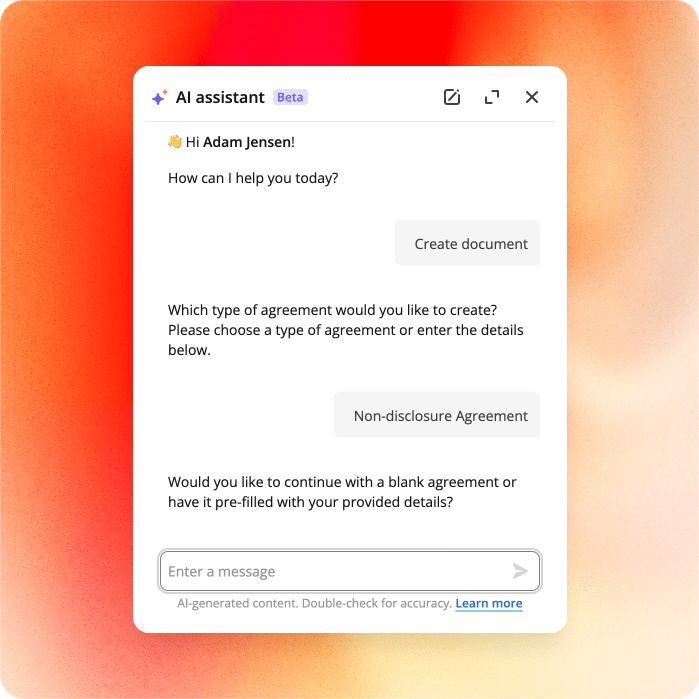
  • Create documents with AI Generate anything — from proposals and reports to contracts and NDAs — with just a few quick prompts. Save time and avoid the hassle of starting from scratch.
  • Quickly prepare docs for signing Let AI detect signature fields and assign them to the right recipients. Whether it’s contracts or forms, everything will be ready for signing in seconds.
  • OCR scanned documents Use PDF AI for quick text recognition and turn scans into editable documents. Revise paperwork, extract key details, and edit scans without headaches.
  • Restore scanned documents Transform your roughest scans into clear, high-quality documents. Retrieve content from faded or low-quality scans to ensure that important information stays accessible.
  • Summarize content to save time Why slog through lengthy reports and agreements when you can get a quick summary that highlights the important stuff? Focus on the essentials!
  • Translate PDFs on the fly From international sales pitches to contracts and e-books, translate content in any language without leaving your PDF reader.
  • Ask PDF AI anything Need to locate a clause in a contract or specific findings in a lengthy research paper? Chat with PDF AI and get instant, relevant answers about documents.
  • Search smarter and faster No more wasting time digging for the right doc. Use advanced contextual search to pinpoint the exact document, form, or template in your account, pdfFiller’s library, or on the web.

Who needs this?

Explore how professionals across industries handle PDFs using AI.

Healthcare

Streamline the creation of patient intake forms, consent documents, and medical history questionnaires with AI. Use AI-powered OCR to digitize and restore scanned medical records, making them editable and easy to store.

  • Patient intake forms
  • Medical history questionnaires
  • Consent and release forms
  • Insurance claims
Healthcare
  • G2 — Users Most Likely To Recommend
  • G2 — Grid Leader in Small-Business
  • G2 — High Performer
  • G2 — Regional Leader
  • G2 — Easiest To Do Business With
  • G2 — Best Meets Requirements
  • G2 — Best Support

pdfFiller scores top ratings on review platforms

pdfFiller is rated 4.6 out of 5 stars across 1,000+ G2 reviews.

It has been a huge leap forward with what we are trying to accomplish with electronic forms and storage.
Anonymous Customer
It works fine, does a great job. Took me a while to learn how to use it.
max c
This program is saving me time and money! I had an issue with the content lining up, and their support team resolved my issue within minutes.
Anonymous Customer
Building home as GC and have to sign or initial many PDF files. PDFfiller has really helped. I also like the way my signed docs are kept by the app.
richard O
wasn't aware of fax features, this saved me another hour of work today. more and more impressed with this software daily
bill c
I AM ENJOYING HAVING USE OF THE PDF FILLER.COM Back in the day we needed a typewriter to fill-in the boxes. But, today, it is a must have to fill-in the boxes on various forms with the pdf filler and be able to complete your business work. I just love having this program to help me get my work completed!
Happy C
much easier to use than Adobe and cheaper too!
Elizabeth B
Great experience so far. Great experience so far.
Dawn
So Far so Good... So Far so Good.... Needed to covert from PDF to WORD. Fairly simple process. Thank you
Lou Ann

Enhance your PDF experience with AI superpowers

Try easy-to-use tools for all your document management needs.

pdfFiller workspace for creating, filling and managing PDF forms

More than an AI PDF editor

Complete document management

FAQs

If you can't find what you're looking for, please contact us anytime!

An AI PDF Image Extractor is a tool that uses artificial intelligence algorithms to identify and extract images from PDF documents quickly and accurately. This technology analyzes the structure of the PDF, distinguishing between text and image elements, allowing users to retrieve images without manual effort. For remote professionals and legal teams, this means saving time and enhancing productivity. To effectively use an AI PDF Image Extractor, ensure that your PDF files are not password-protected, as this can hinder the extraction process.

To ensure the security of your documents while using an AI PDF Image Extractor, choose a platform that prioritizes data protection, like pdfFiller. Look for features such as end-to-end encryption and compliance with security protocols like GDPR. These measures protect sensitive information during the extraction process. Additionally, always review the privacy policy of the tool you are using to understand how your data is handled. For enhanced security, consider using document automation features that allow you to manage access and permissions.

Yes, many AI PDF Image Extractors, including pdfFiller, are designed with cross-platform compatibility, allowing you to extract images from PDFs on mobile devices. This flexibility is crucial for remote professionals who need to work on-the-go. To maximize your experience, ensure that your mobile device has a stable internet connection and that you are using the latest version of the application. This will help you avoid potential issues and ensure a smooth extraction process.

Using an AI PDF Image Extractor for legal documents offers several benefits, including increased efficiency and accuracy in retrieving essential images from lengthy files. This tool can significantly reduce the time spent on manual extraction, allowing legal teams to focus on case preparation and strategy. Moreover, AI-powered extraction minimizes human error, ensuring that critical images are not overlooked. For best results, integrate the extractor with document management systems to streamline your workflow further.

An AI PDF Image Extractor enhances document management for SMEs by automating the image extraction process, which can be labor-intensive if done manually. By utilizing this tool, SMEs can quickly access and repurpose images for marketing, presentations, or internal documentation. This not only saves time but also ensures that valuable visual content is readily available. To leverage this technology effectively, consider using it in conjunction with cloud-based document management solutions that allow for easy sharing and collaboration.

An AI PDF Image Extractor can extract various types of images, including photographs, logos, charts, and diagrams embedded within PDF documents. This versatility is particularly beneficial for professionals in fields such as marketing and law, where visual content is crucial. To optimize the extraction process, ensure that the images are of high quality and not overly compressed, as this can affect the clarity of the extracted files. Additionally, using a reliable tool like pdfFiller can help maintain the integrity of the images during extraction.

While AI PDF Image Extractors are powerful tools, they do have limitations. For instance, they may struggle with PDFs that contain scanned images or low-resolution graphics, as the AI may not accurately identify these elements. Additionally, some extractors may not support all PDF formats, which can limit usability. To mitigate these issues, always check the compatibility of your PDF files and consider using tools that offer advanced features for handling various document types, such as pdfFiller.

What businesses achieve with pdfFiller

Discover how you can benefit too.

Other software options offering customized branding have really extreme pricing. Compared to the monthly costs of PandaDoc, we are now saving unbelievable amounts of money.

B2B Services Message Direct

One tool. Every document task.

One workflow shouldn’t take five tools

Start free trial