American Red Cross Emergency Contact Card

Get eSignatures done in a snap

Prepare, sign, send, and manage documents from a single cloud-based solution.

What is American Red Cross Emergency Contact Card?

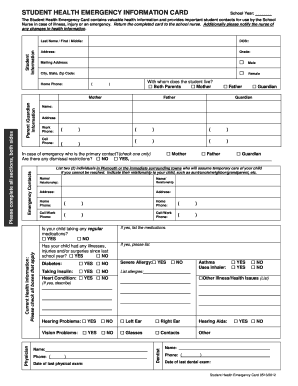
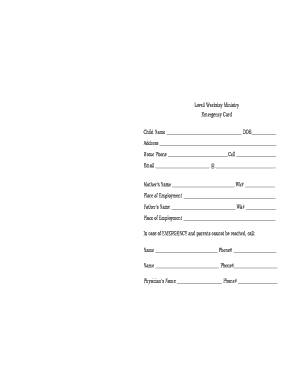
The American Red Cross Emergency Contact Card is a vital tool that allows individuals to keep their important emergency contact information in one convenient location. It is a small card that fits easily in a wallet or purse, ensuring that emergency responders can quickly access important information in the event of an emergency.
What are the types of American Red Cross Emergency Contact Card?

There are two main types of American Red Cross Emergency Contact Cards: paper-based cards and digital cards. The paper-based cards are physical cards that can be filled out by hand with pen or pencil. On the other hand, digital cards can be created, edited, and stored electronically using various tools and applications.

Paper-based cards
Digital cards

How to complete American Red Cross Emergency Contact Card

Completing the American Red Cross Emergency Contact Card is a straightforward process. Here are the steps to follow:
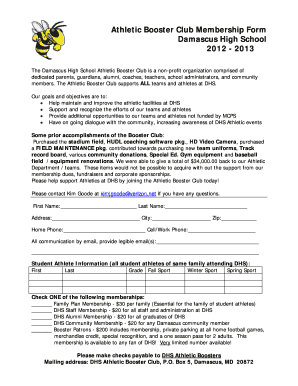
01
Gather all the necessary emergency contact information, including names, phone numbers, and email addresses.
02
Choose the type of Emergency Contact Card you prefer - paper-based or digital.
03
If using a paper-based card, fill out the required fields with the gathered information. Make sure to write legibly.
04
If using a digital card, open the chosen application or tool and input the necessary information in the designated fields.
05
Double-check all the entered information for accuracy and completeness.
06
Store the completed card in a safe and easily accessible place, such as a wallet, purse, or a secure digital storage platform.
07
Make sure to update the contact card regularly to reflect any changes in contact information.

In conclusion, the American Red Cross Emergency Contact Card is a valuable resource for individuals to have in case of an emergency. Whether it's in a paper or digital format, the card allows for quick access to important contact information. With the help of pdfFiller, users can easily create, edit, and store their Emergency Contact Cards online, ensuring that they are always prepared for unexpected situations.
Video Tutorial How to Fill Out American Red Cross Emergency Contact Card
Thousands of positive reviews can’t be wrong

Read more or give pdfFiller a try to experience the benefits for yourself
5.0
Had an issue with my subscription Had an issue with my subscription cancellation...
Had an issue with my subscription Had an issue with my subscription cancellation, was rectified within less than an hour by Kim and very efficient customer service.
Amy Gregory
5.0
This is an excellent product/service.
This is an excellent product/service… This is an excellent product/service that was very useful to me, especially because I have a chromebook and can't install windows based pdf editing software. After the trial period, I had a family emergency that caused me to forget to cancel my trial (I love pdf filler but planned to subscribe later when I will need it more) so I was auto charged for the subscription once my trial ended. I contacted support to explain what happened and they responded and resolved my issue within just a few minutes. They were prompt, professional, and understanding. I feel great about the service and customer support that I recieved and plan to subscribe to pdf filler in the near future. I wild gladly recommend pdf filler to anyone who wants a great way to edit pdf files with the confidence of working with a company that has excellent customer service.
Cita
5.0
Having better results with the site It is a lifesaver as far as my clients being...
Having better results with the site It is a lifesaver as far as my clients being able to sign consents on the screen and get them back to me. So far, the recipients of my docs have been able to follow the instructions and sign the docs without difficulty
Elisabeth B

Questions & answers

If there's someone in need with an Android phone, here's how you can pull up their medical information and emergency contacts. From the lock screen, swipe up. Select Emergency. Select Emergency Information.
You can also add emergency contacts. After an emergency call ends, your iPhone alerts your emergency contacts with a text message, unless you choose to cancel. Your iPhone sends your current location, and for a period of time after you enter SOS mode, your emergency contacts receive updates when your location changes.
Name, address, phone: home, work, fax birth date, blood type, social security number, primary physician(s), insurance carrier, local and out of town emergency contacts and personal support network.
If you choose to maintain your emergency health information on paper, keep a number of print copies in handy places. For example, put a copy in your purse, vehicle glove box, first aid kit and emergency kit. You could even try making one small enough to fit in your wallet or on an index card.
Name, address, phone: home, work, fax birth date, blood type, social security number, primary physician(s), insurance carrier, local and out of town emergency contacts and personal support network.
An emergency contact is the first person medical personnel will get in touch with in an emergency, but your emergency contact may not have the legal authority to act on your behalf unless you explicitly provide that power.