Daily Checklist Template

Get eSignatures done in a snap

Prepare, sign, send, and manage documents from a single cloud-based solution.

What is a daily checklist template?

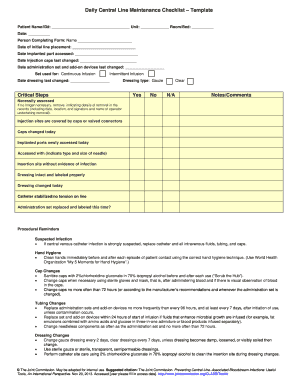
A daily checklist template is a tool that helps individuals or organizations keep track of tasks that need to be completed on a daily basis. It provides a structured format for listing and checking off tasks, ensuring that nothing is overlooked or forgotten. By using a daily checklist template, you can streamline your workflow, improve productivity, and stay organized.

What are the types of daily checklist templates?

There are various types of daily checklist templates available, depending on the specific needs and requirements of the user. Some common types include:

Daily task checklist template: This type of template is used to list and track daily tasks that need to be completed.
Daily cleaning checklist template: It is used to establish a routine cleaning schedule and ensure that all cleaning tasks are done regularly.
Daily meal planning checklist template: This template helps in planning and organizing meals for each day, ensuring a healthy and balanced diet.
Daily fitness checklist template: It is used to track and monitor daily fitness activities and goals.
Daily productivity checklist template: This template aids in managing and improving daily productivity by listing tasks, goals, and deadlines.
Daily medication checklist template: It helps individuals keep track of their daily medication schedule and dosage.

How to complete a daily checklist template

Completing a daily checklist template is a simple and straightforward process. Follow these steps:

01
Start by downloading a daily checklist template that suits your needs or create one using a document editing software like pdfFiller.
02
List all the tasks that you need to complete on a daily basis. Be specific and include any relevant details or instructions.
03
Assign priority or deadlines to each task if necessary.
04
As you complete each task, check it off the list or mark it as done.
05
Review the checklist at the end of the day to ensure that all tasks have been completed.
06
Make any necessary adjustments or updates to the checklist for the next day.

pdfFiller is a powerful online document editing tool that empowers users to create, edit, and share documents online. With unlimited fillable templates and powerful editing tools, pdfFiller is the only PDF editor you need to efficiently manage your daily checklist templates.


Video Tutorial How to Fill Out daily checklist template

Thousands of positive reviews can’t be wrong

Read more or give pdfFiller a try to experience the benefits for yourself
5.0
As a beginner, I was surprised not only with the fact that PDFfiller was so much...
What do you like best? As a beginner, I was surprised not only with the fact that PDFfiller was so much easier to learn and use than the Adobe Suite but also at the range of capabilities on offer! From my first use of this online program I found new pleasure in dealing with .pdf files. I now use the program Every Single Day to create, manipulate or convert files that used to sit waiting, sometimes for days at a time, to be done by the one or two people with access to more expensive and less user friendly programs. Now I have a new "can-do" attitude to the workings of .pdf files. I can't recommend this online tool enough and it's so affordable, you can buy a license to use at home. Great product, lots of advantages. You will not look back, you will not regret this purchase. What do you dislike? The user Interface could do with being a little less busy. A streamlined interface and a compact "how to..." would take a 9/10 to a 10. It just needs some tweaking and it's perfect! Recommendations to others considering the product: In my opinion it is definitely worth spending the small amount to upgrade to the paid version! What problems are you solving with the product? What benefits have you realized? Administration issues generally...adding text, file conversion and commenting on documents...are all problems that I had to either pay to have done elsewhere or ask for an expensive subscription that was never in my budget and wouldn't be approved if I had asked.
Samantha Miller (Venezia)
5.0
Such fillable forms usually cost $700 for a year's service.
What do you like best? Such fillable forms usually cost $700 for a year's service. This is less than $150 per year. Easy to use and effective. What do you dislike? Some of the protocols are cumbersome. For instance, when you want a standard form, it makes you go through a process instead of taking you right to the form. What problems are you solving with the product? What benefits have you realized? Attorney running small practice in which I need fillable California Judicial Council forms
Mark Bruce
5.0
I like the fact that it is easy to use and has all of the forms that I am lookin...
What do you like best? I like the fact that it is easy to use and has all of the forms that I am looking for. I use this product on a monthly basis and find that it is easy to use and that the documents are easy to find. What do you dislike? There are times that I can't find a form that I know I have filled out. Also there are times that I am unable to get back to the home screen to find a new form. Recommendations to others considering the product: I would highly recommend this product to others and in fact I have done so. This product is easy to use and inexpensive compared to other products like it. What problems are you solving with the product? What benefits have you realized? Form 2848, Form 1099Misc and W2s
Susan ODay

Questions & answers

How to create your checklist Step 1: Do a “brain dump” Step 2: Organize and prioritize tasks. Step 3: Put them on your to-do list. Step 4: Check off each item as you complete it. Step 5: Continue adding items as they come up.
Ensure all your daily or weekly tasks are completed using this checklist template in Microsoft Word. It's free to use, edit, print, or download. The Word checklist template can help in organizing or planning schedule and events.
Assess your weekly tasks Quickly write down everything you need to do (don't bother about making it fancy, a rough list will do) Add clarifying information to any vague items — e.g. 'write post' becomes 'write one guest post' Remove anything that needs doing less often than weekly, or is a one-off task.
Microsoft Excel Pros Better if you want to combine multiple elements onto the page e.g. a habit tracker and a checklist or a daily schedule and notes box etc.
How to create your checklist Step 1: Do a “brain dump” Step 2: Organize and prioritize tasks. Step 3: Put them on your to-do list. Step 4: Check off each item as you complete it. Step 5: Continue adding items as they come up.
How do I manage my weekly to-do lists? Choose the right tool. Create a running list or lists. Add tasks to your tool as soon as you think of them. Add a due date to each task. Revise your task lists each day based on progress. Set a daily limit for tasks. Reserve your weekly list for tasks, not goals.