Event Timeline Template

What is Event Timeline Template?
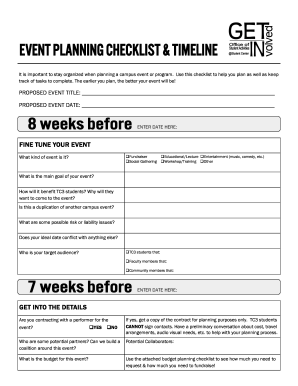
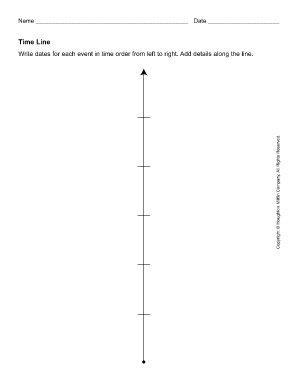
An Event Timeline Template is a visual representation of the chronological order of events related to a specific event or project. It helps users organize and track the different milestones, tasks, and deadlines associated with the event.
What are the types of Event Timeline Template?
There are several types of Event Timeline Templates available, each designed to suit different needs and preferences. Some common types include:
Gantt Chart
Vertical Timeline
Horizontal Timeline
Milestone Chart
How to complete Event Timeline Template
Completing an Event Timeline Template is a straightforward process that involves the following steps:
01
Identify the key milestones and tasks related to the event
02
Allocate time frames for each task and milestone
03
Add dependencies between tasks if necessary
04
Review and adjust the timeline as needed
05
Share the completed timeline with the relevant stakeholders
pdfFiller empowers users to create, edit, and share documents online. Offering unlimited fillable templates and powerful editing tools, pdfFiller is the only PDF editor users need to get their documents done.
Thousands of positive reviews can’t be wrong
Read more or give pdfFiller a try to experience the benefits for yourself
Questions & answers
How do I create an event timeline in Word?
Create a timeline On the Insert tab, click SmartArt > Process. Click Basic Timeline or one of the other process-related graphics. Click the [Text] placeholders and enter the details of your events. Tip: You can also open the Text Pane and enter your text there. On the SmartArt Design tab, click Text Pane.
Does Microsoft have a timeline template?
Open PowerPoint and enter your data into the Office Timeline Wizard. Go to the Office Timeline tab you'll see on the PowerPoint ribbon and click on New. You will be taken to a gallery where you can choose from a variety of styles and templates that you can use for your timeline.
Does Microsoft have a timeline template?
You can also download a free Microsoft Word timeline template and we'll show you how to customize it to meet your needs. And lastly, you'll see how to create a timeline using Smartsheet, a collaboration and project management tool in a simple spreadsheet layout.
How do I create an event timeline?
How to create a realistic event planning timeline Determine your budget and assemble your team. Structure timeline around nonnegotiable deadlines. Allow for “buffer time” Reassess at the halfway point. Create a “day-of” timeline.
How do I make my own timeline?
How to create a timeline infographic by following these 6 steps: Create an outline for your timeline. Pick a layout for your infographic. Create the framework for your timeline. Add dates, text, and images to your timeline infographic. Embellish your timeline with colors, fonts, and decorative shapes.
Is there a timeline template in Word?
In the Home tab, click the Create New button and click Browse Templates. Search for “timeline” and select the Project with Gantt Timeline template. Rename the template and choose where to save it.