Fillable Personal Financial Statement


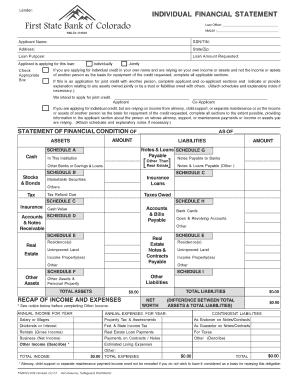

What is fillable personal financial statement?
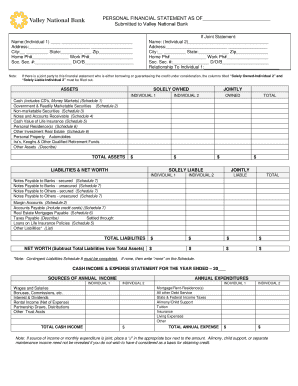
A fillable personal financial statement is a document that helps individuals assess their financial standing. It includes information about their assets, liabilities, income, and expenses. By completing this statement, individuals can get a clear picture of their financial health and make informed decisions regarding their finances.
What are the types of fillable personal financial statement?
There are several types of fillable personal financial statements available. Some common types include:
Personal Balance Sheet: Provides a snapshot of an individual's financial position by listing assets and liabilities.
Income Statement: Shows an individual's income and expenses over a specific period to assess financial performance.
Cash Flow Statement: Tracks the inflow and outflow of cash to determine cash availability and usage.
Net Worth Statement: Calculates an individual's net worth by subtracting liabilities from assets.
How to complete fillable personal financial statement
Completing a fillable personal financial statement is relatively straightforward. Follow these steps:
01
Gather all necessary financial documents, such as bank statements, investment statements, and tax returns.
02
Open a fillable personal financial statement template.
03
Input your personal information, including name, contact details, and social security number.
04
Fill in your assets by listing all valuable possessions, such as real estate, vehicles, and investments.
05
Declare your liabilities by including debts, loans, and credit card balances.
06
Provide details of your income sources, including salary, investments, and rental income.
07
Enter your monthly expenses, such as mortgage payments, utility bills, and groceries.
08
Review the completed financial statement for accuracy and completeness.
09
Save the document or print a physical copy for future reference.
pdfFiller empowers users to create, edit, and share documents online. Offering unlimited fillable templates and powerful editing tools, pdfFiller is the only PDF editor users need to get their documents done.
Thousands of positive reviews can’t be wrong
Read more or give pdfFiller a try to experience the benefits for yourself
Questions & answers
How do I prepare an income statement for myself?
How to Write an Income Statement Pick a Reporting Period. Generate a Trial Balance Report. Calculate Your Revenue. Determine Cost of Goods Sold. Calculate the Gross Margin. Include Operating Expenses. Calculate Your Income. Include Income Taxes.
How do I fill out a personal financial statement with SBA?
How to fill out SBA Form 413 Step 1: Fill in basic business information. Step 2: Add information about your assets. Step 3: Add information about your liabilities. Step 4: Complete section 1 for your source of income and contingent liabilities. Step 5: Complete section 2 with your notes payable to banks and others.
What documents compose your personal financial statements?
A personal financial statement is a document, or set of documents, that outlines an individual's financial position at a given point in time. It is usually composed of two sections – a balance sheet section and an income flow section.
How do I create a personal balance sheet in Excel?
You can do that in Excel by clicking on File. Go to the New tab, then in the Search Bar, type Balance Sheet. After a quick search, Excel will give you at least three templates you can use. Alternatively, you can also visit Vertex42, FreshBooks, or Wise.com to download a template from their website.
Does Excel have a financial statement template?
Q: Does Excel have financial templates? A: Yes. Excel has a range of financial templates, including income statements, cash flow statements, and balance sheets.
What is a PFS template?
It lists your assets (what you own), your liabilities (what you owe), and your net worth. To get your net worth, subtract liabilities from assets.