Landlord Receipt Template

Get eSignatures done in a snap

Prepare, sign, send, and manage documents from a single cloud-based solution.

What is Landlord Receipt Template?

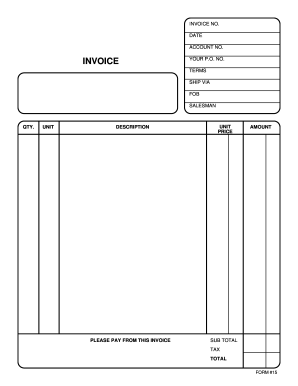
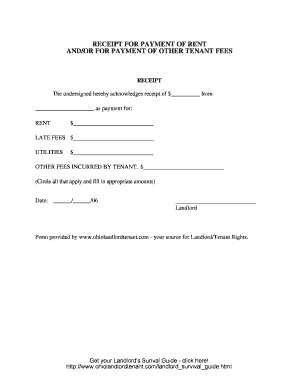
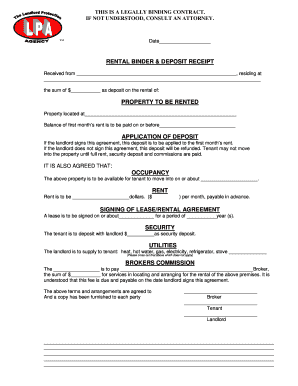
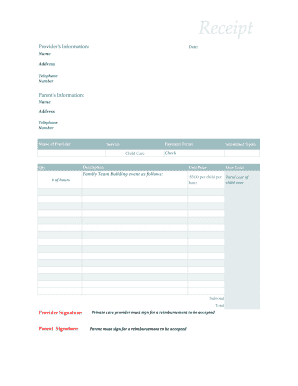
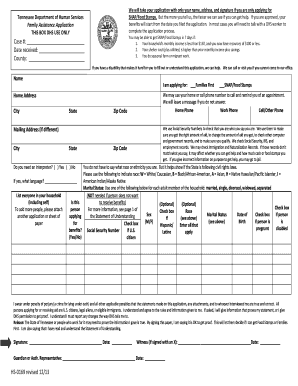
A Landlord Receipt Template is a document that landlords provide to their tenants as proof of payment. It includes important details such as the amount paid, date of payment, and a breakdown of expenses, if applicable. It serves as evidence for both parties and helps maintain a transparent financial relationship between landlords and tenants.
What are the types of Landlord Receipt Template?

There are several types of Landlord Receipt Templates available to suit different rental scenarios. Some common types include:

Rent Receipt Template: Used to acknowledge the payment of monthly rent.
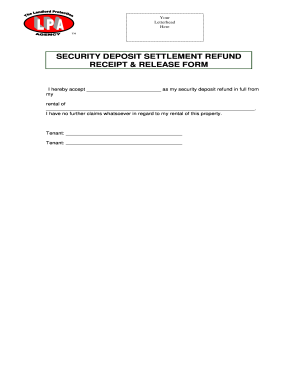
Security Deposit Receipt Template: Given when tenants provide a security deposit for the rental property.
Late Fee Receipt Template: Issued when tenants pay a late fee for overdue rent.
Maintenance Receipt Template: Provided to tenants who have paid for maintenance or repair charges.

How to complete Landlord Receipt Template
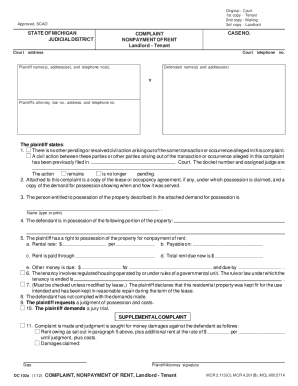
Completing a Landlord Receipt Template is a simple process. Here are the steps to follow:

01
Start by entering the landlord's name and contact information.
02
Include the tenant's name and address.
03
Specify the date of payment and the payment method used.
04
Provide a detailed description of what the payment is for, such as rent or security deposit.
05
If applicable, mention any additional charges or expenses and provide a breakdown.
06
Finally, both the landlord and tenant should sign and date the receipt to acknowledge its accuracy.

pdfFiller empowers users to create, edit, and share documents online. Offering unlimited fillable templates and powerful editing tools, pdfFiller is the only PDF editor users need to get their documents done.
Thousands of positive reviews can’t be wrong

Read more or give pdfFiller a try to experience the benefits for yourself
5.0
No more filling in forms with my handwriting.
What do you like best? No more filling in forms with my handwriting. What do you dislike? Nothing really. I have found it be very helpful. Recommendations to others considering the product: Easy to use and affordable. What problems are you solving with the product? What benefits have you realized? A nice looking final document with legible information as opposed to my illegible handwriting. No need for a typewriter to fill in blanks on forms which means more space for other equipment.
Lynn Bottenus
5.0
I print and distribute numerous emails every week.
What do you like best? I print and distribute numerous emails every week. As such, I have tried quite a bit of PDF software over the past several years, I have seen that pdfFiller does everything I need, every time, in an easy-to-use way. There is none better for the price. What do you dislike? At times, it is difficult to find a saved file from within Google Chrome. Recommendations to others considering the product: Before making a selection, make sure to use evaluation versions. It's a shame to get saddled down with something and later discover that it's not right for you. What problems are you solving with the product? What benefits have you realized? There is one peculiarity that I encounter every week. The first file that I modify is saved in the appropriate folder, and the browser shows me where to find it. For some peculiar reason, I have a hard time finding every file that I save after that. It could be an issue with the browser.
Shmuel Mendelsohn
5.0
Too expensive for casual users It's too expensive for third world countries.
Too expensive for casual users It's too expensive for third world countries. I just need to remove some watermarks. I need it to use it once a month
ignacio ferrari

Questions & answers

What information must I put on a receipt? your company's details including name, address, phone number and/or email address. the date of transaction showing date, month and year. a list of products or services showing a brief description of the product and quantity sold.
How to Write a Rent Receipt The date of the payment. The rental period the payment is for. Which rental property the payment is for, if you own multiple. The tenant's full name. Who received the payment. The property address. The payment amount. The method of payment.
Rent receipts should include the following: The name of the payer. The recipient. The address and phone numbers of both parties. The amount of money being exchanged. The form of payment (whether cash, check, money order, or credit card) A receipt number and date issued.
In the letter, include the following information on a business letterhead: Your tenant's name. Rental property address. Rent price. The purpose of the letter. Confirmation that your tenant has paid rent on time. Your contact information.
0:00 0:25 How to Create a Receipt in Microsoft Word - YouTube YouTube Start of suggested clip End of suggested clip Select new over to the right of office comm click in the space and type in receipt. Press Enter lookMoreSelect new over to the right of office comm click in the space and type in receipt. Press Enter look at the receipt.