Personal Budget Weekly Expenses Worksheet

Get eSignatures done in a snap

Prepare, sign, send, and manage documents from a single cloud-based solution.

What is Personal Budget Weekly Expenses Worksheet?

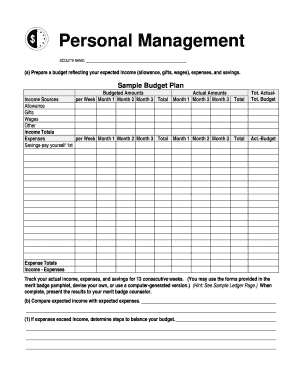
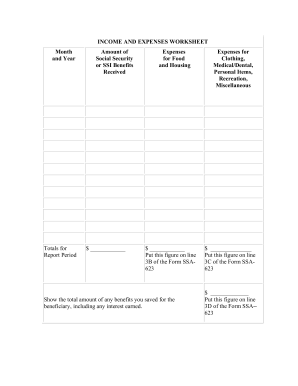
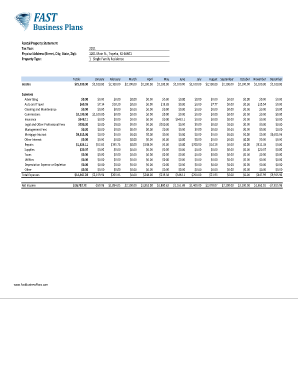
A Personal Budget Weekly Expenses Worksheet is a tool that helps individuals track and manage their weekly expenses. It is designed to give users a clear overview of how they are spending their money and help them make informed decisions about their finances.

What are the types of Personal Budget Weekly Expenses Worksheet?

There are several types of Personal Budget Weekly Expenses Worksheets available, depending on the specific needs and preferences of the user. Some common types include:

Basic Personal Budget Weekly Expenses Worksheet: This type of worksheet provides a simple layout for tracking expenses and income on a weekly basis.
Categorized Personal Budget Weekly Expenses Worksheet: This worksheet organizes expenses into categories such as groceries, rent, utilities, entertainment, etc., to help users identify areas where they may be overspending.
Detailed Personal Budget Weekly Expenses Worksheet: This type of worksheet includes additional columns for tracking specific details about each expense, such as the date, vendor, and purpose, providing users with a more comprehensive overview of their spending habits.

How to complete Personal Budget Weekly Expenses Worksheet

Completing a Personal Budget Weekly Expenses Worksheet is a straightforward process that requires the following steps:

01
Start by gathering all necessary financial documents, such as bank statements, receipts, and bills.
02
Create categories for your expenses, such as housing, transportation, food, etc.
03
Record all your expenses for the week in the corresponding categories, making sure to include every purchase, no matter how small.
04
Calculate your total income for the week and subtract your total expenses to determine your net income or loss.
05
Analyze your spending patterns and identify areas where you can cut back or save more.
06
Set realistic financial goals based on your findings and adjust your budget accordingly.
07
Review and update your Personal Budget Weekly Expenses Worksheet regularly to ensure it remains an accurate reflection of your financial situation.

pdfFiller empowers users to create, edit, and share documents online. Offering unlimited fillable templates and powerful editing tools, pdfFiller is the only PDF editor users need to get their documents done.


Thousands of positive reviews can’t be wrong

Read more or give pdfFiller a try to experience the benefits for yourself
5.0
Very good application Very good application, i really encourage other user to tr...
Very good application Very good application, i really encourage other user to try this pdf filler application
Rahul gupta
5.0
Nice tool, I would expect this could be too too hard or complex, but not.
Nice tool, I would expect this could be too too hard or complex, but not. It was the other way around. Good Job!!
Dante
5.0
PDFFILLER PDFFILLER, I have tried many and many have failed, typically to overst...
PDFFILLER PDFFILLER, I have tried many and many have failed, typically to overstate and underdeliver, however. PDFFILLER, is the nerd in the room understated but delivers at every turn. There have been times though that I was sure they misssed something, that is untill I call support and talk about delivery. A product is only as good as the support team behind it. Hours spent trying to figure out this glitch, testing this and testing that, and the support agent just as friendly and helpful at hour three as at hour one, come to find out, it was my network, my VPN and firewall wasn't letting me upload documents, others were good and worked fine. except from my phone. Even then the agent was doing even more testing and providing his findings via screen recordings over email. I was amazed and it wasn't the first time. incredibly knowledgeable and professional. I am not an easy person to please as most software isn't completly vetted before release but PDFFILLER has done their work and worth every penny.
Scott Stevens

Questions & answers

1:37 6:37 How To Start Following The 50/30/20 Rule To Eliminate Budgeting Stress YouTube Start of suggested clip End of suggested clip So this is the portion of your grocery. Bill that would go towards wine or the part of your salaryMoreSo this is the portion of your grocery. Bill that would go towards wine or the part of your salary that you set aside to eat out at restaurants travel. And buy that five dollar latte essentially this
To create a budget spreadsheet, start by opening a new spreadsheet and creating columns for things like amounts, due dates, and paid dates. Then, create cells to record your income sources, like your monthly pay, followed by cells to record expenses, such as food and housing.
A simple, step-by-step guide to creating a budget in Google Sheets Step 1: Open a Google Sheet. Step 2: Create Income and Expense Categories. Step 3: Decide What Budget Period to Use. Step 4: Use simple formulas to minimize your time commitment. Step 5: Input your budget numbers. Step 6: Update your budget.
Create a Personal Budget: How to Make a Budget Gather your financial statement. Record all sources of income. Create a list of monthly expenses. Fixed Expenses. Variable Expenses. Total your monthly income and monthly expenses. Budget Spreadsheet Example. Set a goal.
How to Make a Budget in Excel from Scratch Step 1: Open a Blank Workbook. Step 2: Set Up Your Income Tab. Step 3: Add Formulas to Automate. Step 4: Add Your Expenses. Step 5: Add More Sections. Step 6.0: The Final Balance. Step 6.1: Totaling Numbers from Other Sheets. Step 7: Insert a Graph (Optional)
Creating a budget Step 1: Calculate your net income. The foundation of an effective budget is your net income. Step 2: Track your spending. Step 3: Set realistic goals. Step 4: Make a plan. Step 5: Adjust your spending to stay on budget. Step 6: Review your budget regularly.