Free Flowchart Word Templates
Get eSignatures done in a snap

Prepare, sign, send, and manage documents from a single cloud-based solution.

What are Flowchart Templates?

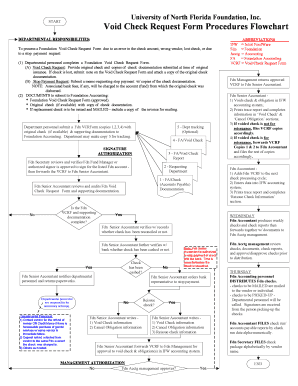
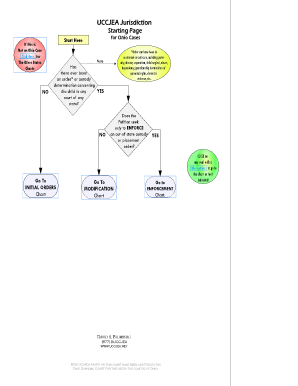
Flowchart templates are visual representations of a process or workflow, using shapes and arrows to show the sequence of steps. They are commonly used in various industries to help clarify complex procedures and make them easier to understand.

What are the types of Flowchart Templates?

There are several types of flowchart templates available, each catering to specific needs and purposes. Some common types include:

Basic Flowchart Templates
Work Flowchart Templates
Data Flowchart Templates
Process Flowchart Templates

How to complete Flowchart Templates

Completing flowchart templates is a straightforward process that involves following these simple steps:

01
Choose a flowchart template that best suits your needs.
02
Fill in the necessary information and steps within each shape in the template.
03
Connect the shapes using arrows to indicate the flow of the process.
04
Review and revise the flowchart to ensure clarity and accuracy.

pdfFiller empowers users to create, edit, and share documents online. Offering unlimited fillable templates and powerful editing tools, pdfFiller is the only PDF editor users need to get their documents done.

Thousands of positive reviews can’t be wrong

Read more or give pdfFiller a try to experience the benefits for yourself
5.0
Scary since I am using lots of numbers for an IRS form and I've forgotten which...
Scary since I am using lots of numbers for an IRS form and I've forgotten which email I've used and what my password is and I have to redo this form. I need training.
Kathryn E. C
5.0
It's been working really great.
It's been working really great. More affordable than similar PDF filler options with just as many features.
Latisha W
4.0
I like that I can pretty quickly add fillable fields and combine documents.
What do you like best? I like that I can pretty quickly add fillable fields and combine documents. I create printable packs for travel and RV life and this program has been so great for finishing touches on products. What do you dislike? When I add other documents to an existing one (combining) it renames the document and also makes a new version. This means I sometimes have to search through all the "documents" and even open them up to find what I am looking for. It can be pretty annoying when working on a large document with 20+ pages. What problems are you solving with the product? What benefits have you realized? I am solving the problem of needing a PDF editor. I initially needed it for signatures and filling out PDF forms for work. Then I started to use it for personal use in adding fillable fields to products I create, and bundling multiple pages together into PDF format.
User in Leisure, Travel & Tourism