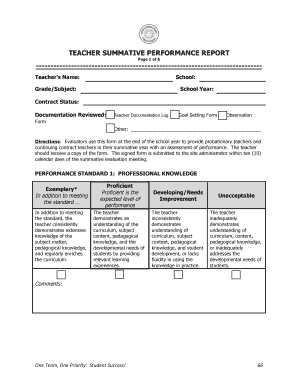
What are Performance Report Templates?

Performance Report Templates are pre-designed documents used to track and analyze various metrics related to an individual's or organization's performance. These templates are crucial for summarizing progress, identifying areas for improvement, and setting future goals.

What are the types of Performance Report Templates?

There are several types of Performance Report Templates available, including: 1. Sales Performance Report Template 2. Employee Performance Review Template 3. Financial Performance Analysis Template 4. Project Progress Report Template 5. Marketing Campaign Performance Template

Sales Performance Report Template
Employee Performance Review Template
Financial Performance Analysis Template
Project Progress Report Template
Marketing Campaign Performance Template

How to complete Performance Report Templates

Completing Performance Report Templates can be a breeze with the right approach. Here are some steps to help you effectively complete your Performance Report Template:

01
Gather all necessary data and information related to the performance metrics
02
Input the data into the designated fields of the template
03
Review and analyze the results to draw insights and identify trends
04
Make any necessary adjustments or improvements based on the analysis
05
Share the completed Performance Report with relevant stakeholders for review and feedback

pdfFiller empowers users to create, edit, and share documents online. Offering unlimited fillable templates and powerful editing tools, pdfFiller is the only PDF editor users need to get their documents done.
Video Tutorial How to Fill Out Performance Report Templates

Thousands of positive reviews can’t be wrong

Read more or give pdfFiller a try to experience the benefits for yourself
5.0
For someone that has always had terrible hand writing this app is a blessing.
For someone that has always had terrible hand writing this app is a blessing. Works great, easy to upload forms, fill them in and then save and print.
Ken K.
4.0
It took me a bit to figure it out.
It took me a bit to figure it out. Your guide was confusing and l tried to read it but l didn't find it helpful but l did figure it out on my own. I was fine after that.
Shelley R.
4.0
There are things I still can't figure but overall, I am getting the hang of it a...
There are things I still can't figure but overall, I am getting the hang of it and it seems fine. It takes a while to go between pages but that could be on my end.
Church Relations Coordinator, Care Net P

Questions & answers

They are typically done in tabular or graphical formats that may be text-based, visual-based (such as charts, graphs, or tables), or most often a combination of both.
You can follow these steps to create an effective employee evaluation: Review the employee's job description. Highlight areas of improvement. Compare strengths and weaknesses. Recommend actionable goals. Provide constructive feedback. Welcome employee input.
Examples of work performance data are: Reported percent of work physically completed. Quality and technical performance measures. Start and finish dates of scheduled activities.
What to include in a performance report Timeframe of performance report. Past performance analysis. Customer acquisition rates. Synopsis of changes approved. Status levels of risks and issues. Market share and market ranking information. Variance analysis results. Work completed during the reporting period.
Examples of work performance reports include status reports, progress reports, trend reports, earned value reports, forecasting reports, variance reports, etc.
Contents of Work Performance Reports The remaining quantity of work to be completed. Forecasted funds to complete the schedule. Forecasted time to complete the schedule. Status of the major change requests & approved changes.