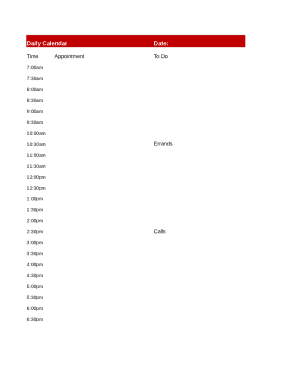
What is Printable Blank Daily Calendar Page?
A Printable Blank Daily Calendar Page is an essential tool to help you organize your daily schedule and tasks effectively. It allows you to plan your day, keep track of appointments and deadlines, and ensure you manage your time efficiently.
What are the types of Printable Blank Daily Calendar Page?
There are several types of Printable Blank Daily Calendar Pages to choose from based on your specific needs and preferences. Some common types include:
Simple daily planner with time slots
Daily agenda with to-do list section
Daily calendar with hourly breakdowns
How to complete Printable Blank Daily Calendar Page
Completing a Printable Blank Daily Calendar Page is easy and straightforward. Follow these simple steps to make the most of your daily planning:
01
Start by writing the date at the top of the calendar page
02
Fill in your schedule and appointments for the day
03
Add any important tasks or deadlines to the to-do list section
04
Prioritize your tasks based on urgency and importance
05
Review your completed calendar page at the end of the day to track your progress
pdfFiller empowers users to create, edit, and share documents online. Offering unlimited fillable templates and powerful editing tools, pdfFiller is the only PDF editor users need to get their documents done.
Video Tutorial How to Fill Out Printable Blank Daily Calendar Page
Thousands of positive reviews can’t be wrong
Read more or give pdfFiller a try to experience the benefits for yourself
Questions & answers
How do I print a blank calendar page?
Click anywhere in the blank calendar to make it the active calendar. Click File > Print. In the Print pane, under Settings, select your preferred calendar style. Note: If the print preview displays your main calendar with all of your appointments and events, click Print Options.
Is there a free printable calendar in Word?
Calendar templates in Word format available for download. There are Weekly and Monthly calendar planners which come blank and optimized for printing. Ideal to use as a work or academic planner. All Calendar Word files are in docx (macro free) format and free to download.
How do I create a blank calendar template?
How to Create a Calendar in Word With a Table 1️⃣ Open a new Word document. 2️⃣ Insert the table. 3️⃣ Adjust the table rows and columns. 4️⃣ Add and customize the text. 5️⃣ Format the table. 6️⃣ Create a Notes section at the top of the page. 7️⃣ Add the year and month name. 8️⃣ Save as a template.
How can I make a free printable calendar?
How to make a calendar Open Canva. Launch Canva and search for "Calendar" to start designing. Explore templates. Browse hundreds of calendar templates for every theme. Experiment with features. Personalize your calendar. Publish, print or share.
Does Word have a blank calendar template?
Tip: If you're already in Word for the web, see all the calendar templates by going to File > New, and then below the template images click More on Office.com. You'll be on the Templates for Word page. In the list of categories, click Calendars.
How can I print a calendar for free?
You can print your Google calendar in any date range. On your computer, open Google Calendar. To select a date range, at the top right, click: Day. Week. Month. At the top right, click Settings. Print. On the "Print preview" page, change details such as font size or color. To select size options, click Print. Click Print.