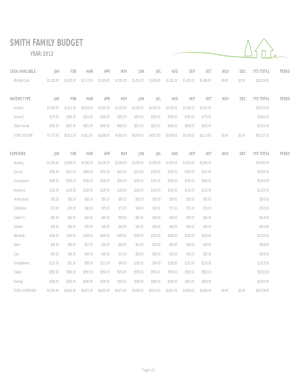
What is Family Budget Template?
A Family Budget Template is a pre-designed spreadsheet or document that helps individuals and families track their income and expenses. It serves as a tool to create a budget plan and monitor financial activities.
What are the types of Family Budget Template?
There are various types of Family Budget Templates available, including:
Monthly Budget Template
Bi-weekly Budget Template
Yearly Budget Template
Expense Tracking Sheet
How to complete Family Budget Template
Completing a Family Budget Template is a simple process that can help you take control of your finances. Here are the steps to follow:
01
Gather all your financial information, including income sources and expenses.
02
Fill in the template with accurate numbers for each category.
03
Calculate your total income and total expenses to determine your budget balance.
04
Review your budget regularly and make adjustments as needed.
pdfFiller empowers users to create, edit, and share documents online. Offering unlimited fillable templates and powerful editing tools, pdfFiller is the only PDF editor users need to get their documents done.
Video Tutorial How to Fill Out Family Budget Template
Thousands of positive reviews can’t be wrong
Read more or give pdfFiller a try to experience the benefits for yourself
Questions & answers
How do I create a budget spreadsheet in Excel?
How to create a budget in Excel using templates Navigate to the "File" tab. The "File" tab is on the top ribbon in Excel. Search for budgets. Select a suitable template. Fill the template. Create budget headers. Enter the expenses, costs, and income. Calculate the balance. Create visualizations.
How do I make a household budget for free?
Best free budgeting tools Best free spreadsheet for anyone: Google Sheets. Best overall free smartphone app: Mint. Best free smartphone app for beginners: Goodbudget. Best free smartphone app for investors: Personal Capital. Best free desktop software for small business owners: GnuCash.
Is Excel best for budgeting?
Excel Really is One of the Best Budgeting Tools Available And not only because it's totally customizable! A lot of Excel users find that creating a hands-on budgeting spreadsheet helps them analyze where their money is coming from (and also where it's going).
How do I create a family budget in Excel?
0:34 10:28 Creating a Family Budget with Excel - YouTube YouTube Start of suggested clip End of suggested clip So here i am in microsoft excel. And i will just go here to the upper. Left click on file. AndMoreSo here i am in microsoft excel. And i will just go here to the upper. Left click on file. And select new and this brings up the screen where i can start a new blank workbook.
What is the formula for budgeting in Excel?
To calculate the total planned budget, input the formula “=SUM(Planned Expenses Total, Planned Funds Total, Planned Savings Total)”. Then, to calculate your planned balance use the formula “=SUM(Total Planned Spending – Total Planned Income)”.
How do I make a budget plan for my family?
7 Easy steps for creating a Family Budget Establish a goal. Ask yourself what you want to get out of making a family budget. Choose a digital budgeting tool. Gather your financial information. Organize into categories. Calculate the information. Look for ways to decrease spending. Review your budget monthly.