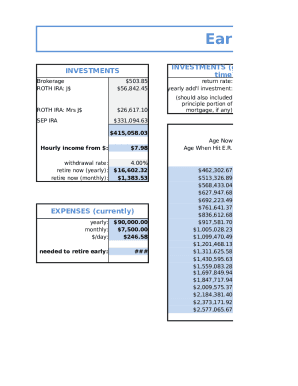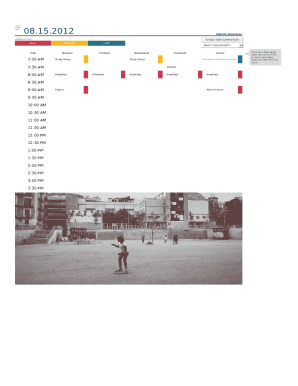
What is Student Weekly Schedule?

A student weekly schedule is a plan or timetable that helps students organize their tasks, activities, and deadlines for the upcoming week. It allows students to allocate time efficiently for studying, attending classes, extracurricular activities, and personal commitments.

What are the types of Student Weekly Schedule?

There are several types of student weekly schedules that students can use based on their preferences and needs. Some common types include:

Time-block schedule
Hour-by-hour schedule
Task-based schedule
Study session schedule
Class-specific schedule

How to complete Student Weekly Schedule

Completing a student weekly schedule is essential for effective time management and productivity. To create and complete your student weekly schedule, follow these steps:

01
Determine your priorities and goals for the week
02
Allocate specific time slots for classes, studying, extracurricular activities, and personal time
03
Use a planner or digital tool to create your schedule and make adjustments as needed
04
Review and update your schedule daily to stay on track and make necessary changes
05
Stick to your schedule but allow flexibility for unexpected events or changes

By using pdfFiller, you can easily create, edit, and share your student weekly schedule online. With unlimited fillable templates and powerful editing tools, pdfFiller is the only PDF editor you need to stay organized and productive.
Video Tutorial How to Fill Out Student Weekly Schedule

Thousands of positive reviews can’t be wrong

Read more or give pdfFiller a try to experience the benefits for yourself
4.0
Aggrevated that sometimes I cannot type "-" or "z" because the key does somethin...
Aggrevated that sometimes I cannot type "-" or "z" because the key does something as a hot key instead of typing.
Thomas C H
4.0
Very easy to use but would be great if there were some examples or tutorials to...
Very easy to use but would be great if there were some examples or tutorials to show off its full potential.
Derek
4.0
Very easy to use but would be great if there were some examples or tutorials to...
Very easy to use but would be great if there were some examples or tutorials to show off its full potential.
Derek T.

Questions & answers

How to make a class schedule Open Canva. Open Canva and search for "Class Schedule." Choose a template. Find a wide range of class schedule templates for every style and theme. Add illustrations and text. Personalize your schedule. Save or print.
How to Create the Perfect Weekly Plan for You Step 1: Set your goals for the week. Step 2: Determine what your “work hours” will be. Step 3: Get it ALL out on paper. Step 4: Prioritize your weekly tasks. Step 5: Fill in your weekly schedule. Step 6: List “carryover items” for next week.
A weekly timetable gives an overview for what is happening during a week. Typically this can include information about break times, lunch times and when different subjects and topics are covered.
How to create a daily schedule Write everything down. Begin by writing down every task, both personal and professional, you want to accomplish during a normal week. Identify priorities. Note the frequency. Cluster similar tasks. Make a weekly chart. Optimize your tasks. Order the tasks. Stay flexible.
PLAN A SCHEDULE OF BALANCED ACTIVITIES. PLAN ENOUGH TIME FOR STUDYING EACH SUBJECT. STUDY AT A SET TIME AND IN A CONSISTENT PLACE. STUDY AS SOON AFTER YOUR CLASS AS POSSIBLE. UTILIZE ODD HOURS DURING THE DAY FOR STUDYING. LIMIT YOUR STUDY TIME TO NO MORE THAN 2 HOURS ON ANY ONE COURSE AT ONE TIME.
How to plan your week in advance? Take note of your top 3 daily goals. Choose a day to start your weekly plan. Take help from your calendar for scheduling. Create a weekly checklist. Leave enough space for unplanned events. Make sure your plan is realistic. Create, follow, repeat.