Add Page Numbers to PDF and Edit PDF for Desktop
Add page numbers to your PDF documents quickly and edit them using pdfFiller's user-friendly tools.
What is Edit Mode in pdfFiller?
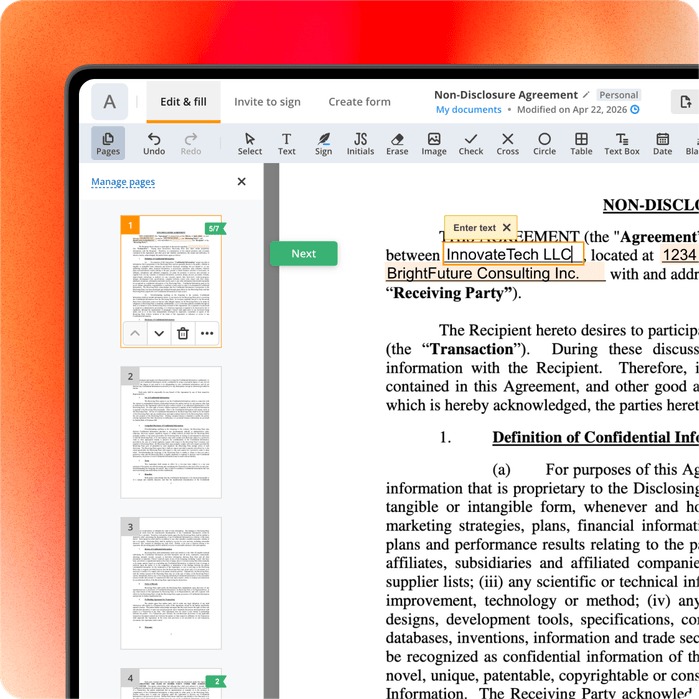
Edit Mode in pdfFiller allows you to modify your PDF documents easily. You can access this feature via the Edit button in the toolbar. It supports both native and scanned PDFs, enabling you to make direct text modifications. The user-friendly interface is designed specifically for small and medium businesses, ensuring that you can navigate through your documents without encountering complex software jargon.
How to Add Page Numbers to Your PDF
- Open your PDF document in pdfFiller.
- Click on the Edit button to enter Edit Mode.
- Select the option to add page numbers from the toolbar.
- Choose the position where you want the page numbers to appear, such as the header or footer.
- Customize the font style and size of the page numbers as needed.
- Preview the changes to ensure everything looks correct before finalizing.
- Click the Save button to apply the changes to your PDF.
- Download or share your edited PDF document with the added page numbers.
Editing Existing Text in Your PDF
To edit text in your PDF documents, simply click on the text blocks you want to modify directly. You can navigate between text elements easily, allowing for quick adjustments. Once you have made the necessary changes, saving them is hassle-free. This functionality is particularly suitable for business documents, ensuring that your edits are straightforward and efficient.
Why Use pdfFiller for Page Numbering?
pdfFiller is trusted by over 68 million users, making it a reliable choice for adding page numbers to your PDF documents. With more than 1 million templates available, you can find the right format for your needs. There are no hidden fees or IT setup required, making it an affordable option for small businesses looking to manage their documents effectively.
Common Scenarios for Adding Page Numbers
Adding page numbers is essential in various scenarios, such as legal documents that require pagination for clarity. Business reports benefit from numbering pages to enhance organization and readability. Invoices also look more professional with page numbers, ensuring that clients can easily reference specific pages. Additionally, marketing materials can be organized better with clear page numbering, making it easier for recipients to navigate through the content.
Limitations of pdfFiller's Edit Mode
While pdfFiller's Edit Mode offers many features, there are some limitations to consider. You cannot edit scanned PDFs without OCR technology, which may restrict your ability to modify certain documents. Additionally, there is no guaranteed font matching, which can affect the appearance of your edited text. Password-protected documents may also have limitations, and not all features are available on the free plan, so it's essential to review your options carefully.
Browser Compatibility for pdfFiller
pdfFiller is compatible with various browsers to ensure optimal performance. There is no installation required, allowing you to access the platform from any device. It works seamlessly on major operating systems, making it a versatile tool for adding page numbers to your PDF documents.
How Does pdfFiller Compare with Other PDF Editors?
When comparing pdfFiller with Adobe Acrobat, pdfFiller offers a more user-friendly interface for small businesses, while Acrobat has more advanced features. In contrast to Foxit, pdfFiller is more affordable for SMBs, whereas Foxit provides extensive customization options. Compared to Nitro, pdfFiller is easier to use without IT setup, but Nitro offers more powerful editing tools.
Next Steps After Adding Page Numbers
After adding page numbers to your PDF, save and share your edited document to ensure it reaches the intended audience. Explore other editing features available in pdfFiller to enhance your documents further. Consider using templates for future documents to save time and maintain consistency. Lastly, ensure that your documents are legally compliant to avoid any issues down the line.