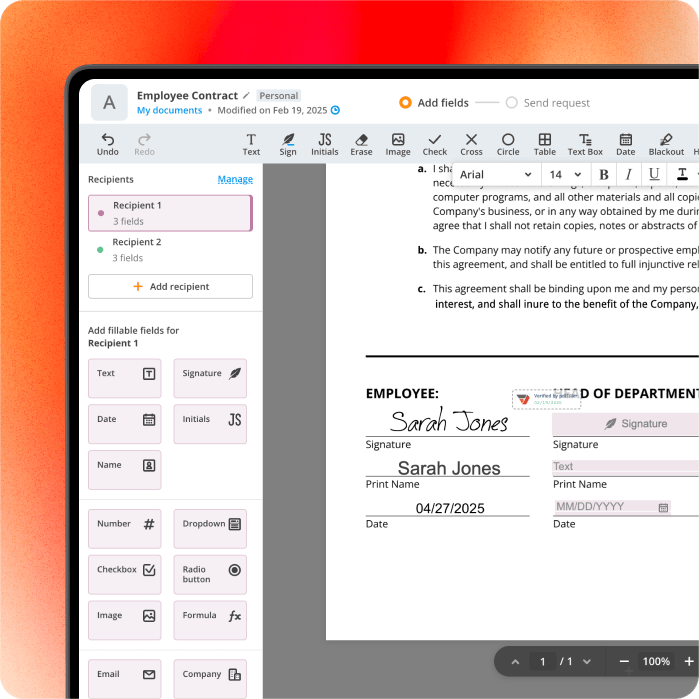
Customize Subject and Message in Email
Customize the subject and message of your email in pdfFiller for effective document delivery.
What Email Customization Options Are Available?
pdfFiller offers several email customization options that allow you to modify the subject and message for clarity and engagement. You can easily access customization settings to tailor your email content, making it suitable for small and medium-sized businesses (SMBs) and professionals. By modifying the subject line, you ensure that your recipients understand the email's purpose right away. Personalizing the message content helps in establishing a connection with the recipient, enhancing the overall communication experience. The user-friendly interface of pdfFiller makes it simple to implement these changes, avoiding the generic email templates that can lead to confusion or disengagement.
How to Customize Email Subject in pdfFiller
- Navigate to the email settings within your pdfFiller account.
- Input your custom subject line that reflects the content of the document being sent.
- Preview the changes to ensure the subject line appears as intended before sending.
- Confirm that this customization is applicable for all document types you may send.
- Save your settings to apply the new subject line for future emails.
How to Personalize Email Message Content
To personalize the email message content, first access the message customization area in pdfFiller. You can choose to use pre-existing templates or write custom text that resonates with the recipient. Including recipient-specific details, such as their name or relevant information about the document, can significantly enhance engagement. Personalization not only makes your emails more appealing but also increases the likelihood of a positive response from the recipient.
Tracking Customized Emails in pdfFiller
After sending customized emails, you can track their delivery status in the Sent folder of your pdfFiller account. This feature allows you to monitor opens and interactions with your emails, providing valuable insights into engagement levels. Accessing analytics for these emails is useful for follow-up communications, ensuring that you can address any questions or concerns your recipients may have.
Common Issues with Email Customization
When customizing emails, it is essential to check for formatting errors that may affect how your email appears to recipients. Ensure that recipient addresses are correct to avoid delivery failures. Additionally, review the subject line length to prevent truncation in email clients. Testing emails before sending them can help identify any potential issues, ensuring a smooth communication process.
Best Practices for Email Customization
To achieve effective email customization, keep subject lines concise and to the point. Using a friendly tone in your messages can foster a positive relationship with recipients. Including a clear call to action encourages recipients to take the next step, whether it’s reviewing a document or responding to your email. Testing different formats can help you determine what resonates best with your audience, leading to more successful communications.
Integrating Email Customization with Other Features
Email customization in pdfFiller can be effectively integrated with other features such as e-signature requests. Combining these elements allows for a streamlined workflow, enhancing the overall efficiency of document management. Utilizing document templates alongside email customization can save time and ensure consistency in communication. Linking to collaboration features further enhances the user experience, making it easier to work with others on shared documents.
Real-World Scenarios for Email Customization
- A freelancer sending proposals can personalize the email subject and message to reflect the client's needs.
- Small businesses invoicing clients can customize emails to include specific invoice details, enhancing professionalism.
- Real estate agents sharing contracts can tailor their messages to highlight key terms and conditions for clients.
- Consultants sending reports can personalize their communication to address specific client concerns or questions.
Limitations of Email Customization in pdfFiller
While pdfFiller offers many customization options, there are some limitations to be aware of. For instance, there are character limits for subject lines that may restrict how much information you can convey. Additionally, there may be restrictions on attachment types that can be sent via email. The availability of certain features may depend on your subscription plan, and large files may encounter potential delivery issues.
Summary and Next Steps
To maximize the effectiveness of your email communications, review the customization options available in pdfFiller. Implement best practices to enhance engagement and explore how email customization integrates with other features. Start sending customized emails today to improve your document delivery process.
How Does pdfFiller Compare?
Adobe Acrobat offers robust email features but lacks the intuitive customization options of pdfFiller.
DocuSign is known for e-signatures, but email customization is less flexible compared to pdfFiller.
Smallpdf provides basic email functionality but doesn't match pdfFiller's depth in customization.