Merge PNG and Download For Free

Drop document here to upload
Select from device
Up to 100 MB for PDF and up to 25 MB for DOC, DOCX, RTF, PPT, PPTX, JPEG, PNG, JFIF, XLS, XLSX or TXT

Last updated on Sep 19, 2026

Merge PNG and Download

Merge PNG files into a single PDF quickly and easily using pdfFiller.

What is the Merge Tool?

The Merge tool allows you to combine multiple files into one PDF document. This tool is accessible without installation, making it ideal for small businesses that need to consolidate documents efficiently. It supports various input formats, including images and text files, ensuring versatility in document management. Unlike complex software solutions, this tool offers a straightforward approach to merging files, saving time and effort for users.

How Merging Solves Document Workflow Issues

Merging documents addresses common workflow challenges faced by many professionals. By consolidating contracts and reports into a single file, you save time in document management and reduce the need for multiple files. This process enhances collaboration among teams, allowing for easier sharing and review of important documents. Merging is a practical solution for those looking to streamline their document workflows.

How to Upload Documents for Merging

  • Access the Merge tool on pdfFiller's website.
  • Click on the upload button to select files from your local device or MyDocs.
  • Utilize cloud storage integration to upload files directly from your preferred service.
  • Drag-and-drop functionality allows for easy file addition.
  • No technical setup is required; simply follow the prompts to upload your documents.

Supported File Formats for Merging

The Merge tool accepts various file formats, including PDF, Word, Excel, and image files. Non-PDF formats are automatically converted during the merging process, ensuring that all documents maintain their fidelity. This compatibility with various devices allows users to work seamlessly across platforms without worrying about format issues.

Step-by-Step Instructions for Merging

  • Select the PNG files you wish to merge by clicking the upload button.
  • Reorder the pages using the thumbnail view to arrange them as needed.
  • Click the 'Merge' button to combine the selected files into one PDF.
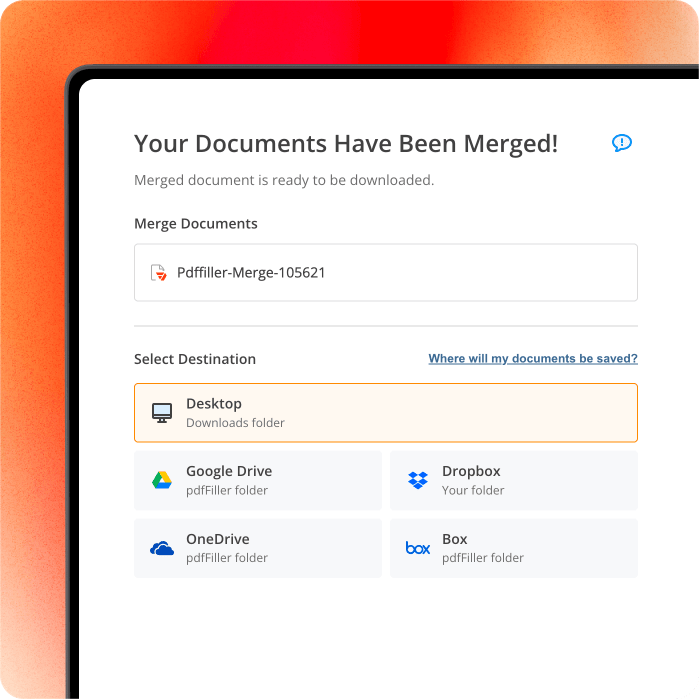
  • Choose to download the merged file or save it directly to MyDocs for future access.

Reordering Pages Before Merging

Before merging, you can use drag-and-drop functionality to reorder the pages. Preview page thumbnails allow you to confirm the order before finalizing the merge. Ensuring the correct sequence of pages is crucial, as it affects the flow and readability of the final document.

Output File and Saving Options

The output of the merging process is a single PDF file. Users have various download options available, including saving directly to MyDocs. Additionally, legally binding e-signatures can be included in the merged document, providing an added layer of authenticity and security.

Merge vs. Rearrange Pages

Merging and rearranging pages serve different purposes. Merging combines multiple documents into one, while rearranging focuses on changing the order of pages within a single document. Understanding when to choose one over the other is essential for effective document management, particularly in professional settings.

Editing the Merged Document

After merging, you can open the PDF in the editor to make further adjustments. Options for annotating and filling out forms are available, along with signing capabilities. Finalizing documents is important to ensure that all necessary information is included before sharing or storing them.

Real-World Scenarios for Merging

Merging is particularly useful in various real-world scenarios. For instance, small businesses can combine contracts with exhibits to create a comprehensive document for clients. Merging invoices for clients simplifies billing processes, while compiling project bids into a single file enhances clarity and professionalism. These practical examples demonstrate the value of merging in everyday business operations.

Limitations and Known Constraints

While the Merge tool is effective, it does have limitations. There are file count and size limits that users must be aware of before starting the merging process. Additionally, conversion fidelity issues may arise, particularly with complex documents. It's important to check these limits to avoid any disruptions during the merging process.

Free vs. Paid Access for Merging

Free users have access to basic features for merging documents, but there are limitations compared to paid plans. Upgrading to a paid plan offers additional benefits, such as increased file size limits and advanced editing options. Understanding these access levels helps users make informed decisions about their document management needs.

Supported Document Formats and Export Options

After merging, users can choose from various output format options. Export paths for merged documents are clearly defined, ensuring compatibility with other software. An overview of supported formats is provided, allowing users to select the best option for their needs.

Browser and Device Compatibility

The Merge tool is compatible with multiple browsers, ensuring accessibility across devices. Mobile behavior of the tool is optimized for easy use, and no installation is required. This cross-device functionality allows users to merge documents from anywhere, enhancing flexibility in document management.

Security and Data Handling

Security measures are in place to protect your documents during the merging process. File encryption during transit ensures that sensitive information remains secure. Compliance with data protection standards is maintained, emphasizing the importance of secure document handling throughout the merging process.

How Does pdfFiller Compare?

pdfFiller stands out when compared to other PDF merging tools like ilovepdf, Adobe Acrobat Online, and Smallpdf. Unique features of pdfFiller include its integration with cloud storage and advanced editing capabilities. While other tools may offer basic merging functions, pdfFiller provides a comprehensive approach to document management.

Next Steps for Merging and Beyond

After merging, you can transition to editing your documents for further refinement. Signing and sharing documents is made easy with pdfFiller's capabilities. Exploring the full range of pdfFiller's features can enhance your document workflows and improve overall efficiency.

Try most popular PDF tools

Discover a full set of tools to handle any document task.

Edit PDFs

Make quick PDF edits online.

Sign

Add legally binding signatures.

Merge

Combine multiple PDFs.

Request signatures

Send a document for signing.

Convert

Transform PDFs into other formats.

Rearrange

Change the order of pages.

Share

Send PDFs for review or editing.

Compress

Reduce PDF file sizes.

How to merge PDFs?

1. Upload

Combine, organize, and edit your PDFs

  • Merge & edit in one place Combine multiple PDFs into one file and jump straight into editing. Add text, annotations, or rearrange pages—all in one seamless workflow.
  • Merge, sign, and share Combine your documents, eSign them, and share the finalized file. Keep signed docs bundled to reduce clutter and simplify sharing.
  • Stay organized and productive Merge scattered PDFs and keep them organized in pdfFiller’s cloud. With folders, smart tags, and quick search tools, managing your documents is a breeze.
  • Simplify сollaboration Combine multiple PDFs into one file to share with your team or clients. No more juggling attachments—just one file, ready for review, feedback, or signing.

Who uses this tool?

Explore how professionals use pdfFiller to merge and share documents.

Business Owners

Combine invoices, contracts, and reports into a single file for easy sharing and record-keeping. Keep your business documents organized and accessible in one place.

  • Invoices and receipts
  • Business reports
  • Client contracts
Business Owners
  • G2 — Users Most Likely To Recommend
  • G2 — Grid Leader in Small-Business
  • G2 — High Performer
  • G2 — Regional Leader
  • G2 — Easiest To Do Business With
  • G2 — Best Meets Requirements
  • G2 — Best Support

pdfFiller scores top ratings on review platforms

pdfFiller is rated 4.6 out of 5 stars across 1,000+ G2 reviews.

PDF filler is an excellent tool and easy to use and to work with.
BASHEER A
PDFfiller saved me a lot of frustration today. I was having a difficult time editing a pdf. document. You saved the day.
Thelma S
Always happy with the results... made my work a lot easier. Thank You
Anonymous Customer
I am very impressed with their service!
Will Gaethle
great easy to use system great easy to use system. best investment ive made
L.Jen
Fabulous. It provided everything I needed and more.
Anice H

Merge documents with a trusted, all-in-one solution

Try pdfFiller for all your document management needs.

pdfFiller workspace for creating, filling and managing PDF forms

Why trust pdfFiller to merge your documents?

All-in-one solution

Watch our PDF tools in action

Check out this video tutorial to learn how to merge and rearrange PDF pages right in the editor.

FAQs

If you can't find what you're looking for, please contact us anytime!

To merge PNG files and download them using pdfFiller, simply upload your PNG images to the platform, select the 'Merge' option, and then choose your desired output format. Once merged, you can download the final file directly to your device. This process is straightforward and ensures that your images are combined efficiently without losing quality. For best results, ensure your PNG files are optimized for web use to maintain clarity and reduce file size.

Merging PNG files before downloading them streamlines your workflow by consolidating multiple images into a single file, which is easier to manage and share. This is particularly beneficial for remote professionals and legal teams who often need to present documents in a cohesive manner. Additionally, merged files can enhance document organization and reduce clutter in your digital workspace. For optimal results, consider merging images that are related or part of a single project to maintain context.

Yes, pdfFiller employs robust security protocols to protect your data when merging PNG files. All uploads are encrypted, ensuring that your images remain confidential and secure throughout the merging process. This is crucial for legal teams and SMEs who handle sensitive information. After merging, files are stored temporarily, and you can delete them from the server once downloaded. Always ensure that you are using a secure internet connection when working with sensitive documents.

Yes, pdfFiller allows you to merge PNG files with various other formats, such as JPEG or PDF, before downloading. This flexibility is particularly useful for creating comprehensive documents that include images alongside text. To do this, simply upload all desired files to the platform, select the merge function, and choose your output format. This capability enhances document automation and ensures that all necessary components are included in one cohesive file.

If you encounter issues while merging PNG files on pdfFiller, first check your internet connection and ensure your files are in the correct format. If problems persist, try refreshing the page or clearing your browser cache. For persistent issues, pdfFiller offers customer support that can assist you with technical difficulties. Remember, keeping your software updated can also prevent compatibility issues, ensuring a smooth merging and downloading experience.

pdfFiller does not impose a strict limit on the number of PNG files you can merge at once, but performance may vary based on file size and your internet speed. Merging too many large files simultaneously may slow down the process. For optimal performance, consider merging files in smaller batches. This approach not only speeds up the merging process but also helps maintain the quality of the final output. Always preview your merged file before downloading to ensure it meets your expectations.

Merging PNG files enhances collaboration among teams by creating a unified document that can be easily shared and reviewed. This is particularly beneficial for remote professionals and legal teams who often need to collaborate on visual presentations or project documentation. By merging images, you reduce the number of files that team members need to manage, thereby simplifying communication. Additionally, using pdfFiller’s collaboration tools, you can annotate and comment on the merged document, further facilitating teamwork.

Transforming businesses with pdfFiller

Check out these success stories.

Other software options offering customized branding have really extreme pricing. Compared to the monthly costs of PandaDoc, we are now saving unbelievable amounts of money.

B2B Services Message Direct

One tool. Every document task.

One workflow shouldn’t take five tools

Start free trial