Signature Font Generator For Free

Create your legally-binding electronic signature using one of the available methods and apply it to any document in seconds.

Drop document here to upload
Select from device
Up to 100 MB for PDF and up to 25 MB for DOC, DOCX, RTF, PPT, PPTX, JPEG, PNG, JFIF, XLS, XLSX or TXT

Last updated on Oct 21, 2026

Signature Font Generator

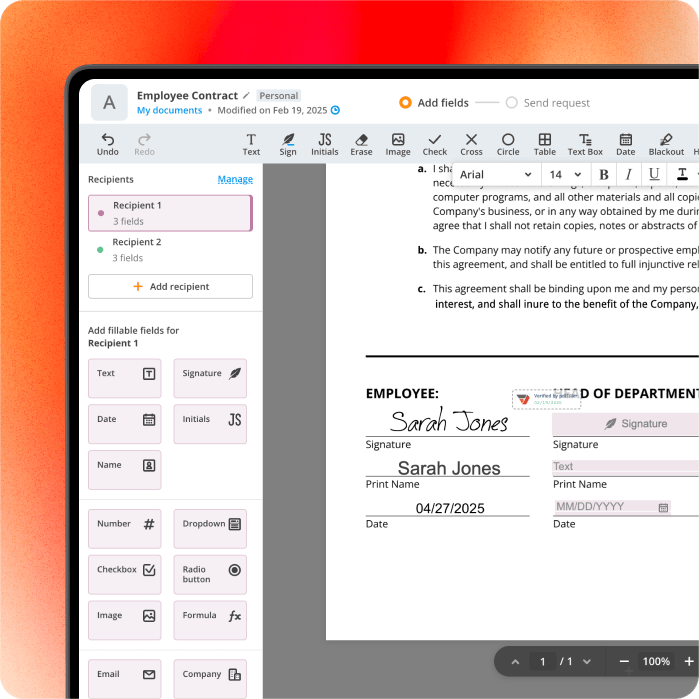
Generate your own signature font quickly and easily with pdfFiller's online tool, perfect for all your document signing needs.

What is a Signature Font Generator?

A Signature Font Generator is a tool that allows you to create a personalized signature font for use in your documents. This tool is particularly beneficial for small and medium-sized businesses (SMBs) that require a quick and professional way to sign documents without the need for complex technical setups. With a signature font generator, you can easily create a digital signature that reflects your personal style, making your documents look more professional. Additionally, it works on any device, ensuring you can generate your signature font whenever and wherever you need it.

Why Use a Signature Font Generator?

Using a Signature Font Generator offers several advantages for document signing. First, it significantly speeds up the document signing process, allowing you to sign documents in seconds. Second, you have various customization options to create a signature that truly represents you. Moreover, signatures generated through this tool can be legally binding, ensuring that your documents hold up in legal situations. Lastly, there are no hidden fees associated with using a signature font generator, making it a cost-effective solution for SMBs.

How to Create Your Signature Font

  • Access the pdfFiller website to start using the tool.
  • Choose your preferred signature style from the available options.
  • Customize your signature by adjusting the font style, size, and color.
  • Save your newly created font for future use in documents.

Customizing Your Signature Font

With a Signature Font Generator, you have numerous options for customizing your signature font. You can select from various font styles that suit your personal taste. Additionally, you can choose different color options to match your branding or personal preference. Size adjustments are also available, allowing you to create a signature that fits perfectly in your documents. The preview feature lets you see how your signature will look before saving, ensuring you are satisfied with the final result.

Saving and Reusing Your Signature Font

To save and reuse your generated signature font, follow a simple process. After creating your signature, you can save it directly within the Signature Font Generator. This allows you to access your saved fonts easily when signing documents in the future. You can also set default settings for your signature, making it even more convenient to use across various documents. This ensures that your signature is always ready when you need it.

Legal Validity of Signature Fonts

When using a Signature Font Generator, it is essential to understand the legal aspects of digital signatures. These signatures comply with e-signature laws, making them legally binding in many jurisdictions. They also provide audit trails and verification processes, ensuring that your signed documents are secure and verifiable. This legal compliance is crucial for professionals who need to ensure the integrity of their documents.

Scenarios for Using Signature Fonts

  • Signing contracts to formalize agreements with clients or partners.
  • Approving invoices for payment processing in your business.
  • Authorizing agreements that require your signature for validation.
  • Completing forms that necessitate a signature for submission.

Compatibility with Devices and Browsers

The Signature Font Generator is designed to work across various devices and browsers. It supports all major web browsers, ensuring you can access it from your preferred platform. Additionally, it is compatible with mobile devices, allowing you to create and use your signature font on the go. This flexibility makes it a convenient option for busy professionals who need to sign documents from anywhere.

Limitations of Signature Font Generators

While a Signature Font Generator is a useful tool, it does have some limitations. For instance, it does not support recipient signature requests, meaning you cannot send documents for others to sign using this tool. Additionally, you may need to manually place your signature in documents, as there is no auto-application of saved fonts. It is also important to note that specific use cases may not be covered by the generator.

Next Steps After Creating Your Signature Font

After generating your signature font, you can integrate it into your documents easily. You can share your signed documents with clients or colleagues directly from pdfFiller. Additionally, explore the various features of pdfFiller to enhance your document workflows further. This includes using your signature in different workflows and taking advantage of the platform's additional capabilities.

How Does pdfFiller Compare?

DocuSign is known for comprehensive e-signature solutions but can be complex for simple tasks. Users may find it overwhelming for basic signature needs.

Adobe Acrobat Sign offers robust features but often comes with higher costs and a steeper learning curve. Ideal for larger organizations rather than SMBs.

signNow provides competitive pricing but lacks some advanced features found in pdfFiller. Users may miss out on the simplicity and ease of use.

Try most popular PDF tools

Discover a full set of tools to handle any document task.

Edit PDFs

Make quick PDF edits online.

Sign

Add legally binding signatures.

Merge

Combine multiple PDFs.

Request signatures

Send a document for signing.

Convert

Transform PDFs into other formats.

Rearrange

Change the order of pages.

Share

Send PDFs for review or editing.

Compress

Reduce PDF file sizes.

How to sign a document online?

Upload

Signing and editing documents has never been easier

  • Edit and sign in one place Quickly eSign documents after reviewing or editing — no need to juggle tools and move files back and forth. Get your PDFs done fast with all the tools you need at your fingertips.
  • Easy sharing & collaboration After signing a document, share it instantly with clients and stakeholders for review, editing, or comments. To request signatures from other parties, add fillable fields and send the document for signing.
  • Mobile-ready solution Easily edit, sign, and send your documents from anywhere, even on the go. pdfFiller is entirely cloud-based, so you can manage documents effectively from your computer, smartphone, or tablet.
  • Legally binding & secure Sign contracts and agreements following global eSignature laws, including ESIGN, UETA, eIDAS, and GDPR. With HIPAA, PCI DSS, SOC 2 Type II, and other compliance standards, pdfFiller works for any industry.

Who needs this?

Explore how professionals use pdfFiller to sign documents.

Healthcare

Healthcare professionals use pdfFiller to simplify document signing, from patient consent forms to medical record requests. They can easily request, approve, and share signed documents with patients, staff, or suppliers, saving time and improving communication.

  • Patient consent forms
  • Prescription forms
  • Lab test requisition forms
  • Referral and consultation forms
Healthcare
  • G2 — Users Most Likely To Recommend
  • G2 — Grid Leader in Small-Business
  • G2 — High Performer
  • G2 — Regional Leader
  • G2 — Easiest To Do Business With
  • G2 — Best Meets Requirements
  • G2 — Best Support

pdfFiller scores top ratings on review platforms

pdfFiller is rated 4.6 out of 5 stars across 1,000+ G2 reviews.

This program is excellent, there is a form for just about anything you need! The features included are awesome how you fan sign, fax, email, etc. I love how you are notified when your document is viewed, and how records are kept! I don't know how I ever lived without it! just wished i knew how to use it better...
Chandra
love it, could of used this years ago thank you and God Bless you all
Marlene Perry M
Best PDF fill and sign application I have used.
Andrea C
Excellent customer service Excellent customer service. Really fast to respond and sort out my issue
Kay Rambaud
Excellent Excellent, very useful tool
Romil
Great service as well as great customer service. Would highly recommend it.
Kimberly M

eSign documents with a trusted, all‑in‑one solution

Try easy-to-use tools for all your document management needs.

pdfFiller workspace for creating, filling and managing PDF forms

Why sign documents with pdfFiller?

Ease of use

Watch pdfFiller eSignatures in action

Check out a quick video tutorial that shows how to create and place your signature or send a document for signing.

FAQs

If you can't find what you're looking for, please contact us anytime!

A Signature Font Generator is a tool that allows users to create custom signature fonts that can be used in digital documents. This can significantly enhance your document management process by providing a professional and personalized touch to your electronic signatures. By using a signature font generator, remote professionals and legal teams can ensure that their signatures maintain consistency across various documents, which is crucial for branding and authenticity. Additionally, these fonts can be integrated into cloud-based platforms like pdfFiller, allowing for seamless document automation and eSigning. For best results, choose a generator that offers cross-platform compatibility to ensure your signatures appear correctly on all devices.

Creating a signature font using a Signature Font Generator is a straightforward process. First, select a reputable generator that allows you to upload your handwritten signature. After uploading, the tool will convert your signature into a font file that can be downloaded and used in various applications. This is particularly useful for legal teams who need to sign multiple documents quickly and securely. Once created, you can easily integrate this font into pdfFiller, enhancing your document workflow. Remember to review the font for clarity and legibility before finalizing it for professional use.

Yes, security protocols are essential when using a Signature Font Generator, especially for sensitive documents. Ensure that the generator you choose employs encryption to protect your signature data during the upload and conversion process. This is particularly important for legal teams and SMEs who handle confidential information. Additionally, verify that the generated font file is stored securely and is only accessible to authorized users. Using a trusted platform like pdfFiller can further enhance your document security, as it provides robust security features for managing and sharing signed documents.

Absolutely! A Signature Font Generator can be used for various document types, including PDFs, Word documents, and online forms. This versatility is particularly beneficial for remote professionals and legal teams who often deal with different file formats. Once you create your signature font, you can easily apply it across all your documents, ensuring a consistent and professional appearance. When using pdfFiller, you can upload and manage different document types seamlessly, allowing for efficient document automation and eSigning processes.

Using a cloud-based Signature Font Generator offers several advantages, including accessibility, collaboration, and security. Since these tools are hosted online, you can access them from any device with internet connectivity, making it easy for remote professionals to create and manage their signatures on the go. Additionally, cloud-based solutions often include collaborative features, allowing teams to share and edit signature fonts in real-time. Security is also enhanced, as reputable cloud platforms implement robust security protocols to protect your data. Integrating a cloud-based generator with pdfFiller ensures that your document management remains efficient and secure.

To ensure your signature font looks professional in your documents, start by creating a clear and legible signature using a Signature Font Generator. Choose a generator that allows for customization, so you can adjust the size, style, and spacing of your font to match your branding. It's also important to test your signature in various document formats to see how it appears. When using pdfFiller, you can preview your documents before finalizing them, ensuring that your signature maintains its professional appearance across all platforms. Additionally, consider using a high-resolution image of your signature if the font does not meet your expectations.

When selecting a Signature Font Generator for business use, prioritize features such as ease of use, customization options, and security measures. Look for a generator that allows you to easily upload your handwritten signature and offers various font styles to choose from. Security is crucial, especially for legal teams and SMEs, so ensure the tool employs encryption and complies with data protection regulations. Additionally, consider the integration capabilities with platforms like pdfFiller, which can streamline your document management and eSigning processes. A user-friendly interface will also enhance your experience, allowing you to create and manage your signature fonts efficiently.

What businesses achieve with pdfFiller

Discover how you can benefit too.

pdfFiller allows us to tap into additional markets and sell business we might not otherwise have sold because of the speed and ease with which we can produce the forms.

Scaturro Insurance Agency LLC

One tool. Every document task.

One workflow shouldn’t take five tools

Start free trial