Unlock PDF and Convert PDF to JPG for Website For Free

Drop document here to upload
Select from device
Up to 100 MB for PDF and up to 25 MB for DOC, DOCX, RTF, PPT, PPTX, JPEG, PNG, JFIF, XLS, XLSX or TXT

Last updated on Sep 16, 2026

Unlock PDF and Convert PDF to JPG for Website

Unlock PDF files quickly and convert them to JPG format using pdfFiller.

What is PDF Unlocking?

Unlocking a PDF refers to the process of removing password protection from a PDF file. This is crucial for individuals and businesses that need to share documents easily without the hassle of entering passwords. Unlocking can be applied to entire documents or specific pages, making it ideal for sharing legal and business documents. By removing password protection, you can facilitate collaboration and ensure that your documents are accessible to the intended recipients.

How to Unlock a PDF with pdfFiller

  • Access the unlocking feature by navigating to Tools → Unlock PDF.
  • Enter the password associated with the PDF to unlock it.
  • Utilize the tool on any device, ensuring flexibility.
  • No software installation is required, making it hassle-free.

Benefits of Unlocking PDFs

Unlocking PDFs significantly enhances document accessibility, allowing for easier sharing and collaboration among teams. This process reduces the need for printing and scanning, which can be time-consuming and costly. By unlocking your PDFs, you can speed up document workflows, ensuring that everyone involved can access and edit the necessary files without unnecessary delays.

When to Unlock a PDF

There are several scenarios where unlocking a PDF is necessary. For instance, legal contracts may require edits that necessitate unlocking. Business proposals often need collaboration from multiple parties, making unlocking essential. Additionally, financial documents may need to be reviewed, and tax forms might require updates, all of which benefit from the ability to unlock PDFs.

How to Convert PDF to JPG

  • Navigate to Tools → Convert to JPG to access the conversion feature.
  • Select specific pages or the entire document for conversion.
  • Download the converted images easily once the process is complete.
  • Ensure compatibility with all devices for seamless access to your images.

Security Features of pdfFiller

pdfFiller employs robust security measures to protect your documents. This includes encryption standards that ensure document safety during the unlocking process. Users can store sensitive files in a confidential folder, and phone verification adds an extra layer of security. Additionally, legally binding e-signatures are available, providing peace of mind when managing important documents.

Limitations of Unlocking PDFs

While unlocking PDFs provides many benefits, there are limitations to consider. For instance, unlocking does not prevent screenshots or printing of the document. There are also maximum password length limitations that could affect certain files. Additionally, page-range protection can vary depending on the plan you choose, and not all features may be available on the free plan.

Comparison with Other PDF Tools

pdfFiller stands out among PDF tools due to its unique ease of use, trusted by over 68 million users. It offers access to over 1 million templates, making it a valuable resource for small businesses. Additionally, pdfFiller is affordable, catering specifically to the needs of small and medium-sized businesses.

Next Steps to Unlock Your PDF

To get started with unlocking your PDFs, sign up for a free trial of pdfFiller. This will give you easy access to the unlocking tool and allow you to explore other features available. Start managing your documents digitally and experience the benefits of streamlined workflows today.

Try most popular PDF tools

Discover a full set of tools to handle any document task.

Edit PDFs

Make quick PDF edits online.

Sign

Add legally binding signatures.

Merge

Combine multiple PDFs.

Request signatures

Send a document for signing.

Convert

Transform PDFs into other formats.

Rearrange

Change the order of pages.

Share

Send PDFs for review or editing.

Compress

Reduce PDF file sizes.

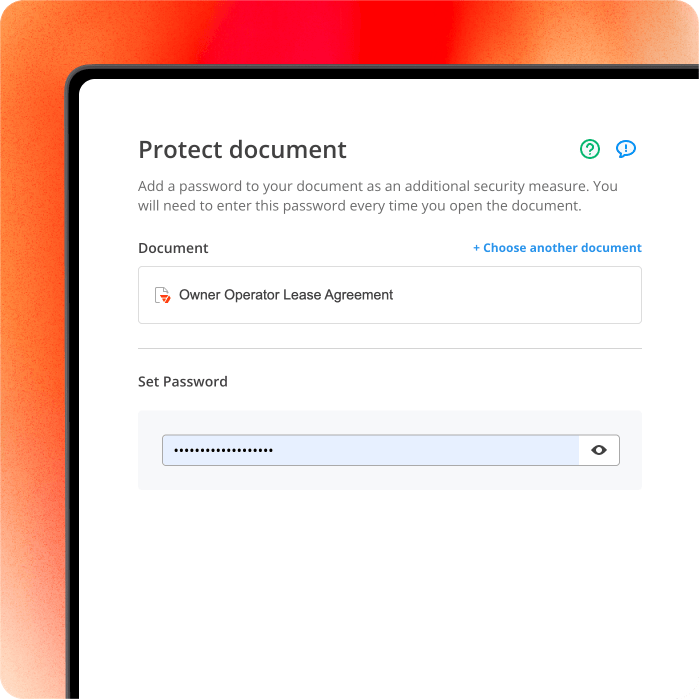
How to protect a PDF with a password?

1. Upload

Keep your documents confidential

  • Edit, then lock it down Edit text, add images, or fill out forms to complete your PDF. After, create a password to lock down the final version and prevent unauthorized access.
  • eSign and protect After you’ve signed an agreement, protect it with a password to ensure its integrity and keep its contents confidential.
  • Verify signers Sending a document for signing? Add an extra layer of security by setting a unique password or sending a one-time SMS code to your recipients before they can eSign.
  • Share with confidence Send sensitive files without the stress. Add a password before you share via link or email, ensuring only the right people can access your document.
  • Your digital cabinet—secured Keep all documents neatly organized in your secure cloud storage. Move sensitive files, such as contracts or personal records, to a confidential folder accessible only via password.

Who uses this tool?

Learn how professionals use pdfFiller to keep sensitive information safe.

Business Owners

Add a password to confidential documents to safeguard your company’s critical data. Ensure that only authorized partners, investors, or team members can access proprietary information, protecting your business from data leaks.

  • Business plans
  • Financial reports
  • Investor agreements
  • Strategic plans
Business Owners
  • G2 — Users Most Likely To Recommend
  • G2 — Grid Leader in Small-Business
  • G2 — High Performer
  • G2 — Regional Leader
  • G2 — Easiest To Do Business With
  • G2 — Best Meets Requirements
  • G2 — Best Support

pdfFiller scores top ratings on review platforms

pdfFiller is rated 4.6 out of 5 stars across 1,000+ G2 reviews.

I am in College and needed practice for a project this was perfect.
Anonymous Customer
SO FAR I'VE FOUND EVERY FORM I'VE LOOKED FOR....VERY HELPFUL
Sherri D
I would like to get familiar with all the features that PDFfiller can do.
Sheri B
Super easy to use!!! I love this program!
Marc G
GREAT SERVICE AND AWESOME TOOLS GREAT SERVICE AND AWESOME TOOLS
Saleck S Bakary
its very helpfull very good tool for work easy
virginia

Protect PDFs with a trusted, all-in-one solution

Try pdfFiller for all your document management needs.

pdfFiller workspace for creating, filling and managing PDF forms

Why trust pdfFiller to secure your documents?

All-in-one solution

Watch our PDF tools in action

Check out this video tutorial to learn how to secure your PDFs from unauthorized access using password protection.

FAQs

If you can't find what you're looking for, please contact us anytime!

To unlock a PDF file for conversion to JPG, use pdfFiller's secure online tool. Simply upload your locked PDF, and the platform will assist you in removing any restrictions. Once unlocked, you can easily convert the PDF to JPG format suitable for your website. This process ensures that your images maintain high quality and are optimized for web use. For best results, ensure your PDF is not password-protected before uploading.

pdfFiller prioritizes user security by employing advanced encryption protocols during the unlocking and conversion process. When you unlock a PDF and convert it to JPG, your documents are processed in a secure environment, ensuring that sensitive information remains protected. Additionally, all files are automatically deleted from our servers after processing, providing peace of mind. Always verify that your documents comply with your organization’s security protocols before uploading.

Yes, pdfFiller allows you to unlock and convert multiple PDF files to JPG format at once. This batch processing feature is particularly beneficial for remote professionals and legal teams who need to manage large volumes of documents efficiently. Simply upload all the PDFs you wish to convert, and the platform will handle the rest. This not only saves time but also ensures consistent quality across all images for your website.

In addition to JPG, pdfFiller enables you to convert unlocked PDFs to various formats such as PNG, TIFF, and even Word documents. This flexibility allows you to choose the best format for your website's needs, whether you require high-resolution images or editable text. To convert, simply unlock your PDF and select your desired output format from the conversion options available on the platform.

pdfFiller supports a wide range of PDF file sizes for unlocking and conversion. However, for optimal performance, it is recommended to keep individual files under 50 MB. If your PDF exceeds this limit, consider splitting it into smaller sections before unlocking and converting. This ensures a smoother experience and faster processing times, especially when preparing content for your website.

Converting PDFs to JPG format can significantly enhance your website's performance by reducing load times and improving user experience. JPG images are generally smaller in size compared to PDF files, which means faster loading speeds. Additionally, optimized JPGs can improve SEO rankings, making your website more visible in search results. To maximize this benefit, ensure that your images are appropriately compressed without sacrificing quality during the conversion process.

When using JPG images converted from PDFs on your website, follow best practices such as ensuring proper image resolution (at least 72 DPI for web use), using descriptive file names, and adding alt text for accessibility and SEO. Additionally, consider the context in which the images will be displayed to maintain visual consistency with your website's design. This approach not only enhances user engagement but also improves your site's overall search optimization.

Transforming businesses with pdfFiller

Check out these success stories.

This saved us an incredible amount of time! It feels like pdfFiller was custom-created for us.

Sales Frontline Insurance Group

One tool. Every document task.

One workflow shouldn’t take five tools

Start free trial