DOCX Reader
Read DOCX files online easily with pdfFiller’s intuitive interface, no software installation required.
What is pdfFiller's DOCX Reader?
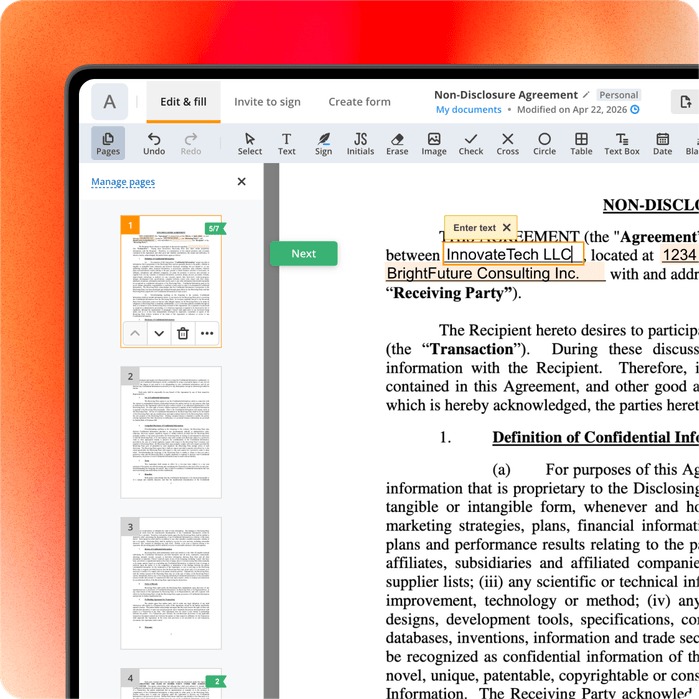
pdfFiller’s DOCX Reader is an online document viewer that allows you to upload DOCX files directly without the need for desktop software. This feature is particularly beneficial for small businesses that require quick access to documents from any device. You can easily access your files from a variety of platforms, ensuring that you can read DOCX files without being tied to a specific location or device. The user-friendly interface of pdfFiller makes it an ideal choice for professionals who need to manage documents efficiently.
How to Open a DOCX File Online
- Click "Add new" to upload your DOCX file to pdfFiller.
- Select the supported file formats for your upload, ensuring compatibility.
- Utilize the quick navigation options to access your document easily.
- Open the DOCX file on both mobile and desktop devices for convenience.
Viewing DOCX Files in Your Browser
When you view DOCX documents in your browser using pdfFiller, you can take advantage of zoom and scroll features that enhance your reading experience. The page navigation tools allow you to move through the document effortlessly, ensuring you don’t miss any important details. This online DOCX viewer is compatible with various browsers, providing flexibility in how you access your documents. Additionally, the absence of ads or distractions allows for a focused reading environment.
DOCX Reader for Teams
The DOCX Reader is designed for collaborative use, enabling teams to share documents with each other easily. With multi-user access features, team members can work together on projects without the limitations of single-user access. This functionality is ideal for project collaboration, allowing for real-time updates and feedback. Access control options ensure that sensitive documents are only available to authorized team members, enhancing document management.
Comparing pdfFiller's DOCX Reader with Desktop Options
Unlike traditional desktop readers, pdfFiller’s DOCX Reader requires no installation, making it accessible from any device with an internet connection. This feature is particularly cost-effective for small businesses that want to avoid the expenses associated with expensive software. Additionally, pdfFiller offers instant updates and features, ensuring that you always have the latest tools at your disposal without the hassle of manual updates.
Opening DOCX Files from Cloud Storage
- Connect your pdfFiller account to Google Drive or Dropbox for easy access.
- Import your DOCX files directly from cloud storage into pdfFiller.
- Enjoy easy access from multiple devices, enhancing your workflow.
- Rest assured with secure document handling practices in place.
Supported File Formats for Online Reading
- Supported formats include DOCX, PDF, and other common document types.
- Be aware of limitations for certain files, particularly scanned documents.
- Compatibility notes indicate that some features may vary by file type.
- Easy conversion options are available for unsupported formats.
Security and Data Handling in pdfFiller
pdfFiller prioritizes security with TLS encryption to protect your documents during upload and access. The platform adheres to strict document retention policies, ensuring that your data is handled responsibly. Compliance with data protection regulations is a key focus, providing peace of mind for users. Additionally, user privacy measures are in place to safeguard your information while using the DOCX Reader.
Free vs. Paid Access for the DOCX Reader
With the DOCX Reader, users can access a variety of features without a subscription, making it an attractive option for small businesses. However, upgrading to paid access unlocks additional benefits, including advanced document management tools. Users have noted the value of the paid version, which offers enhanced capabilities compared to the free version, making it a worthwhile investment for frequent document users.
Summary and Next Steps
In summary, pdfFiller’s DOCX Reader offers a straightforward solution for reading DOCX files online, making it an excellent choice for small businesses and professionals. Key takeaways include the ease of access, collaborative features, and strong security measures. We encourage you to try pdfFiller today and explore its many features, including links to related functionalities that can further enhance your document management experience.
How Does pdfFiller Compare?
Adobe Reader offers comprehensive PDF editing but lacks DOCX support; users must switch tools for different formats.
Foxit Reader is lightweight and fast, but requires installation; pdfFiller allows instant access without downloads.
Nitro PDF is feature-rich but expensive; pdfFiller provides essential features at a fraction of the cost, ideal for small businesses.