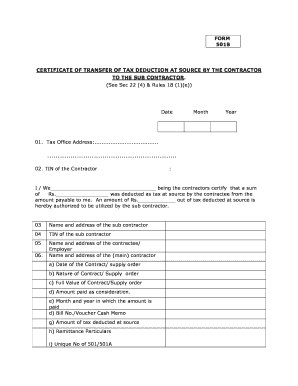
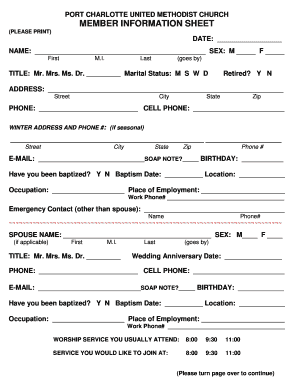
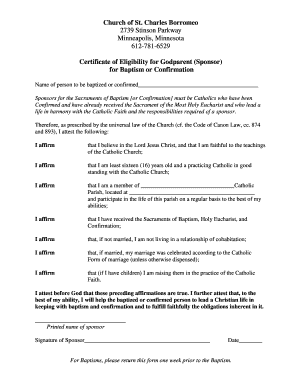
Church Membership Transfer Form Templates

Get eSignatures done in a snap

Prepare, sign, send, and manage documents from a single cloud-based solution.

What are Church Membership Transfer Form Templates?

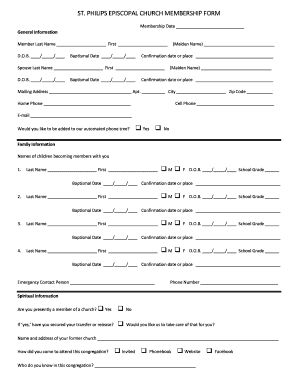
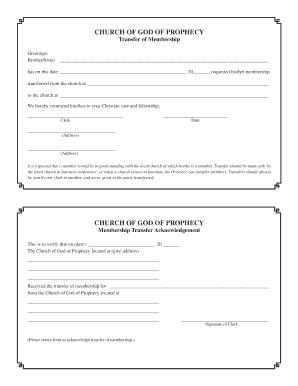
Church Membership Transfer Form Templates are pre-designed documents that facilitate the transfer of membership from one church to another. These templates include fields for personal information, previous church details, and reasons for the transfer.
What are the types of Church Membership Transfer Form Templates?

There are several types of Church Membership Transfer Form Templates available based on specific denominations, such as Baptist, Lutheran, Catholic, etc. Each template is tailored to the requirements and procedures of the respective church.
Baptist Church Membership Transfer Form Template
Lutheran Church Membership Transfer Form Template
Catholic Church Membership Transfer Form Template

How to complete Church Membership Transfer Form Templates

Completing a Church Membership Transfer Form Template is a simple process that involves filling out the necessary fields with accurate information. Here are the steps to follow:

01
Enter your personal details including name, address, contact information, and date of birth.
02
Provide information about your current church membership, such as the name of the church, address, and membership status.
03
Indicate the reason for transferring your membership to the new church.
04
Sign and date the form to validate the transfer request.

pdfFiller empowers users to create, edit, and share documents online. Offering unlimited fillable templates and powerful editing tools, pdfFiller is the only PDF editor users need to get their documents done.

Video Tutorial How to Fill Out Church Membership Transfer Form Templates
Thousands of positive reviews can’t be wrong

Read more or give pdfFiller a try to experience the benefits for yourself
4.0
A lot of tools to help me fill out a form digitally.
A lot of tools to help me fill out a form digitally. Also, giving me a big box to sign was helpful since I'm using a laptop trackpad.
Courtney G
4.0
Ability to edit pdf files and general ease of use.
What do you like best? Ability to edit pdf files and general ease of use. What do you dislike? Limitations on how many files I can upload and the fact that it opens the files immediately, If I want to merge a newly uploaded files with previously saved files on my dashboard, it creates some unnecessary steps. What problems are you solving with the product? What benefits have you realized? Not really any problems - just a few areas the program feels clunky.
Consultant in Insurance
5.0
Very easy to upload my documents, clean them up and edit and add information.
What do you like best? Very easy to upload my documents, clean them up and edit and add information. I like that it stores all my documents that I've worked with. What do you dislike? Printing from the site has so many print windows to go through. Recommendations to others considering the product: Easy, Cost Effective. There is not a lot of features to overwhelm someone. For us, it works great as we only need to edit information on new documents but only receive the originals on paper so this is the easiest to get them filled out, and into electronic format for future use. What problems are you solving with the product? What benefits have you realized? We complete our bid documents on this program and the PDF filler keeps the information professional, legible and I can go back and edit as needed. Easy and Cost effective solution for our small company
Tricia Friederichs
5.0
I haven't had any issues I haven't had any issues.
I haven't had any issues I haven't had any issues. pdfFiller is an amazing tool to use for forms you need to turn in. Easy.
Annette Trevino

Questions & answers

How to Draft a Letter of Transfer of Church Membership Step 1: Start with an Appropriate Heading. Step 2: Provide Sender Details. Step 3: Add Church Details. Step 4: State the Reason in the Letter Body. Step 5: Provide Valuable Feedback. Step 6: End with Signature Details.
Should a member move away or otherwise wish to transfer to another church, they should ask the clergy of their current church for a “Letter of Transfer”. This letter should be addressed to the clergy of the church to which the transfer is being made.
Steps For Writing A Transfer Request Letter Start with a formal salutation. Mention the purpose of the letter. State why you are requesting a transfer. Mention your work history with the company. Write a conclusion. Include your CV.
Use these steps to write a church resignation letter: Use the appropriate salutation. Express your intent to leave the church. Provide reasons for your departure. Express your gratitude. Offer your assistance. Include a sign-off.
Guidelines for writing transfer letter State the purpose of writing a letter. Include the job title of the employee with employee-related details like employee code, department name etc. List the perks and benefits associated with the transfer. Mention relevant dates and location where the employee is supposed to report.
A “Letter of Transfer” form is helpful when transferring membership from one congregation to another congregation. Parishioner submits request to their church office (of current congregation) to transfer membership to new congregation. Click Here to Download a Letter of Transfer.