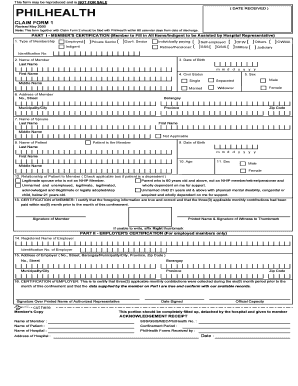
Philhealth Online Registration For Voluntary

Get eSignatures done in a snap

Prepare, sign, send, and manage documents from a single cloud-based solution.

What is Philhealth online registration for voluntary?

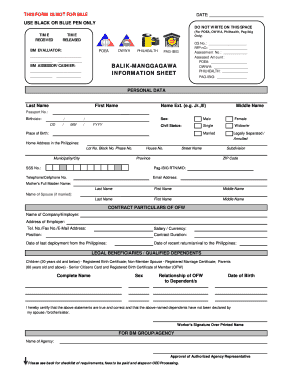
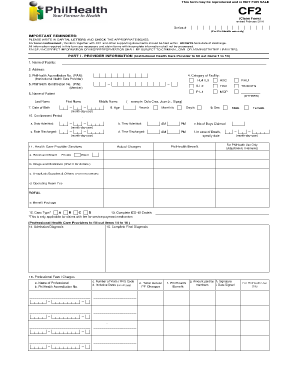
Philhealth online registration for voluntary is a convenient way for individuals who are not employed or are self-employed to avail of Philhealth benefits and coverage. By registering online, you can easily manage your account and ensure that you are protected in terms of healthcare.

What are the types of Philhealth online registration for voluntary?

There are two main types of Philhealth online registration for voluntary individuals: the Philhealth Member Portal and the Electronic Registration System. The Member Portal allows you to create an account and access services online, while the Electronic Registration System is a more streamlined process for submitting your information.

Philhealth Member Portal
Electronic Registration System

How to complete Philhealth online registration for voluntary

Completing Philhealth online registration for voluntary is easy and straightforward. Follow these steps to get started:

01
Go to the Philhealth website and navigate to the online registration page
02
Create an account by providing your personal information and contact details
03
Choose the type of registration you prefer (Member Portal or Electronic Registration System)
04
Fill out the required information and submit your application

pdfFiller empowers users to create, edit, and share documents online. Offering unlimited fillable templates and powerful editing tools, pdfFiller is the only PDF editor users need to get their documents done.

Video Tutorial How to Fill Out

Thousands of positive reviews can’t be wrong

Read more or give pdfFiller a try to experience the benefits for yourself
5.0
Thank you <3 My experience here is great.
Thank you <3 My experience here is great. I've talked to one of their support and she's really nice. She resolved the issue immediately. Thank you so much, K!
Hannah Pearl Baccay
4.0
I would like an easier link in the.
I would like an easier link in the… I would like an easier link in the tools to delete sections of PDF/ delete a page in a multi pages document.
drpauljose
5.0
PdfFiller is a game changer for me Busy volunteer and mom!
PdfFiller is a game changer for me Busy volunteer and mom!pdfFiller is a game changer for me. I've been looking for a program that houses all of the documents that I need in one place and I think that I have found it. I will definatley recommend pdfFiller to my working friends, and sons (new to the workforce. :)
Ronnie P.
5.0
It was a real life saver when we received documents that had typos that absolute...
It was a real life saver when we received documents that had typos that absolutely had to be fixed. Easy to use, and solved all my issues. Thanks!
Tiffany S

Questions & answers

0:39 2:45 Tutorial on how to fill up PhilHealth Form - YouTube YouTube Start of suggested clip End of suggested clip Last name first name p.m. extension is there any. And the middle name.MoreLast name first name p.m. extension is there any. And the middle name.
Therefore, members in this category will remit the full 3.50% of their declared monthly income to PhilHealth. For example, a voluntary member who earns Php 35,000 a month will pay a monthly premium of Php 1,225 (Php 35,000 x 0.035).
Here's how: Step 1: Visit PhilHealth website and click the Online Services link. ... Step 2: Click the Register link in the Electronic Registration section under Membership. ... Step 3: Once you reached the PhilHealth Electronic Registration System page, click Proceed. ... Step 4: Fill out the PhilHealth online application form.
Members can now download PhilHealth MDR online from the official website of PhilHealth, hence a total convenience.
Therefore, members in this category will remit the full 3.50% of their declared monthly income to PhilHealth. For example, a voluntary member who earns Php 35,000 a month will pay a monthly premium of Php 1,225 (Php 35,000 x 0.035).
Here's how: Step 1: Visit PhilHealth website and click the Online Services link. ... Step 2: Click the Register link in the Electronic Registration section under Membership. ... Step 3: Once you reached the PhilHealth Electronic Registration System page, click Proceed. ... Step 4: Fill out the PhilHealth online application form.
How to change your PhilHealth Membership Information Download the PhilHealth Member Registration Form (PMRF) On the upper right corner of the document, mark the checkbox For Updating. Fill up the form and tick the appropriate option under Member Type. ... Submit the accomplished PMRF.
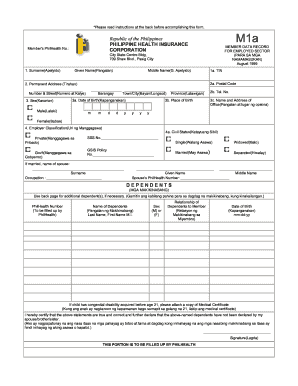
Registration procedures Visit any of the Local Health Insurance Offices or PhilHealth Express outlets nationwide. Fill out (2) copies of the PhilHealth Member Registration Form (PMRF) Submit PMRF to the LHIO or PhilHealth Express. Await Member Data Record (MDR) and PhilHealth ID Card.
Get a PhilHealth Request Form and fill it out with your name, PhilHealth number, birthdate, and address. Check the “Member Data Record (MDR)” box. Submit your accomplished form and present your valid ID to the PhilHealth officer. In just a few minutes, your MDR will be printed and issued to you.
How to Register for Voluntary Membership in a PhilHealth Office Go to the nearest Local Health Insurance Office or PhilHealth Express outlet. Fill out two PMRF copies. Submit your accomplished and signed forms. Wait for the PhilHealth Member Data Record (MDR) and ID card to be issued to you.
You may claim it for P90 at any PhilHealth office. But if you wish to declare a dependent for your ID card, you need to go to any Bayad Center outlet and pay P358. Two (2) valid IDs of your dependent are required to proceed.
Application Procedure Go to the PhilHealth Electronic Registration System page at eregister.philhealth.gov.ph. ... Click the Proceed button. Click the Accept button to agree to the Terms and Conditions. Enter the required personal and contact information in the form.