Philhealth Website


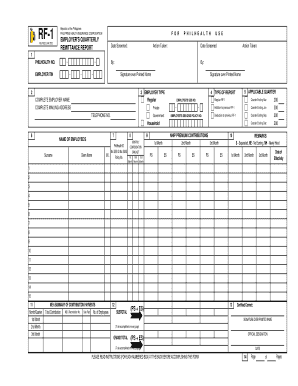



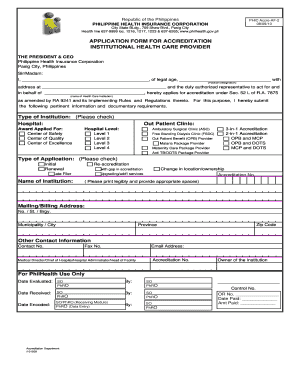





What is Philhealth website?
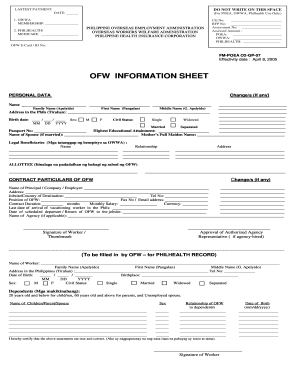
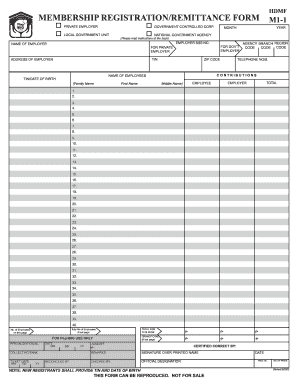
The Philhealth website is an online platform that provides information and services related to the Philippine Health Insurance Corporation (Philhealth). It offers access to various resources such as benefits, claims, and membership details.
What are the types of Philhealth website?
There are different types of Philhealth websites designed to cater to the specific needs of users. Some of the common types include:
Philhealth eServices Portal
Philhealth Official Website
Philhealth Member Portal
How to complete Philhealth website
Completing tasks on the Philhealth website is easy and convenient. Follow these simple steps to navigate through the site and make the most out of its features:
01
Log in to your Philhealth account using your credentials
02
Access the desired section such as claims or payments
03
Fill out the necessary forms or provide the required information
04
Review and submit your request or application
pdfFiller empowers users to create, edit, and share documents online. Offering unlimited fillable templates and powerful editing tools, pdfFiller is the only PDF editor users need to get their documents done.
Video Tutorial How to Fill Out Philhealth website
Thousands of positive reviews can’t be wrong
Read more or give pdfFiller a try to experience the benefits for yourself
Questions & answers
How can I fill up my PhilHealth registration form?
0:39 2:45 Tutorial on how to fill up PhilHealth Form - YouTube YouTube Start of suggested clip End of suggested clip Last name first name p.m. extension is there any. And the middle name.MoreLast name first name p.m. extension is there any. And the middle name.
Can I apply online for PhilHealth?
Members with internet access can also register online by logging on to eregister.philhealth.gov.ph. By signing the PMRF, a member certifies under oath that all information supplied in the form, including their declared dependents, are true and accurate.
How can I update my PhilHealth 2021 online?
Guide to Updating Your PhilHealth Membership Online #1 – Download the PhilHealth Member Registration Form (PMRF). ... #2 – On the upper right-hand side of the form, check the box, “For Updating.” #3 – Fill out the form with the necessary revisions. ... #4 – Send the accomplished form via email to ofp@philhealth.gov.ph.
How do I register my PhilHealth online unemployed?
Registration procedures Visit any of the Local Health Insurance Offices or PhilHealth Express outlets nationwide. Fill out (2) copies of the PhilHealth Member Registration Form (PMRF) Submit PMRF to the LHIO or PhilHealth Express. Await Member Data Record (MDR) and PhilHealth ID Card.
Can I get MDR form online?
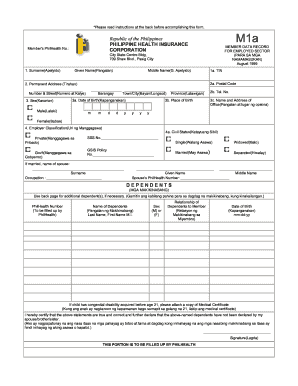
Members can now download PhilHealth MDR online from the official website of PhilHealth, hence a total convenience.
How can I print my PhilHealth form?
3 Easy Steps to Download and Print the Philhealth Forms Step 1: Visit the official website of Philhealth. At the home page navigation menu, go to “Download.” It is located at the rightmost part of the green navigation menu next to “online services.” ... Step 2: Select and Download the form. ... Step 3: Print the PhilHealth forms.
How can I get my PhilHealth MDR form online?
How to Get Philhealth MDR Form Online (in 2 Minutes) Step 1: Visit Philhealth Online Services. Step 2: Select Member Inquiry. Step 3: Register or Log in to your Account. Step 4: Choose MDR Printing. Step 5: Print out your MDR Form.
How do I fill my PhilHealth MDR form?
Get a PhilHealth Request Form and fill it out with your name, PhilHealth number, birthdate, and address. Then check the Member Data Record (MDR) box. Submit your accomplished form and present your valid ID to the PhilHealth officer. In just a few minutes, your MDR will be printed and issued to you.
How can I fill my PhilHealth registration online?
Here's how: Step 1: Visit PhilHealth website and click the Online Services link. ... Step 2: Click the Register link in the Electronic Registration section under Membership. ... Step 3: Once you reached the PhilHealth Electronic Registration System page, click Proceed. ... Step 4: Fill out the PhilHealth online application form.
How can I get my MDR form online?
How to Get Philhealth MDR Form Online in 2 Minutes (with Pictures) Step 1: Visit Philhealth Online Services. ... Step 2: Select Member Inquiry. ... Step 3: Register or Log in to your Account. ... Step 4: Choose MDR Printing. ... Step 5: Print out your MDR Form.
Can I get PhilHealth MDR online?
[1] Log in to Your PhilHealth Account. To download PhilHealth MDR online, visit the official website of PhilHealth at www.philhealth.gov.ph. On the right sidebar, find Member Inquiry Login. Key in your PhilHealth Identification Number (PIN) and password.
How can I apply for PhilHealth online 2021?
Here's how: Step 1: Visit PhilHealth website and click the Online Services link. ... Step 2: Click the Register link in the Electronic Registration section under Membership. ... Step 3: Once you reached the PhilHealth Electronic Registration System page, click Proceed. ... Step 4: Fill out the PhilHealth online application form.