Pds Form 212 Revised 2017
Get eSignatures done in a snap

Prepare, sign, send, and manage documents from a single cloud-based solution.

What is Pds form 212 revised 2017?

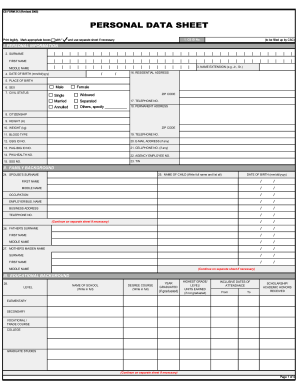
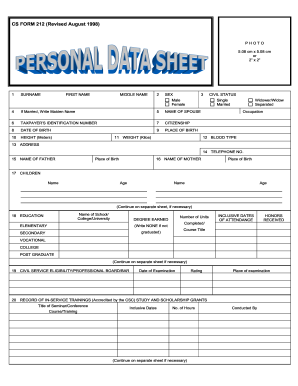
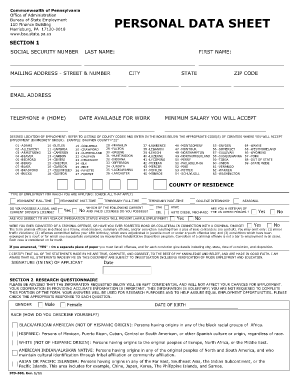
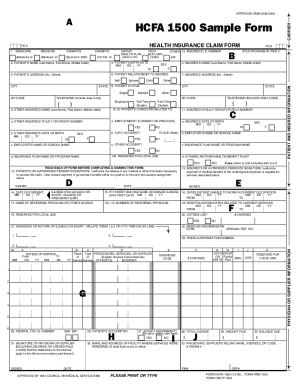
Pds form 212 revised 2017 is a document used by government employees to declare their personal information, employment history, and other relevant details. It helps in standardizing the data collection process for human resource management.

What are the types of Pds form 212 revised 2017?

There are three main types of Pds form 212 revised 2017 based on the type of government employee: 1. Pds form 212 for permanent employees. 2. Pds form 212 for temporary employees. 3. Pds form 212 for contractual employees.

Permanent employees
Temporary employees
Contractual employees

How to complete Pds form 212 revised 2017

Completing Pds form 212 revised 2017 is a simple process that involves filling in your personal information, educational background, employment history, and other required fields. Follow these steps to complete the form effectively:

01
Gather all relevant documents and information needed for filling out the form.
02
Carefully read and understand each section of the form before providing your information.
03
Double-check all entries for accuracy before submitting the completed form.

pdfFiller empowers users to create, edit, and share documents online. Offering unlimited fillable templates and powerful editing tools, pdfFiller is the only PDF editor users need to get their documents done.
Video Tutorial How to Fill Out Pds form 212 revised 2017

Thousands of positive reviews can’t be wrong

Read more or give pdfFiller a try to experience the benefits for yourself
5.0
Easy PDF
PDF filler is undoubtedly among the best software I have used for manipulating PDF documents. Easy to use, it offers many features and is less expensive than other software competitors. The only real flaw in my opinion is the lack of clarity about the free trial. The user can modify his document and only when downloading it he is asked to register with a payment method. This can be confusing and irritating if you don't know it beforehand.
Francesca
5.0
PDF filler
My overall experience with this app has been excellent!
Mellisa
5.0
Great for PDFs!
PDF filler is a great way for me to edit PDFs that clients send me. It is also very handy for finding my own PDFs that I need for a variety of reasons.
Holly
5.0
I was very impressed with this web-based PDF editor
Overall my experience has pretty very positive with PDFfiller.
Geoff

Questions & answers

The PDS must bear the signature of the employee and date of accomplishment at the bottom of every page. Entries in the PDS may be filled out through handwriting or via typewriter/computer. If handwritten, entries should be in block capital (e.g. PRINT) format using a pen. All information should be provided accurately.
The Personal Data Sheet (CS Form No. 212, Revised 2017) is supported by the Guide to Filling Out the PDS to guide the employees and applicants in the accomplishment of the fields introduced in the said PDS form. Officials and employees shall submit two (2) copies of their accomplished Personal Data Sheet (CS Form No.
The PDS should be subscribed and sworn to before the highest-ranking Human Resource Management Officer (HRMO) of the agency, any authorized official/officer in the agency, any officer authorized to administer oath or a notary public. Heads of agencies may delegate such authority through an Office Order.
When printing the form, you should specify the paper size at 8.5 x 14 inches.
212 as the official information sheet for all government officials and employees and as a main supporting document for all appointments in the government service; WHEREAS, the PDS has been periodically revised with the last revision issued under CSC Memorandum Circular No. 8, s.
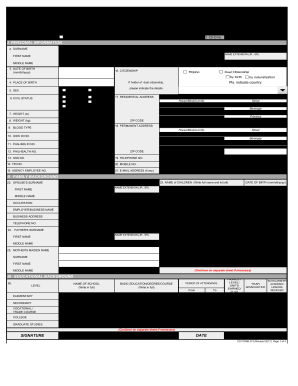
2017 - Personal Data Sheet (CS Form No. 212, Revised 2017) Personal Data Sheet (Revised 2017)
The PDS must bear the signature of the employee and date of accomplishment at the bottom of every page. Entries in the PDS may be filled out through handwriting or via typewriter/computer. If handwritten, entries should be in block capital (e.g. PRINT) format using a pen. All information should be provided accurately.
Begin with your name and contact information. If your personal data sheet is more than one page in length, include your last name in the header on subsequent pages. Add your current or local address, as well as a permanent address if it is different. Include all of your phone numbers, including home, work, and cell.