Mathswatch Questions

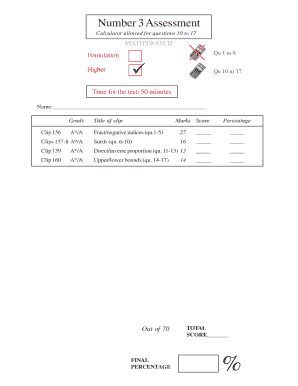

What is Mathswatch questions?
Mathswatch questions are an interactive way for students to practice and assess their math skills. These questions cover various topics and are designed to help students improve their understanding of mathematical concepts.
What are the types of Mathswatch questions?
There are several types of Mathswatch questions available, including multiple choice, true/false, fill in the blank, and short answer questions. Each type offers a unique way to test students' knowledge and skills.
Multiple choice questions
True/false questions
Fill in the blank questions
Short answer questions
How to complete Mathswatch questions
To complete Mathswatch questions successfully, follow these tips:
01
Read each question carefully before attempting to answer
02
Show all your work to demonstrate your process
03
Check your answers for accuracy before submitting
04
Review any incorrect answers to understand your mistakes
05
Practice regularly to improve your math skills
Remember, pdfFiller empowers users to create, edit, and share documents online. Offering unlimited fillable templates and powerful editing tools, pdfFiller is the only PDF editor users need to get their documents done.
Video Tutorial How to Fill Out Mathswatch questions
Thousands of positive reviews can’t be wrong
Read more or give pdfFiller a try to experience the benefits for yourself
Questions & answers
How do you answer questions on MathsWatch?
You can answer the questions in any order. If you are typing an answer and need a mathematical symbol or need to type a fraction, power or root the “+” button in the answer box lets you do this. Once you have pressed 'Submit Answer' you answer is saved. If you log-out you can pick up where you left off later.
How do MathsWatch tests work?
They are timed, you only get one attempt, the video covering the topic is not displayed and they get automatically submitted once the allocated time has run out (please note: the countdown starts as soon as you access one of the questions and it cannot be stopped/paused). This is a timed test.
How do you use MathsWatch?
0:35 2:54 An Introduction to MathsWatch - YouTube YouTube Start of suggested clip End of suggested clip Maths watch allows you to review individual homeworks once they've been submitted. So you can seeMoreMaths watch allows you to review individual homeworks once they've been submitted. So you can see the actual answers that students have left for you.
How do you do independent work in Mathswatch?
0:28 2:25 Maths Watch independent video work - YouTube YouTube Start of suggested clip End of suggested clip And then click the submit answer book the student has chosen the correct on certain parts of theMoreAnd then click the submit answer book the student has chosen the correct on certain parts of the page turn green well done to move on to the next question your student needs to click. Here.
How do you do Mathswatch questions?
Click on the “Video” tab. Choose “KS3” or “GCSE” in the Qualification menu. You can then search for the topic you wish to study. You can watch a video, complete interactive questions or print off a worksheet.
Does MathsWatch have an app?
If your School subscribes to the online MathsWatch resources and you have an android device, then this is the App you need.
How do I access Mathswatch?
How to log into mathswatch vle Go to vle.mathswatch.co.uk. Enter your username. Then, enter your password. Finally, click the “Login” button to sign. You'll be presented with your “My Work” section after you successfully log in. Here, you can see the list of tasks assigned to you by your teacher with their due date.
What is the MathsWatch login?
What is the username for Mathswatch? Your maths watch username is in the format, SURNAME Firstname@schoolname.
What is the equation of the blue line?
The blue line is the translate in the direction of the red line by , and therefore has equation y = 3 ( x − 4 ) + 5 or y = 3 x − 7 .