Mathswatch Answers Hack
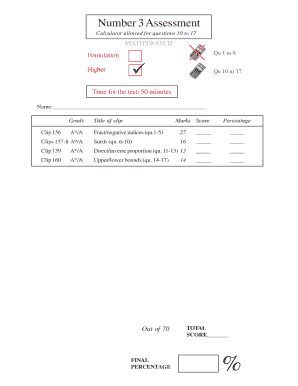


What is Mathswatch answers hack?
Mathswatch answers hack refers to the techniques used to find, obtain, or manipulate answers on the Mathswatch platform.
What are the types of Mathswatch answers hack?
There are various types of Mathswatch answers hack, including:
Searching for answers online
Collaborating with peers for answers
Using external tools or resources to find solutions
How to complete Mathswatch answers hack
To successfully complete Mathswatch answers hack, follow these steps:
01
Review the question carefully
02
Research and gather information
03
Analyze the problem and devise a solution
04
Verify the accuracy of the answer before submission
pdfFiller empowers users to create, edit, and share documents online. Offering unlimited fillable templates and powerful editing tools, pdfFiller is the only PDF editor users need to get their documents done.
Video Tutorial How to Fill Out Mathswatch answers hack
Thousands of positive reviews can’t be wrong
Read more or give pdfFiller a try to experience the benefits for yourself
Questions & answers
How do you use MathsWatch tools?
1:00 5:38 Using Mathswatch tools - YouTube YouTube Start of suggested clip End of suggested clip You can see the function here. You can extend your ruler. If you want it a little bit longer. AndMoreYou can see the function here. You can extend your ruler. If you want it a little bit longer. And this IR arrow this particular arrow allows you to rotate your arrow here in here. Okay.
How do you get hints on MathsWatch?
For our most challenging questions you will also find a 'Hint' tab to help you if needed. Simply hover over it with your mouse to reveal one or two hints to help you on your way. In 99.9% of the cases, if marks it wrong (or only gives partial marks) then a real MathsWatch examiner would probably do the same.
How to do questions on MathsWatch?
0:41 5:54 Using mathswatch for practise - YouTube YouTube Start of suggested clip End of suggested clip And select gradient typing gradient of a line. You've got worksheet as well or interactive questionsMoreAnd select gradient typing gradient of a line. You've got worksheet as well or interactive questions so question 1 question 2.
How do I log into MathsWatch?
0:12 4:36 How To Log On To MathsWatch - YouTube YouTube Start of suggested clip End of suggested clip Or you started at hayfield. So for example. If you started this year it would be 20 for 2020. AndMoreOr you started at hayfield. So for example. If you started this year it would be 20 for 2020. And then it's the surname of the student. So i'm gonna have something called josephine blogs.
How do you type powers on MathsWatch?
0:00 0:27 How to Type Powers - YouTube YouTube Start of suggested clip End of suggested clip So I can do that by clicking three then using this to get the power and then typing 4 or we can typeMoreSo I can do that by clicking three then using this to get the power and then typing 4 or we can type 3 then the upward arrow which is usually above the 6. And then 4.
How to do homework on MathsWatch?
Click the 'begin homework' button or on the numbers (circled in red on the diagram below) to answer each question. Enter your answer in the box and press 'Submit Answer' (circled in green). Click on the to enter mathematical symbols. Once you are complete, click the yellow 'return to assigned work' button.