Tin Certificate Login Bd


What is Tin certificate login bd?
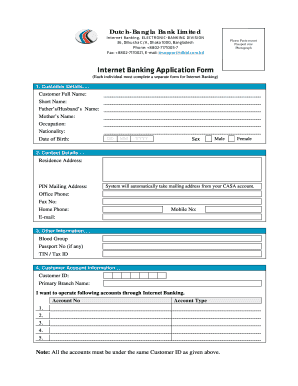
Tin certificate login bd is a secure online platform that allows users in Bangladesh to access their Tax Identification Number (TIN) certificates digitally. By logging in to the platform, users can view, download, and manage their TIN certificates conveniently.
What are the types of Tin certificate login bd?
There are two main types of Tin certificate login bd:
Individual TIN certificate login
Company TIN certificate login
How to complete Tin certificate login bd
Completing Tin certificate login bd is a simple process that can be done in a few easy steps:
01
Visit the official Tin certificate login bd website
02
Enter your login credentials (username and password)
03
Access your TIN certificate to view, download, or update it as needed
pdfFiller empowers users to create, edit, and share documents online. Offering unlimited fillable templates and powerful editing tools, pdfFiller is the only PDF editor users need to get their documents done.
Video Tutorial How to Fill Out
Thousands of positive reviews can’t be wrong
Read more or give pdfFiller a try to experience the benefits for yourself
Questions & answers
How do I open ETIN BD?
At First, Visit the Website https://secure.incometax.gov.bd/TINHome. Create a User ID by proving necessary information's in the Registration form. In order to obtain a User ID and password to open an account, a phone number needs to be provided to the portal.
How can I get my TIN certificate online?
TIN Registration Process for Individuals STEP 1: Visit the verification portal – Joint Tax Board. STEP 2: Select your date of birth. STEP 3: Select your preferred search criteria (BVN, NIN or registered number) from the drop-down menu. STEP 4: Enter the digit of the search criteria you selected in the previous step.
How can I get TIN verification?
First, you can ask your employer who can verify your TIN using the ereg system. Second, you can email or visit your RDO to verify your TIN. Lastly, you can use the TIN Verifier Mobile Application in your android phone or IOS phone.
How can I register my personal TIN number?
Follow this step by step guide and you will be issued your tax identification number: Complete the Application form for your TIN. Provide your ID document (It can be your driver's license, ID card, international passport or staff ID). Provide your physical address, phone number, and other information required.
How do I print a TIN certificate?
Visit the web portal (ura.go.ug) Click on eservices. Go to Print Submitted Form on the right hand side and enter in your Reference Number and the Search Code as they appear on the Acknowledgement Receipt that you received after submitting your application on the URA web portal. Click on the print form button.
How do I recover my ETIN user ID?
If you forgot your User ID, you can retrieve it by confirming your identity and providing us with the Password associated with your account. Your User ID will be sent to you in an email.
How can I get TIN number?
Here are steps on how to get tin ID. First, Find a local office of the Bureau of Internal Revenue for inquiry. Second, Ask for the TIN application form and fill up all the information needed. ... Third, After you completed the application form, submit it together with a valid ID or other reasonable requirements.
How can I get my TIN number certificate online?
Log-In with User ID/Password. Fill in the TIN Registration form by providing relevant information of the applicant/Company. Preview the submitted application. Obtain E-TIN Certificate.
What is e TIN?
Electronic Taxpayer's Identification Number (e-TIN) is provided by National Board of Revenue (NBR). Each and every entity (Individual or Corporate) must have the Tax Identification Number who is eligible to pay Tax according to the Income Tax Ordinance 1984.