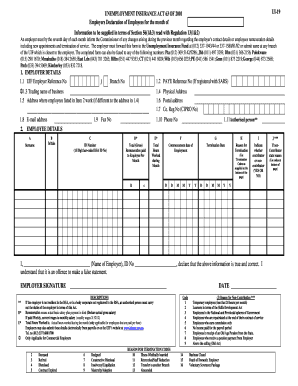
Example Of Completed Ui-19 Form
Get eSignatures done in a snap

Prepare, sign, send, and manage documents from a single cloud-based solution.

What is Example of completed ui-19 form?

The Example of completed ui-19 form is a document that provides a detailed record of an individual's employment history and earnings. It is typically used by employers to report employee earnings to the government for tax and insurance purposes.

What are the types of Example of completed ui-19 form?

There are various types of Example of completed ui-19 forms that cater to different employment situations. Some common types include: 1. Standard ui-19 form for full-time employees 2. Seasonal worker ui-19 form 3. Contract worker ui-19 form 4. Part-time employee ui-19 form

Standard ui-19 form for full-time employees
Seasonal worker ui-19 form
Contract worker ui-19 form
Part-time employee ui-19 form

How to complete Example of completed ui-19 form

Completing the Example of completed ui-19 form is a straightforward process that requires accurate information and attention to detail. Here are some steps to successfully complete the form:

01
Fill in your personal details such as name, address, and social security number
02
Provide information about your employment history including dates of employment and earnings
03
Double-check all information for accuracy before submitting the form

pdfFiller empowers users to create, edit, and share documents online, including the Example of completed ui-19 form. Offering unlimited fillable templates and powerful editing tools, pdfFiller is the only PDF editor users need to get their documents done.

Video Tutorial How to Fill Out

Thousands of positive reviews can’t be wrong

Read more or give pdfFiller a try to experience the benefits for yourself
4.0
PDF Filler is great PDF Filler is great, I only gave it 4 Stars because the amou...
PDF Filler is great PDF Filler is great, I only gave it 4 Stars because the amount of features and functionality can be confusing and the interface is a little out-dated, but this is the most complete PDF solution available.
Chad Statham
5.0
A thank you I was looking for options for a one off issue I had with PDF forms a...
A thank you I was looking for options for a one off issue I had with PDF forms and signed up to PDF Filler for the 1 month free trial. I realised shortly after this that I would have little use for this facility in the future but neglected to cancel the subscription within the free trial period. At the conclusion of the free trial period I was billed for the annual subscription, however I contacted the company via Customer Services live chat and without much trouble they cancelled the subscription and refunded the fee. Excellent service and very professional advisors.
Glyn Cross
4.0
It would be better if the signature.
It would be better if the signature… it would be better if the signature drawn is shown exactly on the screen
wei xin
5.0
It was easy but i still was trying send.
It was easy but i still was trying send… it was easy but i still was trying send it to the person and i have not got it back saying it got to them
Jenni Cash

Questions & answers

50 second clip suggested 9:12 How to claim UIF Part 3 (UI-19 Form Walkin/Online) - YouTube YouTube Start of suggested clip End of suggested clip It must be in conjunction with what they have on their system total hours of work is indicated. AndMoreIt must be in conjunction with what they have on their system total hours of work is indicated. And then we move on to the next block which is the dates of employment.
47 second clip suggested 15:36 How to claim UIF - 3 ways explained easy! (2020) - YouTube YouTube Start of suggested clip End of suggested clip Contact numbers fax numbers email addresses. And then your details will be on this form down nearMoreContact numbers fax numbers email addresses. And then your details will be on this form down near the bottom. So you'll see the lb your surname initials your id. Number your monthly salary.
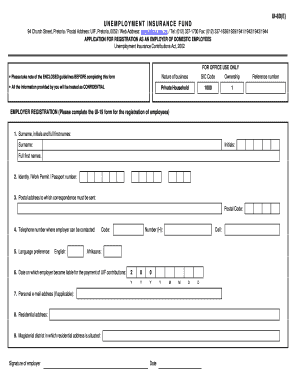
Employers of domestic workers should complete the UI19 form for domestic workers to be e-mailed to webmaster@uif.gov.za . Declarations can also be submitted via ufiling. This facility secures online services for declarations and payment or contributions visit www.ufiling.gov.za . 11.
The forms can be submitted as follows: Online at: www.ufiling.co.za. (Illness benefits). Email the application to the nearest UIF processing centre. (Illness/ Reduced Work Time/ Death benefits). Fax the application to the nearest UIF processing centre. (Illness/ Reduced Work Time/ Death benefits).
3:15 9:12 How to claim UIF Part 3 (UI-19 Form Walkin/Online) - YouTube YouTube Start of suggested clip End of suggested clip And then the name of the person is there at the bottom the designated. Person who falls in with theMoreAnd then the name of the person is there at the bottom the designated. Person who falls in with the authoress person's signature is there the name ID number signature is the hesitate.
Employers of domestic workers should complete the UI19 form for domestic workers to be e-mailed to webmaster@uif.gov.za . Declarations can also be submitted via ufiling.
The first step is to first register in order to activate your eFilling account. Click on "Benefit Application and Payments" on the left, and then click on "Apply for Benefits". Select which type of Benefit you want to apply for, and click on "Apply" in the bottom right corner.
If you click on “View” for any period, it will open a summary of the declaration for that period and list options to allow you to open, view or submit the declaration. Once all employees and related employment and salary information is added, you are ready to submit. Click on “Submit” to send a declaration to the UIF.
Employers are urged to complete the UI 19 Form stating the date of and reason for termination. The forms can be submitted as follows: Online at: www.ufiling.co.za. (Illness benefits).
Claiming UIF In order to submit a claim for unemployment benefits, unemployed workers must obtain a UI19 form from their previous employer and submit it to their nearest labour centre, along with: a bar-coded ID or passport; form UI2.
Yes, absolutely. It's called The Temporary Employer/Employee Relief Scheme (TERS), which pays employees when the employers have to stop their operations due to COVID-19 and temporarily lay-off employees.
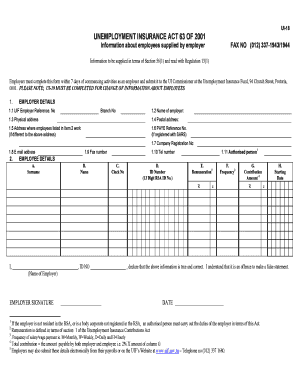
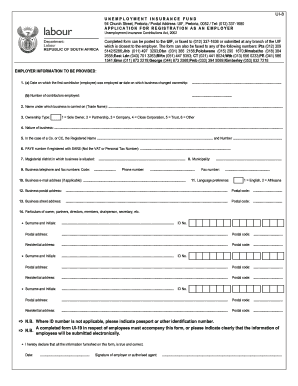
Form UI-19 - Declaration of information of commercial employees and workers employed in a private household.