How To Complete A Ui19 Form
Get eSignatures done in a snap

Prepare, sign, send, and manage documents from a single cloud-based solution.

What is How to complete a ui19 form?

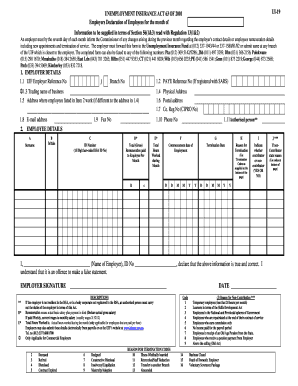
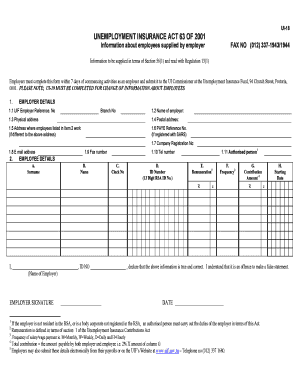
Completing a ui19 form is a necessary step when dealing with unemployment claims and employment matters. This form collects important information required by the Department of Labour to process your claim effectively.

What are the types of How to complete a ui19 form?

There are several variations of the ui19 form based on the specific circumstances of the user. The common types include voluntary resignation, discharge, retrenchment, or transfer of business. Each type requires specific details to be filled out correctly.

Voluntary resignation
Discharge
Retrenchment
Transfer of business

How to complete How to complete a ui19 form

To successfully complete a ui19 form, follow these steps:

01
Fill in personal information accurately.
02
Provide details of your employment history.
03
Specify the reason for your separation from the employer.
04
Attach any supporting documents if necessary.

Remember that pdfFiller offers a convenient solution for filling out your ui19 form online. They provide unlimited fillable templates and powerful editing tools to ensure your form is completed accurately and efficiently.
Video Tutorial How to Fill Out

Thousands of positive reviews can’t be wrong

Read more or give pdfFiller a try to experience the benefits for yourself
5.0
Ease of use and easy to find the help.
Ease of use and easy to find the help… ease of use and easy to find the help you need when you get a little stuck.
Rochelle Delley
5.0
PDF filler has worked for our business through out the year and would highly rec...
PDF filler has worked for our business through out the year and would highly recommend it. We mostly use it for fax purposes, but for us that alone is worth what we pay per year.
Jennifer M.
5.0
It has helped me a lot with doing assignments online, as I can much more easily...
It has helped me a lot with doing assignments online, as I can much more easily edit and submit assignments using PDFs.
Devan Z
5.0
So far astonishing So far astonishing.
So far astonishing So far astonishing. I created a fillable govt form locally=TEDIOUS. Uploaded it. Filled it out. Bad tab order :(. . Was able to change the tab order VERY easily. Send to email and boom. Awsome. So far
Bob M.

Questions & answers

3:15 9:12 How to claim UIF Part 3 (UI-19 Form Walkin/Online) - YouTube YouTube Start of suggested clip End of suggested clip And then the name of the person is there at the bottom the designated. Person who falls in with theMoreAnd then the name of the person is there at the bottom the designated. Person who falls in with the authoress person's signature is there the name ID number signature is the hesitate.
11:12 15:36 How to claim UIF - 3 ways explained easy! (2020) - YouTube YouTube Start of suggested clip End of suggested clip Contact numbers fax numbers email addresses. And then your details will be on this form down nearMoreContact numbers fax numbers email addresses. And then your details will be on this form down near the bottom. So you'll see the lb your surname initials your id. Number your monthly salary.
The first step is to first register in order to activate your eFilling account. Click on "Benefit Application and Payments" on the left, and then click on "Apply for Benefits". Select which type of Benefit you want to apply for, and click on "Apply" in the bottom right corner.
The forms can be submitted as follows: Online at: www.ufiling.co.za. (Illness benefits). Email the application to the nearest UIF processing centre. (Illness/ Reduced Work Time/ Death benefits). Fax the application to the nearest UIF processing centre. (Illness/ Reduced Work Time/ Death benefits).
Employers are urged to complete the UI 19 Form stating the date of and reason for termination. The forms can be submitted as follows: Online at: www.ufiling.co.za. (Illness benefits).
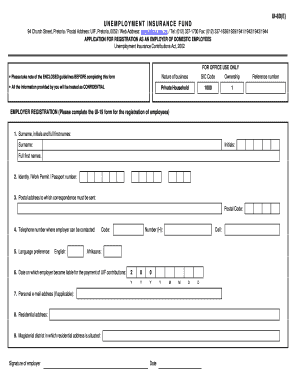
Employers of domestic workers should complete the UI19 form for domestic workers to be e-mailed to webmaster@uif.gov.za . Declarations can also be submitted via ufiling. This facility secures online services for declarations and payment or contributions visit www.ufiling.gov.za .
Yes, absolutely. It's called The Temporary Employer/Employee Relief Scheme (TERS), which pays employees when the employers have to stop their operations due to COVID-19 and temporarily lay-off employees.
You can download the UI19 Form as a word document below. The form must be submitted to the UIF via: Post (UIF, Pretoria, 0052); FAX (012 337 1636); or....How to submit a declaration to the UIF a UI19 form; an electronic payroll system which is compliant with UIF declaration specifications; or. uFiling.
Yes, absolutely. It's called The Temporary Employer/Employee Relief Scheme (TERS), which pays employees when the employers have to stop their operations due to COVID-19 and temporarily lay-off employees.
All registered employers should submit declarations, including those that are required to pay their contributions via SARS. Declarations should be submitted on a monthly basis (by completing a UI 19 form).
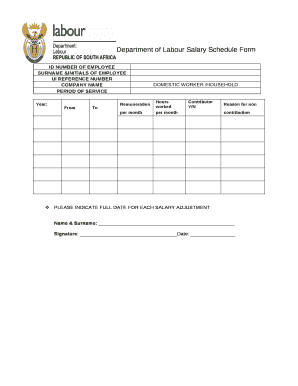
Form UI-19 - Declaration of information of commercial employees and workers employed in a private household.
Employers need to submit a monthly UIF declaration (also known as a UI-19 Form) to the Department of Labour. This document contains information relating to UIF contributions (employer and employee) in respect of each employee, as well as their employment status and non-contribution reason, if applicable.