Psira Online Booking Contact Details Durban


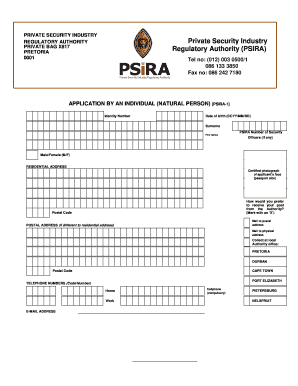
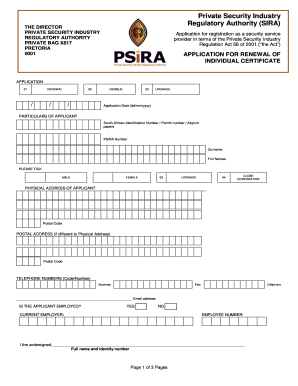

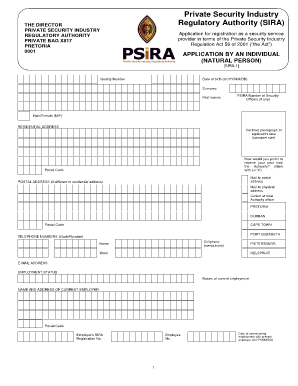

What is Psira online booking contact details Durban?
Psira online booking contact details Durban refer to the process of reserving appointments or services related to security industry regulations in the city of Durban. It is a convenient way for individuals and businesses to schedule and manage their PSiRA-related tasks online.
What are the types of Psira online booking contact details Durban?
There are several types of Psira online booking contact details available in Durban, including:
PSiRA registration appointments
PSiRA training session bookings
PSiRA compliance consultation bookings
How to complete Psira online booking contact details Durban
To successfully complete Psira online booking contact details in Durban, follow these steps:
01
Go to the official PSiRA website
02
Select the type of appointment or service you require
03
Choose a convenient date and time slot
04
Fill in the required information accurately
05
Confirm your booking and save the confirmation details
By utilizing pdfFiller, users can easily create, edit, and share their PSiRA-related documents online. With unlimited fillable templates and powerful editing tools, pdfFiller is the all-in-one PDF editor users need to streamline their document management process.
Video Tutorial How to Fill Out
Thousands of positive reviews can’t be wrong
Read more or give pdfFiller a try to experience the benefits for yourself
Questions & answers
Can you renew Psira online?
Private security operators have to apply for registration through the director of PSIRA. You can download PSIRA registration forms from the website, print and fill offline. Alternatively, you can fill the PSIRA form online.
How do I renew my Psira online application form?
Follow the step-by-step instructions below to e-sign your psira certificate renewal requirements form: Select the document you want to sign and click Upload. Choose My Signature. Decide on what kind of e-signature to create. ... Create your e-signature and click Ok. Press Done.
How do I apply for Psira online application form?
You can simply go on the PSIRA website. www.psira.co.za. Publicity. Documents. Registration documents. Security Service Provider. Requirements for business registration and application form.
How can I contact Psira?
Private Security Industry Regulatory Authority (PSIRA) http://www.psira.co.za. Private Bag X817, PRETORIA, 0001. 420 Witch-Hazel Avenue, Eco Glades 2 Office Park, Highveld Ext 70, Centurion , 0158. 012 337 5500. 012 337 5694. 012 326 6128. National Government Directory: State owned enterprises and other public entities.
How do I get my Psira number online?
How To Do PSIRA Online Verification? Steps : Step 1 : Visit the official website of PSIRA through provided above. Step 2 : Then click on the “Business Verification” link under Online Services. Step 3 : Next, Enter PSIRA Number Or Search By Company Name. Step 4 : Enter the Captcha Code as shown in the image.
Can I renew my Psira online application forms?
Filling in Psira Renewal Online Application Form does not have to be stressful anymore. From now on comfortably get through it from your apartment or at the place of work from your smartphone or desktop computer.
How can I get a Psira certificate online?
How to make an eSignature for the Psira Certificate Renewal Requirements Form online Select the document you want to sign and click Upload. Choose My Signature. Decide on what kind of eSignature to create. There are three variants; a typed, drawn or uploaded signature. Create your eSignature and click Ok. Press Done.
How much does Psira registration cost?
2 colour ID photos; Proof of residence; Set of finger prints; Registration fee of R210.
How do I know if my Psira is ready for collections?
How would I know when my Psira application has been approved? You can contact our customer care line on 086 133 3850 with your ID number handy to check the status of your application.