Form No 5 Birth Certificate Pdf Telangana

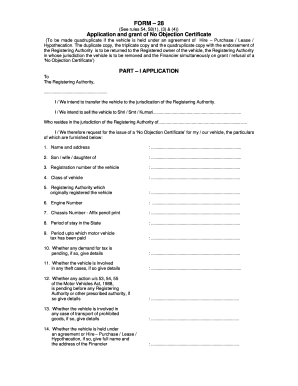

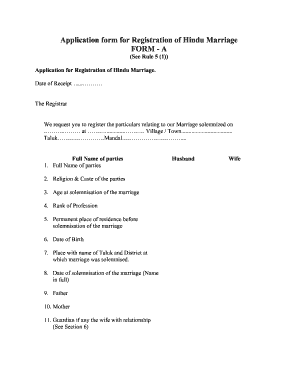
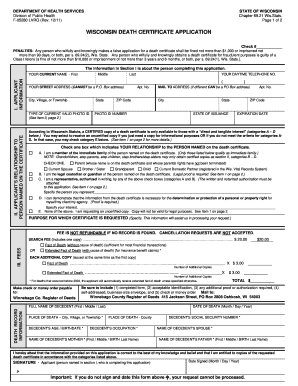
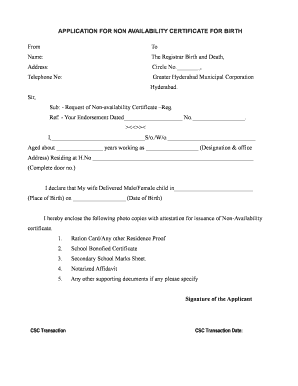
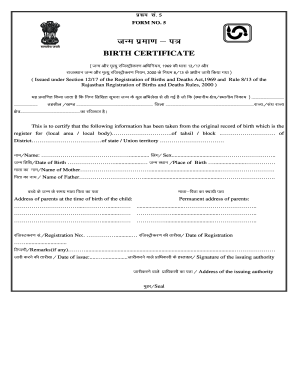



What is Form no 5 birth certificate pdf telangana?
Form no 5 birth certificate pdf telangana is a government-issued document that certifies the birth of an individual in the state of Telangana. It contains essential details such as the name, date of birth, place of birth, and parent's names.
What are the types of Form no 5 birth certificate pdf telangana?
There are two types of Form no 5 birth certificate pdf telangana:
A regular birth certificate for individuals born in hospitals or healthcare facilities.
A delayed birth certificate for individuals whose births were not registered within the stipulated time frame.
How to complete Form no 5 birth certificate pdf telangana
Completing Form no 5 birth certificate pdf telangana is a simple process. Follow these steps:
01
Download the Form no 5 birth certificate pdf from the official website of the Telangana government.
02
Fill in the required details accurately, such as the name, date of birth, and parent's names.
03
Attach any supporting documents, such as proof of birth or identification.
04
Submit the completed form along with the necessary fees to the designated government office for processing.
05
Wait for the birth certificate to be issued to you.
pdfFiller empowers users to create, edit, and share documents online. Offering unlimited fillable templates and powerful editing tools, pdfFiller is the only PDF editor users need to get their documents done.
Video Tutorial How to Fill Out Form no 5 birth certificate pdf telangana
Thousands of positive reviews can’t be wrong
Read more or give pdfFiller a try to experience the benefits for yourself
Questions & answers
How can I download my birth certificate online in Telangana?
GOVERNMENT OF TELANGANA website. Select Registration unit and enter all details. Now click on submit button and your data get on display. you can see your birth record on your screen.
How can I get my birth certificate in Telangana?
Through Meeseva centre Download application form from the link: Application Form Link. ... Fill the application form and submit the form along with documents and fees to Meeseva officer at the counter. The details will be processed online. ... Birth certificate will be issued if the details match with hospital records.
Can we apply birth certificate online in Telangana?
Step 1: To register a birth duly filled application form along with all documents should be submitted to concern MeeSeva centre by hospitals, medical institutions or by the head of the family. Step 2: MeeSeva centre operator will scan the documents and apply for birth certificate online.
How can I add my name in birth certificate in Hyderabad?
For already registered births for which child name is not included, they can request for inclusion of child name in the birth register in any mee seva. Walk into any mee seva center and fill in the application form available at mee seva for inclusion of child name in the birth register.
How can I change my name in birth certificate online in Telangana?
Required Documents[edit] Application form. Valid birth certificate. Affidavit from local notary. Affidavit on a non-judicial stamp paper of minimal about the reason of name change. Address proof (Voter ID, Driving License etc.) ... Aadhaar Card of Parents as per requirement. Name of the Parent. Date of birth of the child.
How can I get my birth certificate online in AP?
To register a birth online, the following procedures have to be followed: Step 1: Log on to the website. Step 2: Enter the Details. Step 3: Submit the form. Step 1: Registering Birth. Step 2: Enter the details. Step 3: Approach the Authority. Step 4: Certificate Issue.
How can I get my birth certificate online in Telangana?
Through Meeseva centre Download application form from the link: Application Form Link. ... Fill the application form and submit the form along with documents and fees to Meeseva officer at the counter. The details will be processed online. ... Birth certificate will be issued if the details match with hospital records.
How can I get a copy of my birth certificate in Telangana?
How to Apply Online for a Birth Certificate of Hyderabad? In the first step, you have to visit the official portal Ghmc.gov.in. After this, you need to fill online application with the correct details for the Hyderabad Birth Certificate. Then click on submit a link to apply for Hyderabad Birth Certificate.
How can I get a copy of my birth certificate online?
Process Log into the parents e-citizen portal; Select civil registration department; Select birth certificate then select apply for replacement; Fill in the required details and upload all the necessary documents; Pay the required fee; and. You will be notified once the birth certificate is ready.
How can I get death certificate online in Telangana?
Documents Required Age proof of the deceased – Birth certificate or SSLC certificate can submit. An affidavit specifying the date and time of death. Ration card copy. Death certificate application form. Medical Certification stating the causes of death, if required.