U.s. Visa Application


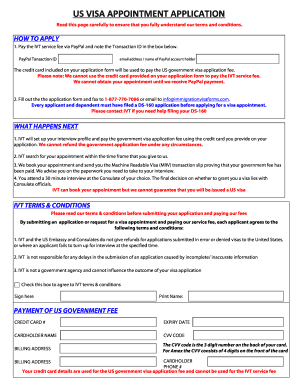


What is U.S. visa application?
U.S. visa application is the process by which individuals apply for permission to enter the United States for various purposes, such as tourism, work, study, or to reunite with family members.
What are the types of U.S. visa application?
There are several types of U.S. visa applications based on the purpose of your visit. Some common types include tourist visas, work visas, student visas, and family visas.
Tourist visas
Work visas
Student visas
Family visas
How to complete U.S. visa application
Completing a U.S. visa application can be a straightforward process if you follow these steps:
01
Gather all required documents such as passport, photos, and supporting documents.
02
Fill out the visa application form accurately and truthfully.
03
Schedule a visa interview at the nearest U.S. embassy or consulate.
04
Attend the visa interview and provide any requested additional information.
pdfFiller empowers users to create, edit, and share documents online. Offering unlimited fillable templates and powerful editing tools, pdfFiller is the only PDF editor users need to get their documents done.
Video Tutorial How to Fill Out U.s. visa application
Thousands of positive reviews can’t be wrong
Read more or give pdfFiller a try to experience the benefits for yourself
Questions & answers
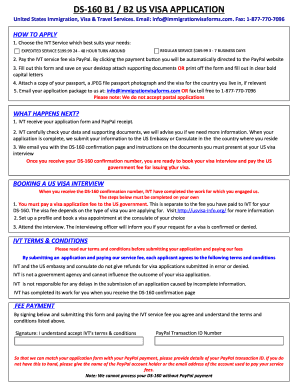
How do I fill my DS-160 form?
Steps to Completing the DS-160: Step 1: Determine the applicable visa category. ... Step 2: Gather the required documents to complete the DS-160. ... Step 3: Note the Application ID displayed on the Top Right-Hand Corner of the DS-160 Screen or Save the DS-160 to Your Computer. Step 4: Complete the DS-160.
How fill DS-160 US visa online?
The Form DS-160 must be completed and submitted online prior to your interview at the Embassy or Consulate. The barcode number on the Form DS-160 confirmation page is required in order to book your interview. The Form DS-160 must be submitted online and the printed confirmation page must be brought to the interview.
Can you fill out a visa application online?
The DS-160, Online Nonimmigrant Visa Application form, is for temporary travel to the United States, and for K (fiancé(e)) visas. Form DS-160 is submitted electronically to the Department of State website via the Internet.
How do I fill out a DS 261 form?
0:00 4:03 DS-260 and DS-261 Online Forms, Explained - YouTube YouTube Start of suggested clip End of suggested clip Number the beneficiary id number is a unique number that the nvc assigns to the person seeking aMoreNumber the beneficiary id number is a unique number that the nvc assigns to the person seeking a green card you'll need all of these numbers to submit forms ds 260. And ds 261.
How do I get my US application form?
In order to do so, go into the Consular Electronic Application Center website and select the Embassy or Consulate at which you are applying. Hit “Option C-Retrieve Application” on the Getting Started page and enter your application ID number. From there you will be able to view and print your confirmation page.
Where can I download DS-160 form?
You can access the form DS-160 at the Consular Electronic Application Center website or you could use the services of a third-party company such as VisaExpress to assist you with filing this form.
How can I apply for US visa online?
To complete online form DS-160, the nonimmigrant visa application form. A photo. A visa application fee. To schedule an interview....How to Apply Online for a Business or Tourism Visitor Visa to the U.S. Find out if you need a visa. ... Determine which visa you might need for your visit. ... Apply for a visa.
How can I get DS 260 form?
Where can I find the DS-260? You can access the DS-260 from the Consular Electronic Application Center (CEAC) website, by going to Immigrant Visas.state.gov and clicking on “Submit Visa Application and Civil Documents,” or on the website of the U.S. embassy or consulate where you will apply.
Is DS-160 form free?
There is no fee for filing Form DS-160. You will still have to pay the fees for the specific visa for which you're applying, though. For most non-petition-based nonimmigrant visas, such as tourist, business or TN visas, the fee is $160.
What is the difference between DS 260 and DS 160?
Immigrant Visa (DS-260) and Nonimmigrant Visa (DS-160) Applications Likely to Include More Detailed History and Social Media Information. The State Department will likely require nonimmigrant and immigrant visa applicants to provide more detailed histories including social media platforms.
How do I apply for a US visa in Uganda?
Nonimmigrant Visas Contact Us. Callers in Uganda: +256-202-401-113. ... The Visa application process has two major steps. Step 1: Complete the visa application form (DS 160) and submit it. ... Interview Instructions. ... Photo Information. ... Group Processing. ... Visiting the Embassy. ... Official Visas.
How long does it take to get a US visa from Jamaica?
Visas are usually processed within five (5) business days or 7 – 10 business days from the date received at the Consulate, depending on the country of citizenship.
Is DS-160 editable?
While information in the Form DS-160 cannot be changed or amended after the form is electronically submitted, applicants needing to make a correction may retrieve the information contained in the submitted forms in one of two ways.
Can I print the DS-260 form?
After submitting Form DS-260 online, you must print the confirmation page and bring it to your interview. You can print this from CEAC any time after you complete your DS-260 application.
How can I get free visa for USA?
To get a visa waiver, you must be a citizen of one of the 39 countries that participate in the U.S.'s Visa Waiver Program (VWP). If you plan to visit the U.S. under the VWP, you must get an approved travel authorization before your trip.
How can I download US visa form DS-160?
In order to do so, go into the Consular Electronic Application Center website and select the Embassy or Consulate at which you are applying. Hit “Option C-Retrieve Application” on the Getting Started page and enter your application ID number. From there you will be able to view and print your confirmation page.