Wedding RSVP Form Templates

Get eSignatures done in a snap

Prepare, sign, send, and manage documents from a single cloud-based solution.

What are Wedding RSVP Form Templates?

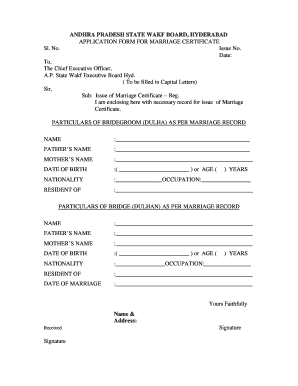
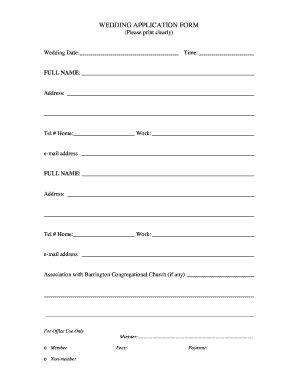
Wedding RSVP Form Templates are pre-designed forms that make it convenient for couples to collect responses from their guests regarding attendance to their wedding events. These templates include fields for guests to fill out their names, response (Yes/No), number of guests attending, meal preferences, and any other special requests the couple may have.
What are the types of Wedding RSVP Form Templates?

There are several types of Wedding RSVP Form Templates available to cater to different preferences and themes of weddings. Some common types include Traditional RSVP Forms, Modern RSVP Forms, Floral RSVP Forms, Beach Theme RSVP Forms, and Vintage RSVP Forms. Each type offers a unique design and layout to match the overall style of the wedding.
Traditional RSVP Forms
Modern RSVP Forms
Floral RSVP Forms
Beach Theme RSVP Forms
Vintage RSVP Forms

How to complete Wedding RSVP Form Templates
Completing Wedding RSVP Form Templates is easy and straightforward. Here are some simple steps to guide you through the process:
01
Fill in your name and contact information in the designated fields.
02
Select your response (Yes/No) to indicate your attendance status.
03
Indicate the number of guests attending with you, if applicable.
04
Specify any meal preferences or special requests, if provided by the couple.

pdfFiller empowers users to create, edit, and share documents online. Offering unlimited fillable templates and powerful editing tools, pdfFiller is the only PDF editor users need to get their documents done.

Video Tutorial How to Fill Out Wedding RSVP Form Templates

Thousands of positive reviews can’t be wrong

Read more or give pdfFiller a try to experience the benefits for yourself
5.0
Allows me to assign unique page numbers in a pdf that has multiple page document...
Allows me to assign unique page numbers in a pdf that has multiple page documents merged into one pdf
Richard R.
4.0
I am currently reviewing how much I would actually have to use the PC Filler to...
I am currently reviewing how much I would actually have to use the PC Filler to see whether I need to subscribe. Thank you.
Gerard S.
5.0
Very solid and efficient for my needs.
Very solid and efficient for my needs. I would recommend to any who have ongoing needs for clickable PDF forms.
Jason M S
5.0
As an insurance broker I encounter too often forms from insurance companies that...
As an insurance broker I encounter too often forms from insurance companies that are not editable yet. Which makes preparing them for our clients some stupid and unncessary extra work (and for the clients to finish them). PDFfiller is a great tool to help with that in q fast and easy way.
Patrick O. O

Questions & answers

How to create an RSVP form on Google Forms Step 1: Open Google Forms. The first step is to open Google Forms. Step 2: Select a free RSVP online template. Step 3: Add your questions and answers. Step 4: Customize the RSVP form to your liking. Step 5: Configure the form settings. Step 6: Send out an RSVP link.
Here are a few formal RSVP wording examples. We kindly request. Your reply is kindly requested before (date) Name(s) :__________________ ▢ joyfully accept(s) We kindly request. Your reply is kindly requested before (date) Name(s) :__________________ Please RSVP. Name(s) :__________________ Please RSVP no later than (date)
Best Free Wedding RSVP Websites in 2023 The Knot's free guest list tool lets you easily manage your wedding guest list, collect addresses and track RSVPs in one convenient spot. The Knot also offers a free wedding website builder with beautiful templates you can customise.
By adding the line, "number attending _____", guests can write down the number of individuals attending from their party. You can also use this line to indicate how many people you are allowing to come by writing in the number before mailing out the response cards.