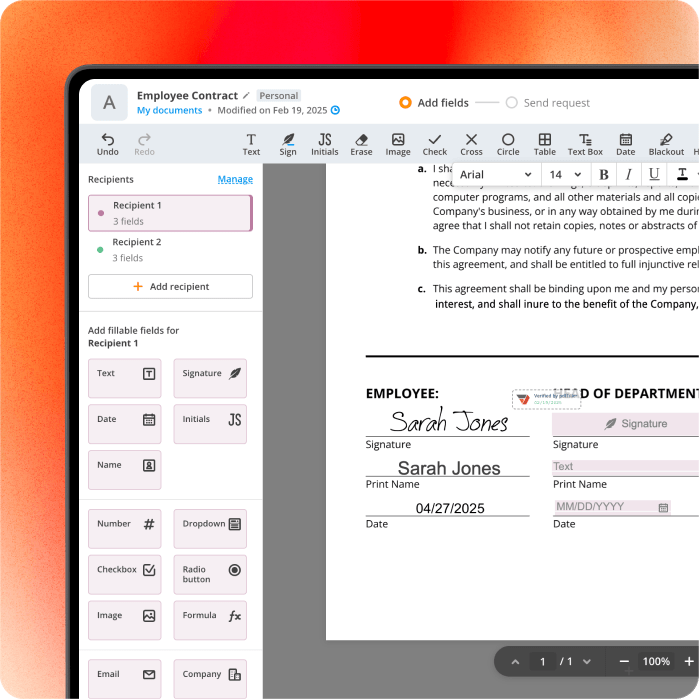
Autofill PDF in Microsoft Edge For Free
Drop document here to upload
Up to 100 MB for PDF and up to 25 MB for DOC, DOCX, RTF, PPT, PPTX, JPEG, PNG, JFIF, XLS, XLSX or TXT
Last updated on Oct 1, 2026
Try most popular PDF tools
Discover a full set of tools to handle any document task.
Edit PDFs
Make quick PDF edits online.
Sign
Add legally binding signatures.
Merge
Combine multiple PDFs.
Request signatures
Send a document for signing.
Convert
Transform PDFs into other formats.
Rearrange
Change the order of pages.
Share
Send PDFs for review or editing.
Compress
Reduce PDF file sizes.







pdfFiller ranks among the best
pdfFiller is rated 4.6 out of 5 stars across 1,000+ G2 reviews.
The stars did not appear on this survey, so nothing is marked; however, this was and still is a great service, and is very much needed as it is a very helpful tool in filling out forms that do allow computer input. :-)
I am finally able to enter into templates.
This solves so many issues for us working with PDF's on-line - so far so good!
Just starting Just starting. Great so far.
Meets my needs Meets my needs. It is expensive but it works.
It's easy to use and is pretty inexpensive. The 1 month trial is a great feature.
Create and edit documents with a trusted solution