
Last updated on
Nov 9, 2026
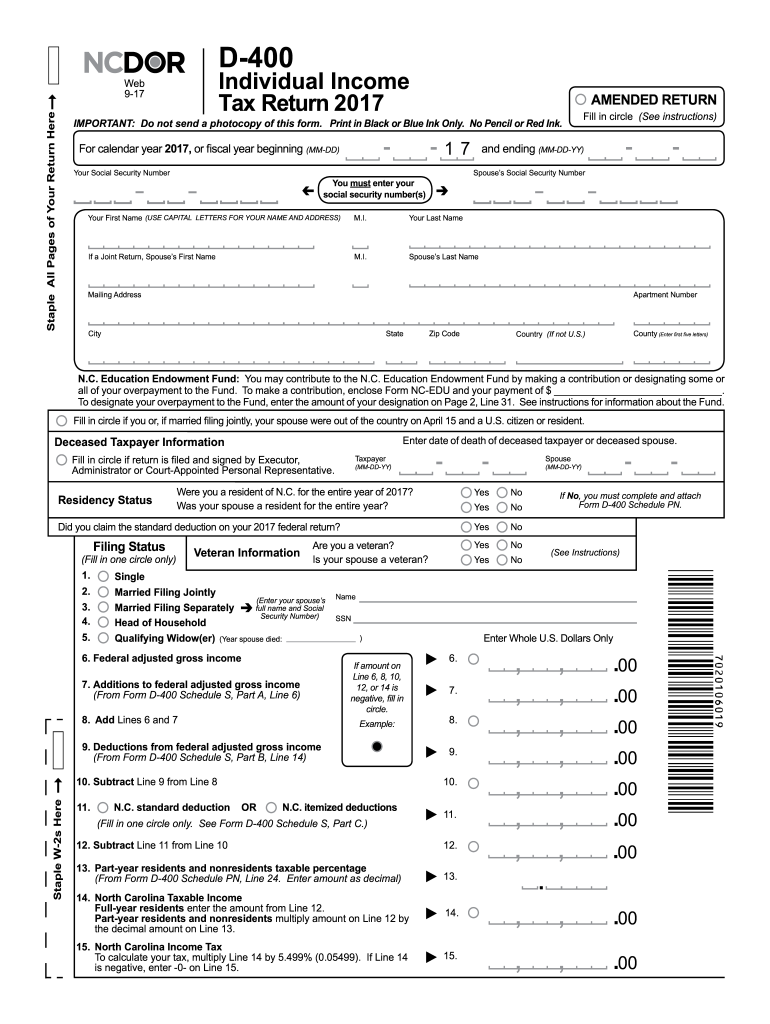
NC DoR D-400 2017 free printable template
pdfFiller is not affiliated with any government organization

Fill out
Complete the form online in a simple drag-and-drop editor.

eSign
Add your legally binding signature or send the form for signing.

Share
Share the form via a link, letting anyone fill it out from any device.

Export
Download, print, email, or move the form to your cloud storage.
Why pdfFiller is the best tool for your documents and forms


End-to-end document management
From editing and signing to collaboration and tracking, pdfFiller has everything you need to get your documents done quickly and efficiently.
Accessible from anywhere
pdfFiller is fully cloud-based. This means you can edit, sign, and share documents from anywhere using your computer, smartphone, or tablet.
Secure and compliant
pdfFiller lets you securely manage documents following global laws like ESIGN, CCPA, and GDPR. It's also HIPAA and SOC 2 compliant.
What is NC DoR D-400
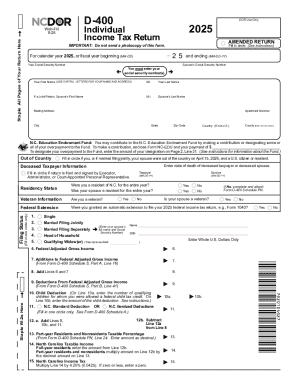
The North Carolina D-400 2017 Amended Tax Return is a state income tax document used by individuals to report their income and calculate state taxes owed for the year 2017.
pdfFiller scores top ratings on review platforms




so far its really the best i have seen need to know more
Easy to use
Easy to use. Very helpful to fill out a form that normally is not required to be done online prior to Covid.
What do you like best?
The fact that you can make templates for repeat use. That saves me a lot of time.
What do you dislike?
The cost is a little high for what I use it for- just doing some monthly billing for a handful of clients.
What problems are you solving with the product? What benefits have you realized?
It saves me time and I have a lot of difficulties filling out insurance forms by hand as the fields are so small.
What do you like best?
I like how simple it is to navigate fields. The program is really good about identifying editable fields in all documents.
What do you dislike?
I think they can improve the downloading/saving function. There seem to be more steps than one would expect.
Recommendations to others considering the product:
If you are looking for software that is simple and allows you to edit PDF files easily, this is your program. I feel the least amount of pain when renewing my subscription. For me, it is a must-have tool.
What problems are you solving with the product? What benefits have you realized?
Zero lag time in legal documents or any documents that require redlining, editing, etc.
What do you like best?
I like the fact that’s it’s easy to use.
What do you dislike?
It may seem a little overwhelming at first.
Recommendations to others considering the product:
Spend time navigating through it. Get familiar with everything it has to offer.
What problems are you solving with the product? What benefits have you realized?
Converting documents and fillable fields.
What do you like best?
I like that I can edit text and pdfFiller will try and match the font closely, and I also find the Erase function very valuable. The entire tool is easy to use and makes my life much easier.
What do you dislike?
I have not found any downsides to using pdfFiller :)
What problems are you solving with the product? What benefits have you realized?
I use pdfFiller to easily edit resumes in PDF format. It saves me tons of time, because I don't have to request .DOC versions or try to painfully convert PDFs into an easier to deal with format.
Who needs NC DoR D-400?
Explore how professionals across industries use pdfFiller.

NC DoR D-400 is needed by:
-
North Carolina residents filing taxes for the year 2017
-
Taxpayers who need to amend their previously submitted D-400 forms
-
Married couples filing jointly who need to report combined income
-
Individuals seeking to claim tax credits and deductions in North Carolina
-
Tax professionals assisting clients with North Carolina state tax returns
Comprehensive Guide to NC DoR D-400
What is the North Carolina D Amended Tax Return?
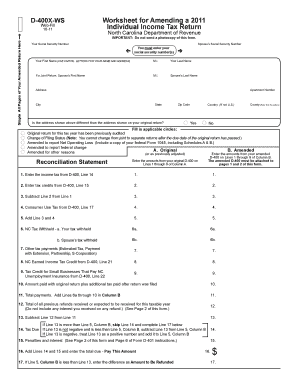
The D-400 form serves as the North Carolina state income tax return for 2017, playing a crucial role for taxpayers who need to amend their past filings. This amended return is essential for correcting any inaccuracies in previously submitted tax forms, ensuring compliance with state regulations. Taxpayers required to file this form include individuals who had a change in income, deductions, or who may qualify for credits they did not claim initially.
Purpose and Benefits of the North Carolina D Amended Tax Return
Filing an amended return allows taxpayers to rectify errors made in earlier filings. Using the D-400 form offers several advantages, including the ability to secure potential tax credits or refunds that might not have been claimed earlier. Additionally, it provides peace of mind, assuring taxpayers that they are honoring state tax laws while potentially improving their financial situation.
Who Needs to File the North Carolina D Amended Tax Return?
Individuals who should consider submitting the D-400 form include:
-
Taxpayers with unreported income or deductions for the year 2017.
-
Those eligible to file jointly with their spouse.
-
Individuals whose residency status affects their tax requirements.
Step-by-Step Guide: How to Fill Out the North Carolina D Amended Tax Return Online
To complete the D-400 form using pdfFiller, follow these steps:
-
Access the D-400 form through the pdfFiller platform.
-
Fill in the required fields, including your Social Security number and accurate income details.
-
Utilize the checkboxes and blank fields effectively for completeness and accuracy.
Common Errors When Filing the North Carolina D Amended Tax Return
When filling out the D-400 form, avoid common mistakes such as:
-
Incorrectly entering Social Security numbers.
-
Failing to review all entries before submission for accuracy.
-
Neglecting to reference all necessary documentation to support your claims.
Ensuring accuracy during the filing process is crucial for a smooth submission.
Submission Methods for the North Carolina D Amended Tax Return
Submitting the D-400 form can be done through various methods:
-
Electronic submission via the North Carolina Department of Revenue's website.
-
Paper submission, which requires sending the completed form to the specified address by the deadline.
After submitting, confirm the receipt and track the submission for updates.
What to Expect After Filing the North Carolina D Amended Tax Return
Once the D-400 form is submitted, expect the following:
-
A processing time for amended returns, which can vary.
-
Options to check the status of your return online.
-
Information on next steps if further corrections or documentation are required.
How pdfFiller Can Simplify Your North Carolina D Amended Tax Return Process
Using pdfFiller to complete the D-400 form streamlines the entire process. The platform's features allow:
-
Effortless editing and filling of forms with a user-friendly interface.
-
Strong security measures ensuring the privacy of sensitive information.
-
Options for direct signing and sharing of completed documents.
Additional Resources for Completing Your North Carolina D Amended Tax Return
For those seeking more guidance, consider the following resources:
-
Official North Carolina tax resources available online.
-
Guides and FAQs specifically related to individual tax filing procedures.
-
Tax calculators that help estimate potential refunds or due amounts.
How to fill out the NC DoR D-400
-
1.Access the North Carolina D-400 2017 Amended Tax Return by visiting pdfFiller’s website. Use the search function to locate the form, ensuring that you select the correct version for 2017.
-
2.Open the form within pdfFiller's interface. Familiarize yourself with the layout by scrolling through the document and noting fields and sections that require your attention.
-
3.Before you begin filling out the form, gather all necessary information such as your Social Security number, residency details, and income documents. Ensure you have a complete understanding of your income sources and any tax credits relevant to you.
-
4.Start completing the form by entering your personal details in the designated fields. Be attentive to ensure all information is accurate and matches your official documents.
-
5.Utilize the fillable features of pdfFiller to check boxes and input text where required. Follow all instructions provided on the form itself explicitly, ensuring to fill in details regarding income, withholdings, and applicable deductions.
-
6.As you complete each section, review the instructions that accompany the fields. This guidance is vital for correctly entering your information.
-
7.Once all fields are filled, take a moment to review your completed form for any errors or missing information. Use the preview function in pdfFiller to see a final layout of your submission.
-
8.To save your work, use the save option in pdfFiller. You can download a copy of the form for your records or submit it electronically, depending on your preference.
-
9.If necessary, submit your return through pdfFiller’s submission options or follow any additional requirements stipulated by North Carolina’s Department of Revenue for submitting amended returns.

Who is eligible to file the D-400 Amended Tax Return?
Any individual who filed a D-400 tax return for the year 2017 in North Carolina is eligible to file an amended return if they need to correct or adjust their original filing.
What are the deadlines for filing an amended D-400 form?
Typically, you can file an amended return up to three years after the original due date. For the 2017 tax year, ensure your amended return is submitted by the specified deadline to avoid penalties.
How do I submit the completed D-400 form?
Once completed, you can submit the D-400 Amended Tax Return electronically through pdfFiller or print it for mail submission. Verify the submission method that aligns with state requirements.
What supporting documents do I need to include?
Attach any necessary supporting documents such as W-2 forms, 1099s, and evidence for any claimed credits. Ensure that all information corresponds with what is reported on your amended D-400.
What common mistakes should I avoid while filling out the form?
Be cautious with numeric entries, as errors can lead to delays. Ensure all required fields are filled, and double-check Social Security numbers and amounts before submission.
How long does it take to process an amended return?
Processing times for amended returns can vary; typically, it may take 8 to 12 weeks for the North Carolina Department of Revenue to process your D-400 Amended Tax Return.
What if I owe additional tax after amending my return?
If your amended return indicates you owe additional taxes, be prepared to remit payment promptly to avoid interest and penalties. Check the North Carolina Department of Revenue’s guidelines for payment options.
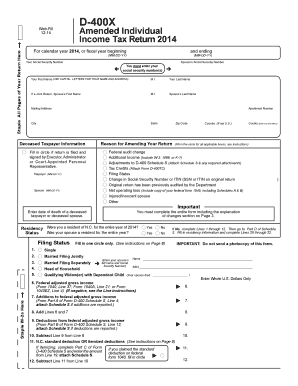
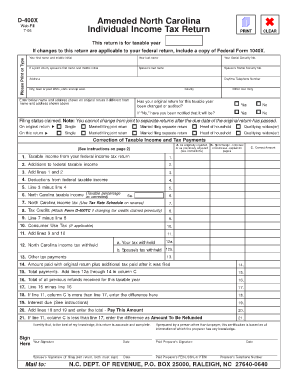
NC DoR D-400 Form Versions
Related Content
Related Forms



Get the latest insights from our blog


If you believe that this page should be taken down, please follow our DMCA take down process
here
.
This form may include fields for payment information. Data entered in these fields is not covered by PCI DSS compliance.