
Last updated on
Oct 31, 2026

CA Redetermination Forms - County of San Diego 2016-2026 free printable template
pdfFiller is not affiliated with any government organization

Fill out
Complete the form online in a simple drag-and-drop editor.

eSign
Add your legally binding signature or send the form for signing.

Share
Share the form via a link, letting anyone fill it out from any device.

Export
Download, print, email, or move the form to your cloud storage.
Why pdfFiller is the best tool for your documents and forms


End-to-end document management
From editing and signing to collaboration and tracking, pdfFiller has everything you need to get your documents done quickly and efficiently.
Accessible from anywhere
pdfFiller is fully cloud-based. This means you can edit, sign, and share documents from anywhere using your computer, smartphone, or tablet.
Secure and compliant
pdfFiller lets you securely manage documents following global laws like ESIGN, CCPA, and GDPR. It's also HIPAA and SOC 2 compliant.
What is CA Redetermination Forms - County of San Diego
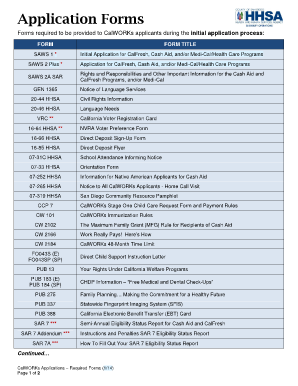
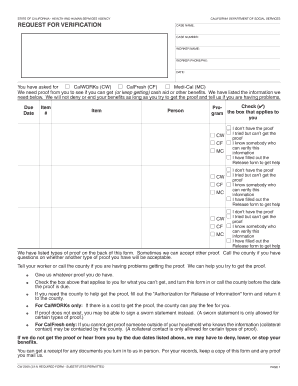
The CalWORKs Redetermination Forms is a list of documents required by CalWORKs recipients to prepare for the annual redetermination process in California.
pdfFiller scores top ratings on review platforms




easy to use and takes the hassle out of trying to sort documents
The Best !, I did not expect this to be par excellence, It meet my expectations and even more - I will recommend, the engine, design and it covers the Business requirements and needs.
P.Patrick
Who needs CA Redetermination Forms - County of San Diego?
Explore how professionals across industries use pdfFiller.

CA Redetermination Forms - County of San Diego is needed by:
-
CalWORKs recipients preparing for annual redetermination
-
Individuals applying for CalFresh or Cash Aid
-
Families utilizing Medi-Cal services
-
Residents seeking information on California welfare programs
-
Voters wanting to update their registration details
-
Applicants needing direct deposit sign-up forms
Comprehensive Guide to CA Redetermination Forms - County of San Diego
What are the CalWORKs Redetermination Forms?
CalWORKs, or California Work Opportunity and Responsibility to Kids, is a welfare program designed to assist families with children who meet certain income requirements. The CalWORKs Redetermination Forms play a critical role in the assistance process, enabling recipients to maintain their eligibility for benefits. It is essential to submit these forms to ensure continued access to necessary resources.
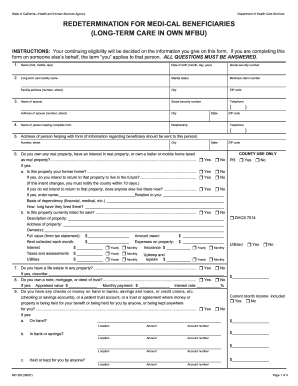
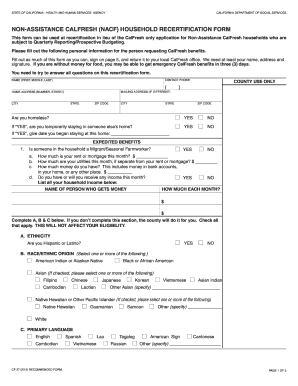
In addition to the CalWORKs forms, recipients may encounter related documents for other programs such as CalFresh, Cash Aid, and Medi-Cal. Understanding these forms is crucial for navigating California's welfare programs effectively.
Purpose and Benefits of the CalWORKs Redetermination Forms
The timely submission of the CalWORKs Redetermination Forms offers significant benefits to recipients, including uninterrupted access to vital support services. By completing these forms, recipients help ensure that resources are allocated appropriately within the program.
These forms also play a pivotal role in maintaining compliance with state welfare systems, ultimately assisting families in receiving the help they need when they need it most.
Who Needs the CalWORKs Redetermination Forms?
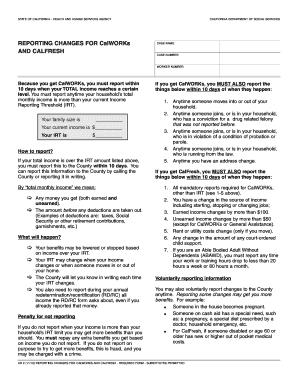
CalWORKs recipients, specifically those who qualify as part of the welfare program, are required to file redetermination forms. Recipients must fill out these forms under various circumstances, such as annual or semi-annual reporting requirements.
-
Annual reporting cases
-
Semi-annual reporting cases
-
Special situations like child-only reports
How to Fill Out the CalWORKs Redetermination Forms Online
To complete the CalWORKs Redetermination Forms efficiently, follow these steps for online submission:
-
Access the official website hosting the forms.
-
Gather the necessary information, including personal and financial details.
-
Fill out the forms following field-by-field instructions.
Be mindful of common errors to avoid, ensuring an accurate submission that meets all requirements.
Submission Methods for CalWORKs Redetermination Forms
After completing the forms, recipients can choose from various submission methods. The available options typically include submitting online or by mail. Ensure you know your local submission location, as procedures can vary within California.
-
Online submission through designated platforms
-
Mail submission to local welfare offices
-
Be aware of deadlines to avoid potential consequences of late submissions
What Happens After You Submit the CalWORKs Redetermination Forms?
Once the forms are submitted, recipients can track the status of their application. Confirmation of receipt will typically be provided, along with details on processing timelines.
If an application is rejected, there are steps recipients can take to address the issues identified in the application, ensuring they remain informed throughout the process.
Ensuring Privacy and Security When Handling CalWORKs Redetermination Forms
When submitting CalWORKs Redetermination Forms, privacy and security are paramount. Data protection measures comply with regulations such as HIPAA and GDPR, ensuring recipients' information remains secure.
pdfFiller offers security features for document handling, providing users with the assurance that their sensitive information is treated with the utmost care. It is also advisable to adhere to best practices for safeguarding personal data throughout the process.
How pdfFiller Assists with the CalWORKs Redetermination Forms
pdfFiller streamlines the process of filling out and managing the CalWORKs Redetermination Forms. The platform’s features include editing documents, eSigning, and sharing files seamlessly.
User testimonials highlight successful experiences of individuals who've efficiently completed their forms using pdfFiller, demonstrating the comprehensive tools available to assist recipients.
Tips for a Smooth Redetermination Process
To enhance the redetermination process, consider the following tips:
-
Prepare all required documents before filing.
-
Avoid common pitfalls when filling out and submitting forms.
-
Seek assistance if you encounter difficulties during the process.
Get Started with Your CalWORKs Redetermination Forms Today
Utilize pdfFiller for an easy and secure experience when managing your CalWORKs Redetermination Forms. Timely submission of these forms is crucial for maintaining access to state benefits.
With pdfFiller as a trusted document solution, recipients can navigate their form-filling needs efficiently and confidently.
How to fill out the CA Redetermination Forms - County of San Diego
-
1.To access the CalWORKs Redetermination Forms on pdfFiller, go to the website and type 'CalWORKs Redetermination Forms' in the search bar.
-
2.Once you find the document, click on it to open in the pdfFiller interface where you can view the forms listed.
-
3.Before completing the forms, gather any necessary personal information such as your income details, family size, and current CalWORKs case number.
-
4.Review the document to identify the specific forms you need based on your reporting case, whether annual or semi-annual.
-
5.Using pdfFiller, click on any form listed to start filling it out. Navigate through each field carefully, entering your information as required.
-
6.If the form requires additional supporting documents, ensure you have them scanned or saved on your computer for easy access.
-
7.Once you have filled in the necessary information, review each section to verify that all details are accurate and complete.
-
8.To finalize the form, look for the 'Save' option on pdfFiller. You can also download the filled form as a PDF or print it directly if needed.
-
9.After saving the document, you may submit it as per the instructions related to your CalWORKs application, making sure to check for any specific submission methods outlined on the forms.

What are the eligibility requirements for CalWORKs recipients?
To be eligible for CalWORKs, you must meet certain income thresholds, residency requirements in California, and have a qualifying child. Further details can be found on the official website regarding specific eligibility criteria.
What is the deadline for submission of the CalWORKs Redetermination Forms?
Deadlines for submitting the CalWORKs Redetermination Forms are typically based on your annual recertification date. It’s important to submit your forms before this date to avoid interruptions in benefits.
How do I submit the completed forms?
Depending on your local county's requirements, completed forms can generally be submitted in person or electronically through their online portals. Check the CalWORKs website for specific submission instructions.
What supporting documents do I need to submit with the forms?
Usually, you'll need to provide proof of income, residency documents, and information pertaining to any changes in family circumstances. Refer to the CalWORKs guidelines for a complete list of required documents.
What are common mistakes to avoid when completing these forms?
Common mistakes include missing required fields, submitting forms late, and failing to provide accurate supporting documents. Always double-check your forms for completeness and correctness before submission.
How long does it take to process the CalWORKs Redetermination Forms?
Processing times may vary, but it generally takes a few weeks after submission. If you haven’t received a response within that time frame, consider contacting your local CalWORKs office for updates.
Can I access these forms in different languages?
The CalWORKs Redetermination Forms are primarily available in English. However, language services may be offered to help non-English speakers complete the forms. Check with local resources for availability.
Related Forms


Related Catalogs
Get the latest insights from our blog



If you believe that this page should be taken down, please follow our DMCA take down process
here
.
This form may include fields for payment information. Data entered in these fields is not covered by PCI DSS compliance.