
Last updated on
Nov 6, 2026
NC Greene Light Logistics Carrier Profile Sheet 2017-2026 free printable template
pdfFiller is not affiliated with any government organization

Fill out
Complete the form online in a simple drag-and-drop editor.

eSign
Add your legally binding signature or send the form for signing.

Share
Share the form via a link, letting anyone fill it out from any device.

Export
Download, print, email, or move the form to your cloud storage.
Why pdfFiller is the best tool for your documents and forms


End-to-end document management
From editing and signing to collaboration and tracking, pdfFiller has everything you need to get your documents done quickly and efficiently.
Accessible from anywhere
pdfFiller is fully cloud-based. This means you can edit, sign, and share documents from anywhere using your computer, smartphone, or tablet.
Secure and compliant
pdfFiller lets you securely manage documents following global laws like ESIGN, CCPA, and GDPR. It's also HIPAA and SOC 2 compliant.
What is NC Greene Light Logistics Carrier Profile Sheet
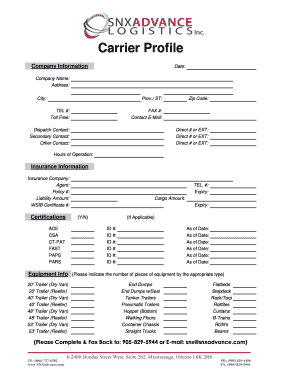
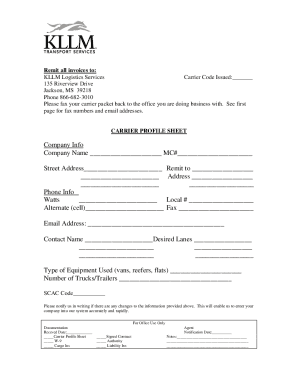
The Carrier Profile Sheet is a vendor registration form used by transportation and logistics companies to provide detailed information about their business operations and compliance with California state regulations.
pdfFiller scores top ratings on review platforms




VERY EASY TO LEARN FOR SOMEONE WHO ISN'T QUICK WITH THE COMPUTER.
Great service to fill PDF forms and sign documents. It goes everywhere you go. Versatile and very easy to use. Worth the investment.
Who needs NC Greene Light Logistics Carrier Profile Sheet?
Explore how professionals across industries use pdfFiller.

NC Greene Light Logistics Carrier Profile Sheet is needed by:
-
Transportation companies operating in California
-
Logistics businesses requiring vendor registration
-
Freight carriers seeking compliance documentation
-
Trucking companies that need to provide operational details
-
Companies involved in business registration and licensing
-
Carriers needing to affirm equipment and insurance details
Comprehensive Guide to NC Greene Light Logistics Carrier Profile Sheet
What is the Carrier Profile Sheet?
The Carrier Profile Sheet is a crucial document in the logistics industry, specifically designed for transportation companies to provide significant details about their operations. This form not only defines the company's capabilities but also assists in vendor registration, particularly for transportation companies operating in California. By completing the carrier profile sheet, vendors can streamline their registration process and ensure compliance with state regulations.
Purpose and Benefits of the Carrier Profile Sheet
Businesses need the Carrier Profile Sheet to maintain compliance with California regulations, which is vital for freight carriers. This document offers numerous advantages, such as enhancing transparency and ensuring that all required information is presented in an organized manner. By providing structured data, logistic operations can improve partnerships and streamline their business processes effectively.
Key Features of the Carrier Profile Sheet
The Carrier Profile Sheet includes essential attributes that make it indispensable for users. The form comprises multiple fillable fields, convenient checkboxes, and necessitates a signature from the Carrier-Authorized Representative to validate the information provided. Furthermore, pdfFiller's online tools enhance the user experience, allowing for easy editing and eSigning of the logistics business form.
Who Needs the Carrier Profile Sheet?
This form is essential for various types of businesses, particularly those operating in the transportation sector. Businesses that fall under this category include trucking companies, freight carriers, and logistics firms. Key stakeholders, such as Carrier-Authorized Representatives, must complete the application process to ensure valid submissions.
How to Fill Out the Carrier Profile Sheet Online
To fill out the Carrier Profile Sheet effectively, users should prepare the necessary information beforehand. Begin by gathering essential details, such as company contact information, equipment specifications, and insurance documents. Follow these steps for a successful submission:
-
Open the Carrier Profile Sheet on pdfFiller.
-
Complete each fillable field with accurate information.
-
Use checkboxes where applicable to ensure all selections are made.
-
Review the completed form for any errors.
-
eSign the document to validate the submission.
Submission Methods and Delivery Options for the Carrier Profile Sheet
Once completed, there are multiple methods for submitting the Carrier Profile Sheet. Users can choose to deliver the form physically to the appropriate office or utilize electronic submission options available via pdfFiller. Additionally, users should be aware of confirmation methods and track their submissions to ensure successful processing.
Common Errors and How to Avoid Them
Accurate completion of the Carrier Profile Sheet is crucial to prevent delays or rejections. Common errors include incomplete fields, inaccurate information, and missing signatures. To eliminate mistakes, consider using the following review checklist before submission:
-
Ensure all fillable fields are completed.
-
Confirm that your information is accurate and current.
-
Verify that the form is signed where required.
Security and Compliance for the Carrier Profile Sheet
When using the Carrier Profile Sheet, users should be assured of privacy and data protection. It is imperative to adhere to applicable regulations and standards. pdfFiller implements robust security measures, such as 256-bit encryption, ensuring that your data remains secure and compliant with regulations.
How to Use pdfFiller for Your Carrier Profile Sheet
pdfFiller simplifies the process of completing the Carrier Profile Sheet with its diverse features. Users can benefit from document editing, seamless eSigning, and efficient sharing options. Utilizing pdfFiller not only enhances the user experience but also ensures that completing the form is straightforward and convenient.
Take Action on Your Carrier Profile Sheet Today
Completing and submitting the Carrier Profile Sheet promptly is essential for smooth business operations. By using pdfFiller’s services, users can ensure that their form is filled out correctly and submitted efficiently. Start using pdfFiller today to navigate the carrier registration process with ease.
How to fill out the NC Greene Light Logistics Carrier Profile Sheet
-
1.To begin, navigate to pdfFiller and search for 'Carrier Profile Sheet' in the template library.
-
2.Click on the form to open it in the pdfFiller editor interface.
-
3.Before starting, gather necessary information such as your company name, contact details, types of equipment, and insurance information to ensure a smooth filling process.
-
4.Begin by filling in the contact details, ensuring all fields are accurately completed with the relevant information.
-
5.Next, move on to the fields regarding equipment and insurance details. Enter all required information, ensuring it aligns with California compliance regulations.
-
6.If there are checkboxes or additional fields, carefully review each instruction and complete them as required.
-
7.Once all required fields are filled out, review the form thoroughly, checking for any missing or incorrect information.
-
8.After confirming that all details are accurate, proceed to the signature section. Use pdfFiller's e-signature feature to sign the form electronically.
-
9.When you have signed the form, use the 'Save' function to keep a copy in your pdfFiller account.
-
10.To download, click on the 'Download' button, selecting your preferred format, or use the 'Submit' option to send it directly to the relevant party.

Who needs to sign the Carrier Profile Sheet?
The Carrier Profile Sheet must be signed by an authorized representative of the carrier. This ensures that the information provided is verified and that the carrier agrees to the terms and conditions laid out in the document.
What is the deadline for submitting this form?
While specific deadlines may vary, it is generally advisable to submit the Carrier Profile Sheet as soon as possible to ensure compliance with California regulations and to avoid potential delays in vendor registration.
What methods can I use to submit the form?
You can submit the Carrier Profile Sheet electronically through pdfFiller by using the 'Submit' feature, or you can download it and send it via email or mail to the designated recipient.
Are there any supporting documents required with this form?
Typically, you may need to include documents such as proof of insurance, equipment specifications, and any relevant compliance certifications. Check whether these documents are outlined in your submission instructions.
What are common mistakes to avoid when filling out this form?
Common mistakes include leaving fields blank, providing inaccurate information, or failing to sign the form. Make sure to double-check all entries before submission to ensure the form is complete and accurate.
How long does processing take once submitted?
Processing times can vary based on the organization receiving the Carrier Profile Sheet. It's advisable to follow up after a week if you have not received confirmation or feedback.
Can I edit the Carrier Profile Sheet after I've saved it?
Yes, within pdfFiller, you can reopen and edit your saved Carrier Profile Sheet at any time before you finalize and submit it.
Related Forms

Related Catalogs
Get the latest insights from our blog


If you believe that this page should be taken down, please follow our DMCA take down process
here
.
This form may include fields for payment information. Data entered in these fields is not covered by PCI DSS compliance.