
Last updated on
Nov 6, 2026
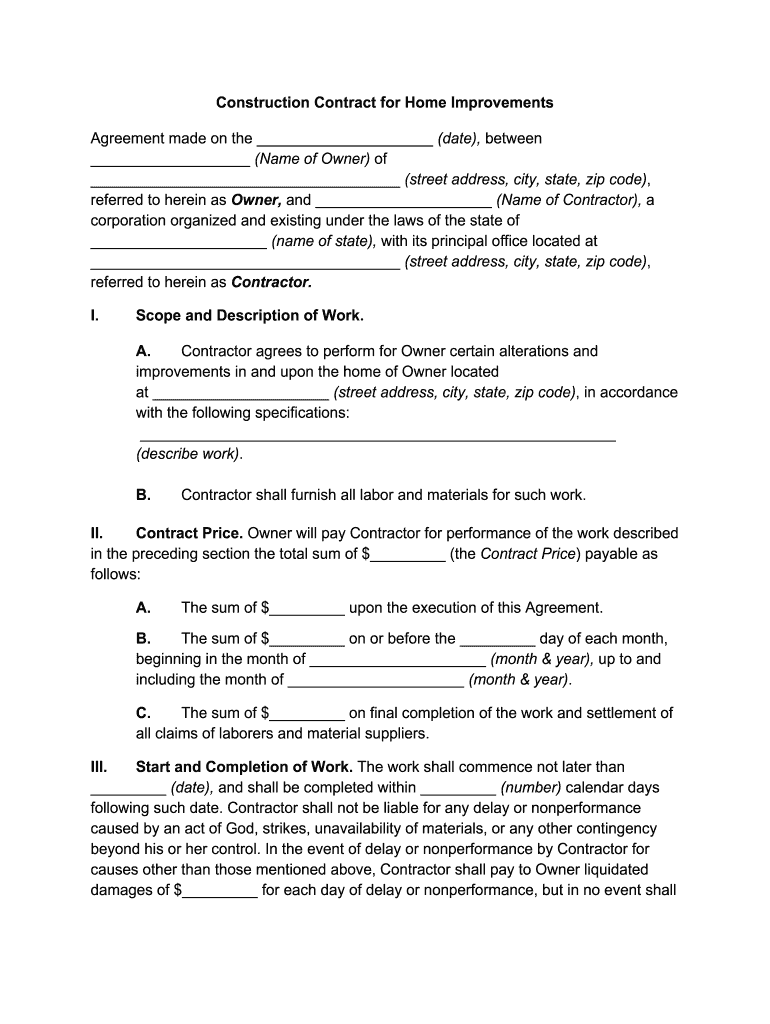
Get the free Construction Contract for Home Improvements
We are not affiliated with any brand or entity on this form

Fill out
Complete the form online in a simple drag-and-drop editor.

eSign
Add your legally binding signature or send the form for signing.

Share
Share the form via a link, letting anyone fill it out from any device.

Export
Download, print, email, or move the form to your cloud storage.
Why pdfFiller is the best tool for your documents and forms


End-to-end document management
From editing and signing to collaboration and tracking, pdfFiller has everything you need to get your documents done quickly and efficiently.
Accessible from anywhere
pdfFiller is fully cloud-based. This means you can edit, sign, and share documents from anywhere using your computer, smartphone, or tablet.
Secure and compliant
pdfFiller lets you securely manage documents following global laws like ESIGN, CCPA, and GDPR. It's also HIPAA and SOC 2 compliant.
What is Home Improvement Contract
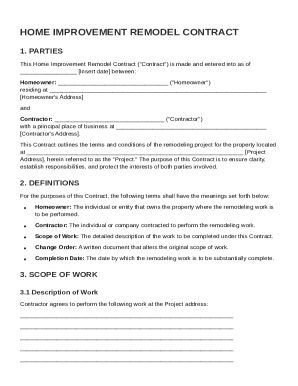
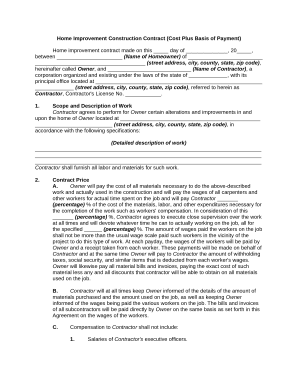
The Construction Contract for Home Improvements is a legal document used by homeowners and contractors to outline terms for home improvement projects.
pdfFiller scores top ratings on review platforms




So far so good importing pdf doc to…
So far so good importing pdf doc to edit Word for a children's book I'm writing. Important to have illustration (drafts) work sheet above and have critique "notes" below!
its the best hands down don't believe me haha love it
Nice tool to edit pdfs and upload anywhere easily of our day today work.
Great product, hands down!
Excellent
Very nice and awesome..Good job!
Who needs Home Improvement Contract?
Explore how professionals across industries use pdfFiller.

Home Improvement Contract is needed by:
-
Homeowners looking to renovate their property
-
Contractors providing home improvement services
-
Real estate developers managing residential projects
-
Property managers overseeing home renovations
-
Legal professionals drafting construction agreements
Comprehensive Guide to Home Improvement Contract
What is the Construction Contract for Home Improvements?
The Construction Contract for Home Improvements serves as a crucial legal agreement between homeowners and contractors. This contract delineates not only the scope of work but also payment terms and specific conditions relevant to home improvement projects. It is governed by state laws, ensuring compliance and protection for all parties involved in residential undertakings.
Main components of this contract include detailed descriptions of the work to be performed, payment schedules, and start and completion dates, ensuring transparency and clarity throughout the process. Homeowners and contractors alike benefit from having a clearly defined home improvement agreement.
Purpose and Benefits of the Construction Contract for Home Improvements
This contract is essential for home improvement projects as it protects the interests of both homeowners and contractors. By providing a structured framework for project details, it significantly reduces misunderstandings and disputes.
Additionally, the key benefits include clear communication regarding responsibilities and expectations, which fosters a more collaborative relationship between parties involved. The home renovation contract form facilitates this clarity, ensuring both sides are informed and protected.
Key Features of the Construction Contract for Home Improvements
Several features enhance the utility of this contract, making it an indispensable tool for both homeowners and contractors. Key attributes include:
-
Fillable fields that allow customization for names, addresses, and monetary values.
-
Signature lines for both the Owner and Contractor, ensuring the binding nature of the agreement.
-
Inclusion of essential clauses covering cancellation policies, alterations, necessary permits, warranties, and dispute resolution mechanisms.
Each feature is designed to streamline the process and minimize potential conflicts, making the residential construction contract a valuable resource.
Who Should Use the Construction Contract for Home Improvements?
The Construction Contract for Home Improvements is particularly beneficial for specific audiences. Homeowners seeking to renovate their properties will find this document essential in outlining expectations and responsibilities.
Contractors also benefit from having a formal agreement that protects their professional interests. The mutual advantages of this contract ensure that both parties can proceed with confidence in their respective roles.
How to Fill Out the Construction Contract for Home Improvements Online (Step-by-Step)
Completing the contract online can be straightforward if you follow these steps:
-
Begin by entering the essential information, such as names and addresses.
-
Specify the scope of work and payment schedules as outlined by both parties.
-
Review the document for completeness before proceeding to sign.
Emphasizing accuracy in fields such as dates and payment amounts is critical to prevent issues down the line. Taking the time to ensure every section is correctly filled will enhance the agreement's effectiveness.
Common Errors and How to Avoid Them
While using the contract, several common errors may arise. These include missing signatures and incorrect dates. To mitigate these risks, it is advisable to implement a thorough review process.
Consider the following suggestions to avoid errors:
-
Verify that all signatures are present before finalizing the document.
-
Double-check all entries, especially dates and payment figures, for accuracy before submission.
Attention to detail can save valuable time and prevent potential disputes.
How to Sign and Submit the Construction Contract for Home Improvements
The signing and submission of the contract can be done via various methods, providing flexibility and convenience. Options for signing include:
-
Digital signatures that allow for quick, secure signing from any device.
-
Wet signatures for those who prefer a traditional approach.
After signing, it is important to choose a recommended method for submitting the completed contract, ensuring that you keep a copy for your records. Tracking and confirming submissions is also advisable to confirm the contract's reception.
Security and Compliance for Handling Your Construction Contract
When using platforms like pdfFiller, users can rest assured about the security of their information. pdfFiller implements robust security measures including 256-bit encryption and compliance with regulations such as HIPAA and GDPR.
Protecting sensitive details within the contract is paramount, ensuring that data privacy is maintained throughout the process. Users can handle their documents with confidence, knowing their information is safeguarded.
Utilizing pdfFiller to Manage Your Construction Contract for Home Improvements
pdfFiller enhances the process of completing construction contracts with its user-friendly online editing capabilities. Key features include:
-
Efficient form-filling options that allow users to edit and finalize documents effortlessly.
-
eSigning capabilities, facilitating secure and legal signing.
-
Collaboration tools that enable sharing and input from multiple parties.
Utilizing these tools will provide convenience and increase the efficiency of managing your construction contract for home improvements.
How to fill out the Home Improvement Contract
-
1.Begin by accessing the Construction Contract for Home Improvements on pdfFiller. You can do this by navigating to the pdfFiller website and searching for the form using the title or keywords.
-
2.Once you have the form open, familiarize yourself with its layout. Look for the blank fields which need to be filled with the appropriate information.
-
3.Before proceeding, gather the necessary information, including the names, addresses, and other details for both the Owner and Contractor. Also, have the project specifications and payment details ready.
-
4.Start completing the fields by clicking on them. Enter the Owner's name in the designated section, followed by the Contractor's name in their respective area. Make sure you double-check spellings.
-
5.Next, fill in the project details such as the scope of work, payment terms, start and completion dates, and any relevant clauses for cancellation, alterations, permits, and warranties.
-
6.Once all fields are filled out, review the entire document to ensure accuracy. Verify that all information regarding the project and parties involved is correct.
-
7.After reviewing, both the Owner and Contractor need to provide their signatures. Locate the signature lines at the bottom of the document and use the digital signature feature to sign the form.
-
8.Finally, save your completed document. Click on the 'Save' option to store it on your device or in your pdfFiller account. You can also download it as a PDF or submit it directly through pdfFiller, depending on your needs.

Who is eligible to use the Construction Contract for Home Improvements?
Both homeowners and contractors can use this construction contract to formalize their agreements for home improvement projects. It's designed for those intending to outline project details and payment arrangements.
Is there a deadline for completing this form?
There is no specific deadline to fill out the Construction Contract for Home Improvements, but it should be completed before any work begins to ensure both parties are clear on terms and expectations.
How should I submit the completed construction contract?
Once the form is completed and signed, you can submit it directly through pdfFiller, or download it to your device and email it to the relevant parties for their records.
Are there any supporting documents needed with this contract?
Typically, you won’t need additional documents with the Construction Contract for Home Improvements. However, it’s a good practice to have any relevant project plans, permits, or previous agreements available for reference.
What common mistakes should I avoid when filling out this form?
Be sure to avoid leaving any required fields blank, misspelling names, or using vague descriptions for the project. Carefully review all terms to prevent disputes later.
What are the typical processing times for finalizing a construction contract?
Processing times can vary, but allow at least a few days for both parties to review, negotiate terms, and sign the contract. Immediate submission through digital platforms may expedite this.
Can this contract be customized for various projects?
Yes, the Construction Contract for Home Improvements can be customized to fit different projects by altering specific sections to reflect unique terms, schedules, and conditions as necessary.
Related Forms




Related Catalogs
Get the latest insights from our blog


If you believe that this page should be taken down, please follow our DMCA take down process
here
.
This form may include fields for payment information. Data entered in these fields is not covered by PCI DSS compliance.