
Last updated on
Nov 17, 2026

CA GC-045 2008-2026 free printable template
pdfFiller is not affiliated with any government organization

Fill out
Complete the form online in a simple drag-and-drop editor.

eSign
Add your legally binding signature or send the form for signing.

Share
Share the form via a link, letting anyone fill it out from any device.

Export
Download, print, email, or move the form to your cloud storage.
Why pdfFiller is the best tool for your documents and forms


End-to-end document management
From editing and signing to collaboration and tracking, pdfFiller has everything you need to get your documents done quickly and efficiently.
Accessible from anywhere
pdfFiller is fully cloud-based. This means you can edit, sign, and share documents from anywhere using your computer, smartphone, or tablet.
Secure and compliant
pdfFiller lets you securely manage documents following global laws like ESIGN, CCPA, and GDPR. It's also HIPAA and SOC 2 compliant.
What is CA GC-045
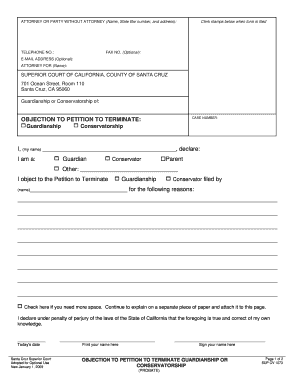
The California Objections to Inventory and Appraisal Form GC-045 is a legal document used by objectors to contest an Inventory and Appraisal filed by a Conservator or Guardian in California probate proceedings.
pdfFiller scores top ratings on review platforms




Who needs CA GC-045?
Explore how professionals across industries use pdfFiller.

CA GC-045 is needed by:
-
Individuals contesting an inventory and appraisal
-
Conservators or Guardians managing estates
-
Probate attorneys representing objectors
-
Heirs or beneficiaries of an estate
-
Legal representatives of minors
-
Parties involved in California guardianship or conservatorship cases
Comprehensive Guide to CA GC-045
What is the California Objections to Inventory and Appraisal Form GC-045?
The California Objections to Inventory and Appraisal Form GC-045 serves a crucial role in probate law by allowing interested parties to contest the inventory and appraisal of an estate managed by a conservator or guardian. This form is primarily used during probate proceedings to formally document objections regarding the reported values of an estate's assets. The significance of using the GC-045 form lies in its ability to provide a legal avenue for objectors to ensure their concerns are addressed in court.
This form is typically submitted when individuals believe that the inventory or appraisal conducted does not accurately reflect the true value of the estate’s assets. Understanding the proper context and legal implications of the GC-045 form is essential for any stakeholder involved in the probate process.
Purpose and Benefits of the California GC-045 Form
The primary purpose of the California GC-045 form is to facilitate a fair judicial process in contested inventory and appraisal situations. By using this form, objectors ensure that their grievances regarding asset valuation are considered, which can significantly impact the distribution of the estate.
Key benefits of utilizing this form include:
-
Empowering objectors to formally present their claims.
-
Providing a structured approach for legal representatives to argue cases effectively.
-
Ensuring transparency and fairness in the appraisal process.
Key Features of the California Objections to Inventory and Appraisal Form GC-045
The GC-045 form is structured to include essential fields for effective documentation. Among the important components are:
-
The objector's name and address.
-
Detailed grounds for the objection.
-
Signature lines for both the objector and their legal counsel.
Each section of the form is designed to capture critical information that supports the objector's claims, adhering to the requirements set by the California probate code.
Who Needs the California GC-045 Form?
This form is primarily intended for individuals involved in conservatorship or guardianship proceedings. Eligible users include:
-
The Objector, who directly contests the inventory or appraisal.
-
The Objector's attorney, who may be required to sign the form to validate its contents.
Understanding the different roles and relationships to the conservatee or minor is crucial in determining eligibility to use the form effectively.
When and Where to File the California GC-045 Form
Timely filing of the GC-045 form is critical within probate proceedings. Late submissions can result in adverse outcomes, such as waiving the right to contest the inventory and appraisal. The form should be filed with the local probate court where the estate is being administered.
Key considerations for filing include:
-
Adhering to filing deadlines outlined in relevant probate laws.
-
Submitting the form at the appropriate court location, which is typically the courthouse handling the estate's matters.
How to Complete the California GC-045 Form
Filling out the GC-045 form correctly is essential for its acceptance by the court. Follow these steps:
-
Provide personal information, including the objector’s name and address.
-
State the specific grounds for the objection clearly.
-
Ensure signatures are collected from all parties, including the objector and attorney.
To avoid common errors, pay close attention to the completeness of each section and ensure all required signatures are included before submission.
Signing the California GC-045 Form
This form requires proper signatures to ensure its validity. There are distinctions between digital and wet signatures:
-
Digital signatures may be accepted where applicable, and processes may differ by court.
-
Wet signatures must be physically written by the signatories, requiring in-person submission for validation.
When signing the document online, ensure compliance with the court's requirements for secure signing methods.
Submission Methods for the California GC-045 Form
Once completed, the GC-045 form can be submitted to the court through several methods:
-
In-person submission at the local probate court.
-
Mailing the completed form to the appropriate court address.
-
Utilizing online filing options if available through court websites.
Be aware of any applicable fees for filing, as well as possible waiver options for those who qualify.
What Happens After You Submit the GC-045 Form?
After submitting the GC-045 form, applicants should expect a timeline for the court's response. To monitor the progress of the application:
-
Check the application status through the court's online system or by contacting the court directly.
-
Be aware of common rejection reasons, such as incomplete information or missing signatures, and address these issues swiftly.
Utilizing pdfFiller to Complete the California GC-045 Form
To streamline the process of completing the GC-045 form, consider using pdfFiller. This platform offers easy editing, signing, and sharing features, ensuring that all legal documents are managed securely.
With robust security measures such as 256-bit encryption and compliance with data protection regulations, users can be confident that their sensitive information is safeguarded during the form-filling process.
How to fill out the CA GC-045
-
1.Access pdfFiller and search for 'California Objections to Inventory and Appraisal Form GC-045' in the template library.
-
2.Once the form opens, read the introductory guidelines to understand what information is required.
-
3.Start with the objector's details by filling in their name and address in the designated fields at the top of the form.
-
4.Specify your relationship to the conservatee or minor, ensuring you choose the correct option from the dropdown list.
-
5.Identify the specific grounds for your objection in the provided text box, making sure to be clear and detailed.
-
6.Use the checkboxes to indicate which sections of the Inventory and Appraisal you are contesting.
-
7.If applicable, fill in details for the objector's attorney, ensuring all necessary fields are completed.
-
8.Review the completed form carefully, checking for any missing information or errors in your entries.
-
9.After confirming all data is accurate, find the signature lines and sign the form where indicated. If there's an attorney, ensure their signature is also obtained.
-
10.Once all signatures are in place, save your completed form by clicking the save icon in pdfFiller.
-
11.You can then download the form for your records or submit it directly through pdfFiller as instructed by the application.

Who is eligible to file the California Objections to Inventory and Appraisal Form GC-045?
The form can be filed by any individual who has a legal interest in the estate and wishes to contest the Inventory and Appraisal filed by a Conservator or Guardian.
What are the deadlines for submitting the GC-045 form?
There are no universal deadlines; however, it's critical to file objections promptly to ensure participation in probate proceedings and to safeguard your legal rights.
How should I submit the completed GC-045 form?
The form should be filed with the relevant court handling the probate case. You may submit it in person or via the court's electronic filing system, if available.
What additional documents are required when submitting the GC-045 form?
No specific additional documents are mandated with the filing. However, any evidence supporting your objection should be gathered and presented to the court.
What are some common mistakes to avoid when completing the GC-045 form?
Ensure that all required fields are filled accurately, particularly your relationship to the estate and the grounds for objection. Missing signatures can also delay processing.
How long will it take to process the objections after filing the GC-045 form?
Processing times vary by court. Typically, it may take several weeks for the court to review and respond to the objections filed.
What should I do if my objection to the Inventory and Appraisal is denied?
If your objection is denied, you may have the option to appeal the decision or provide further evidence. Consulting with a probate attorney can provide guidance on next steps.
Related Forms





Get the latest insights from our blog


If you believe that this page should be taken down, please follow our DMCA take down process
here
.
This form may include fields for payment information. Data entered in these fields is not covered by PCI DSS compliance.