
Last updated on
Nov 10, 2026

CO 502 2011-2026 free printable template
pdfFiller is not affiliated with any government organization

Fill out
Complete the form online in a simple drag-and-drop editor.

eSign
Add your legally binding signature or send the form for signing.

Share
Share the form via a link, letting anyone fill it out from any device.

Export
Download, print, email, or move the form to your cloud storage.
Why pdfFiller is the best tool for your documents and forms


End-to-end document management
From editing and signing to collaboration and tracking, pdfFiller has everything you need to get your documents done quickly and efficiently.
Accessible from anywhere
pdfFiller is fully cloud-based. This means you can edit, sign, and share documents from anywhere using your computer, smartphone, or tablet.
Secure and compliant
pdfFiller lets you securely manage documents following global laws like ESIGN, CCPA, and GDPR. It's also HIPAA and SOC 2 compliant.
What is CO 502
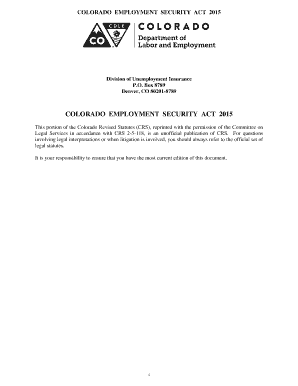
The Colorado Employee Classification Notice is a legal document used by employers to inform workers of their classification rights and processes regarding misclassification under the Colorado Employment Security Act.
pdfFiller scores top ratings on review platforms




Who needs CO 502?
Explore how professionals across industries use pdfFiller.

CO 502 is needed by:
-
Colorado-based Employers
-
Human Resource Managers
-
Employees in Colorado
-
Unemployment Insurance Auditors
-
Labor Rights Advocates
Comprehensive Guide to CO 502
What is the Colorado Employee Classification Notice?
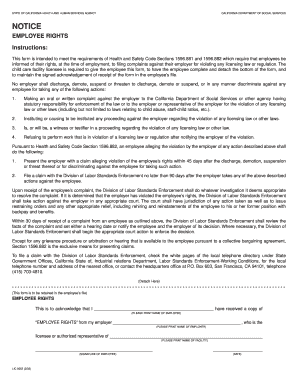
The Colorado Employee Classification Notice is a legal document essential under the Colorado Employment Security Act (CESA). This notice outlines the rights of employees regarding proper classification and details the process for filing complaints if they suspect misclassification. It is instrumental in informing workers about their eligibility for unemployment insurance benefits.
Purpose and Benefits of the Colorado Employee Classification Notice
The primary intent of the Colorado Employee Classification Notice is to ensure the proper classification of workers as employees, which helps prevent misclassification. This notice highlights the rights of workers against misclassification and the potential consequences for both employees and employers. Furthermore, it provides vital contact information for support regarding unemployment benefits.
Who Needs the Colorado Employee Classification Notice?
The target audience for the Colorado Employee Classification Notice includes:
-
Employees who believe they may be misclassified as independent contractors.
-
Employers who are obligated to provide this notice to their workforce.
-
Specific industries or job types that are commonly affected by classification disputes.
Eligibility Criteria for the Colorado Employee Classification Notice
To utilize the Colorado Employee Classification Notice, both employees and employers must meet certain criteria. The classification is determined by evaluating factors that differentiate employees from independent contractors. Employers in Colorado are required to adhere to specific disclosure regulations, while understanding the nuances of federal and state compliance is crucial.
How to Fill Out the Colorado Employee Classification Notice Online
Filling out the Colorado Employee Classification Notice online can be done efficiently by following these steps:
-
Access the document through the pdfFiller platform.
-
Review the field-by-field requirements to gather necessary information.
-
Ensure accuracy and completeness before submitting the form.
Common Errors and How to Avoid Them
To prevent mistakes when completing the Colorado Employee Classification Notice, it is important to be aware of typical fields that may be incorrectly filled out. Review the completed notice thoroughly before submission to catch any errors. Utilizing tools within pdfFiller, such as spell check and validation features, can help enhance accuracy.
How to Submit the Colorado Employee Classification Notice
There are multiple methods available for submitting the Colorado Employee Classification Notice:
-
Online submission via pdfFiller.
-
Mailing the notice to the appropriate address.
-
Submitting in-person at designated locations.
Important deadlines and processing times for submissions should be noted, along with the confirmation process to ensure acknowledgment of receipt.
Privacy and Data Protection for the Colorado Employee Classification Notice
When handling the Colorado Employee Classification Notice, security is paramount. pdfFiller employs robust measures such as 256-bit encryption and complies with regulations like HIPAA and GDPR to ensure data protection. Best practices for safeguarding personal information during document transmission should always be followed, assuring users about the confidential handling of their information.
How pdfFiller Enhances Your Experience with the Colorado Employee Classification Notice
Utilizing pdfFiller for completing the Colorado Employee Classification Notice offers numerous advantages, including:
-
Features like eSigning, editing, and easy document storage.
-
The benefits of a cloud-based platform for efficient document management.
-
Streamlined submission processes and management of forms.
Get Started with Your Colorado Employee Classification Notice Today
To access and fill out the Colorado Employee Classification Notice through pdfFiller, begin by following straightforward steps provided on the platform. Enjoy the ease of use coupled with reliable customer support, allowing you to manage your documents efficiently online.
How to fill out the CO 502
-
1.To access the Colorado Employee Classification Notice on pdfFiller, visit the website and use the search function to locate the form.
-
2.Once the form is open, you will notice an interactive interface. Use the tools provided to navigate through the document.
-
3.Gather all necessary information before you begin filling out the form, including details about your employees' classifications and any pertinent regulations.
-
4.Focus on entering specific details regarding each employee’s classification status accurately, ensuring to fill out all required fields highlighted in the form.
-
5.After completing all sections, review the information carefully for any omissions or errors. Utilize the preview option to see the final appearance of your form.
-
6.Once you’re satisfied with the content, pdfFiller offers options to save your work, download it to your device, or submit it electronically as required by the Colorado Employment Security Act.

Who must complete the Colorado Employee Classification Notice?
Employers in Colorado are required to complete and distribute this notice to inform employees of their classification rights. It is crucial for maintaining compliance with the Colorado Employment Security Act.
When is the Colorado Employee Classification Notice due?
There is no specific due date for filing the notice; however, it must be provided to employees upon their hiring or whenever there is a change in their classification status.
How can the Colorado Employee Classification Notice be submitted?
The notice can be distributed electronically or in print. Employers should ensure that employees receive it directly and keep a record of receipt for compliance purposes.
Are there any supporting documents required with the notice?
Typically, the notice stands alone. However, employers should maintain documentation related to employee classifications and any communications regarding those classifications.
What common mistakes should be avoided when filling out the notice?
Ensure accurate employee status classification and avoid providing incomplete information. Misclassification must be reported correctly to prevent legal issues.
What happens if the notice is not distributed?
Failure to provide the Colorado Employee Classification Notice may lead to compliance issues, including potential penalties and challenges in classifying employees properly under the law.
How long does it take to process inquiries related to misclassification?
Processing times for inquiries regarding employee misclassification can vary. Generally, it is advisable to allow a few weeks for response from the appropriate labor authorities.
Related Content
Related Forms




Get the latest insights from our blog


If you believe that this page should be taken down, please follow our DMCA take down process
here
.
This form may include fields for payment information. Data entered in these fields is not covered by PCI DSS compliance.