
Last updated on
Nov 6, 2026
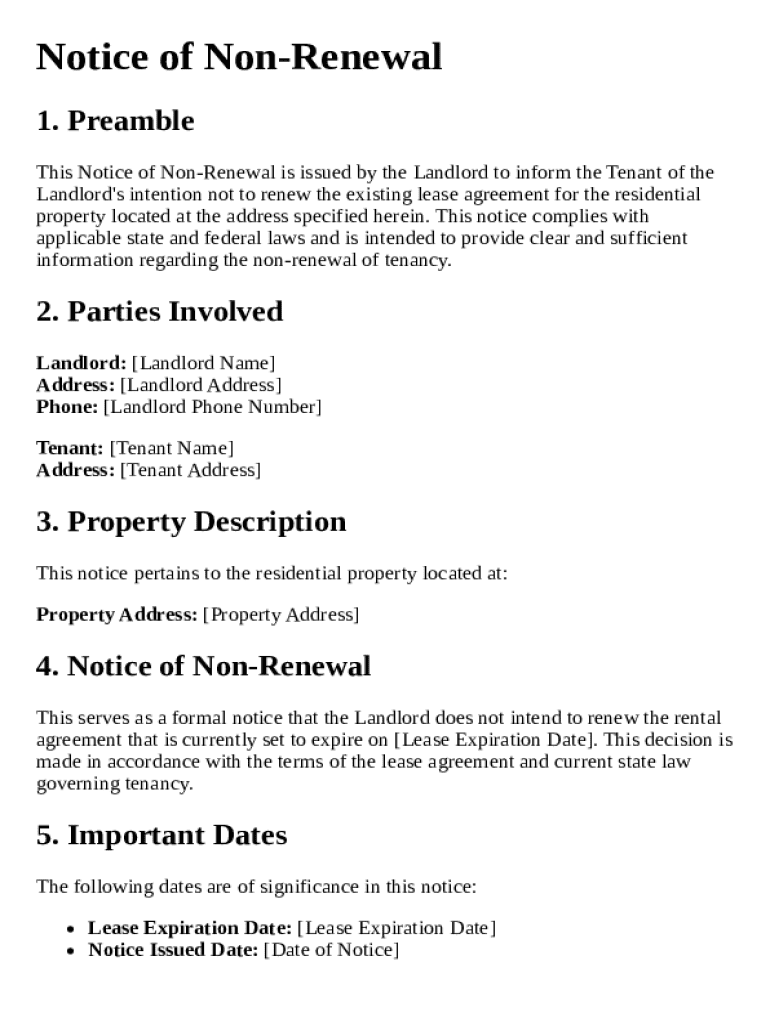
Notice of Non-Renewal Template free printable template
We are not affiliated with any brand or entity on this form

Fill out
Complete the form online in a simple drag-and-drop editor.

eSign
Add your legally binding signature or send the form for signing.

Share
Share the form via a link, letting anyone fill it out from any device.

Export
Download, print, email, or move the form to your cloud storage.
Why pdfFiller is the best tool for your documents and forms


End-to-end document management
From editing and signing to collaboration and tracking, pdfFiller has everything you need to get your documents done quickly and efficiently.
Accessible from anywhere
pdfFiller is fully cloud-based. This means you can edit, sign, and share documents from anywhere using your computer, smartphone, or tablet.
Secure and compliant
pdfFiller lets you securely manage documents following global laws like ESIGN, CCPA, and GDPR. It's also HIPAA and SOC 2 compliant.
What is Notice of Non-Renewal Template
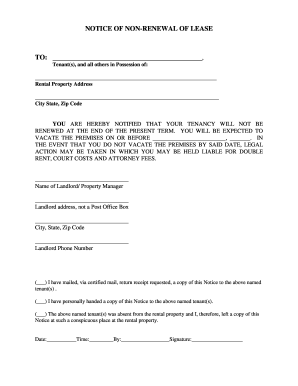
The Notice of Non-Renewal is a legal document used by landlords to inform tenants of their intention not to renew an existing lease agreement for a residential property.
pdfFiller scores top ratings on review platforms




I am strongly satisfied. Forms are very easy to make correction and automatic save feature is very very helpful. Thank you so much. Also the annual fee is extremely affordable. Five stars for sure
I am happy with what PDFfiller enables me to do.
Easy to use. Exactly what I was looking for!
intuitive, easy to use and add signatures!
This is the first time that I have used it. It has done what I needed and I will use it more often as time moves on
Great place to find the correct form and so easy to use.
Who needs Notice of Non-Renewal Template?
Explore how professionals across industries use pdfFiller.

Notice of Non-Renewal Template is needed by:
-
Landlords who manage rental properties
-
Tenants receiving lease termination notices
-
Property managers overseeing rental agreements
-
Real estate attorneys advising clients
-
Individuals involved in lease disputes
Comprehensive Guide to Notice of Non-Renewal Template
What is the Notice of Non-Renewal?
The Notice of Non-Renewal is a legal document issued by landlords to formally communicate their intention not to renew a lease agreement. This document is crucial as it informs tenants about the lease termination, ensuring that both parties are aware of their legal obligations. It serves as a clear indication that tenants must vacate the premises by the lease expiration date. The proper use of a notice of non-renewal template can facilitate this process, helping to avoid potential disputes.
Purpose and Benefits of the Notice of Non-Renewal
Landlords and tenants both benefit from the timely submission of a Notice of Non-Renewal. This document clarifies the legal obligations for both parties at the expiration of the lease. By providing clear communication, the notice helps to prevent misunderstandings that can lead to disputes. It is essential for landlords to issue a landlord non-renewal letter in a timely manner, as it lays the groundwork for a smooth transition.
Key Features of the Notice of Non-Renewal
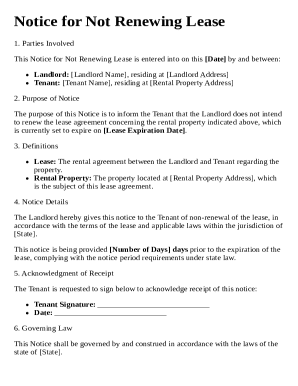
The Notice of Non-Renewal includes several key elements that are vital for its validity:
-
Landlord Name
-
Tenant Name
-
Property Address
-
Lease Expiration Date
-
Signature lines for both parties
These features ensure that both landlords and tenants clearly understand their roles. Additionally, pdfFiller offers fillable fields that simplify the process of completing the form accurately.
Who Needs the Notice of Non-Renewal?
This form is essential for both landlords and tenants. It is particularly relevant in situations where a landlord chooses not to renew a lease, necessitating a formal communication to the tenant. Understanding the scenarios that prompt the need for a residential lease termination notice is crucial in maintaining clear expectations between both parties.
How to Fill Out the Notice of Non-Renewal Online - Step-by-Step
Filling out the Notice of Non-Renewal online can be done efficiently by following these steps:
-
Access the Notice of Non-Renewal template on pdfFiller.
-
Enter the required information in the fillable fields, such as landlord and tenant names.
-
Specify the property address and lease expiration date.
-
Review the information for accuracy.
-
Sign the document digitally or print it for wet signatures.
These steps will help ensure that the form is completed correctly and efficiently, minimizing errors.
Common Errors and How to Avoid Them
When filling out the Notice of Non-Renewal, users often encounter common mistakes, such as:
-
Missing required signatures
-
Incorrect lease expiration date
-
Incomplete tenant or landlord information
To avoid these pitfalls, it's best to double-check all entries and utilize the validation features provided by pdfFiller, which can help catch errors before submission.
How to Sign and Submit the Notice of Non-Renewal
Once the Notice of Non-Renewal is filled out, users have two options for signing:
-
Digital signatures, which provide convenience and efficiency.
-
Wet signatures, which can be used if preferred.
After signing, the document can be submitted through various options available on pdfFiller, ensuring that there is a record of submission for both parties.
What Happens After You Submit the Notice of Non-Renewal?
After submission, it is important to track the confirmation of the document. Users should be aware of the potential outcomes after submission, which can include:
-
Confirming receipt of the non-renewal notice.
-
Understanding the timeline for vacating the premises.
This knowledge is critical for both landlords and tenants to manage next steps effectively.
Security and Compliance Considerations for the Notice of Non-Renewal
When handling sensitive information related to the Notice of Non-Renewal, security is paramount. pdfFiller ensures protection through features such as:
-
256-bit encryption
-
Compliance with SOC 2 Type II, HIPAA, and GDPR regulations
These security measures help safeguard personal data during the eSigning and document management process.
Get Started with Your Notice of Non-Renewal Today
Utilizing pdfFiller makes the process of completing your Notice of Non-Renewal easy and efficient. The platform offers user-friendly features that simplify form filling and eSigning. Additionally, pdfFiller provides various resources to assist you throughout the process.
How to fill out the Notice of Non-Renewal Template
-
1.Access the Notice of Non-Renewal form on pdfFiller by searching for the document title or browsing the 'Real Estate Forms' category.
-
2.Once the form is open, you'll see fillable fields. Click on the 'Landlord Name' field and enter your full name as the landlord.
-
3.Next, move to the 'Tenant Name' field to input the name of the tenant receiving the notice.
-
4.Fill in the 'Property Address' field with the complete address of the rental property in question.
-
5.In the 'Lease Expiration Date' field, specify the date when the current lease ends and the tenant must vacate.
-
6.Use the signature lines provided to sign the document as the landlord. Ensure the tenant also signs the form for mutual acknowledgment.
-
7.Before finalizing, review all fields to ensure accuracy and completeness to avoid any disputes later.
-
8.Once you've confirmed that everything is correct, save your work by clicking the 'Save' button.
-
9.If you need to download the completed form, select the 'Download' option to save it as a PDF on your device, or use the provided submission methods to send it directly to the tenant.

Who is eligible to use the Notice of Non-Renewal?
Landlords and tenants involved in a rental agreement are eligible to use the Notice of Non-Renewal. This document is specifically designed for landlords who need to formally notify tenants of a lease non-renewal.
What should I include in the Notice of Non-Renewal?
The Notice of Non-Renewal should include the landlord's and tenant's names, the property address, lease expiration date, and a statement of non-renewal. Signatures from both parties are also required.
How much time before lease expiration must I send the notice?
It is recommended to send the Notice of Non-Renewal at least 30 days before the lease expiration date to comply with common legal requirements, but check your specific state laws for any additional timeframes.
Is notarization required for the Notice of Non-Renewal?
No, notarization is not required for the Notice of Non-Renewal. However, both parties must sign the document to ensure its validity and clarity of agreement.
What are common mistakes to avoid when filling out the Notice of Non-Renewal?
Common mistakes include omitting necessary signatures, failing to include the correct lease expiration date, and not reviewing the completed document for errors before submission.
Can I submit the Notice of Non-Renewal electronically?
Yes, you can submit the completed Notice of Non-Renewal electronically if both parties agree. Ensure the document is properly signed by both parties before electronic submission.
What happens if the tenant does not vacate by the expiration date?
If the tenant does not vacate by the expiration date stated in the Notice of Non-Renewal, the landlord may need to initiate eviction proceedings according to state laws.
Related Forms

Get the latest insights from our blog


If you believe that this page should be taken down, please follow our DMCA take down process
here
.
This form may include fields for payment information. Data entered in these fields is not covered by PCI DSS compliance.