
Last updated on
Oct 6, 2026
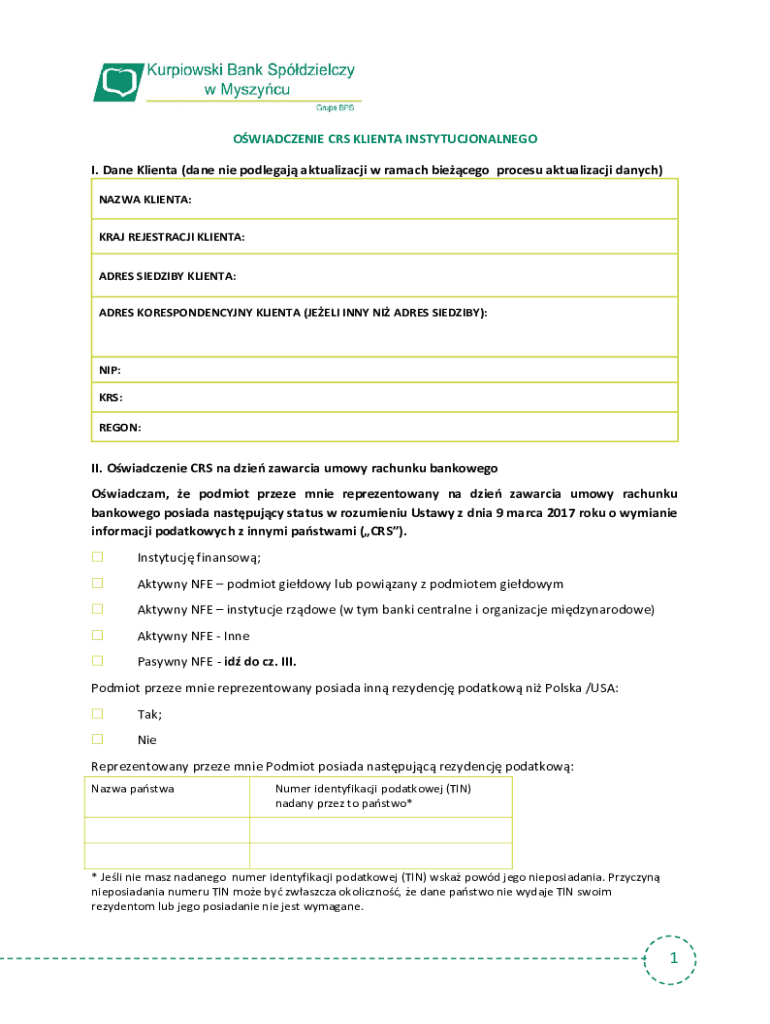
Get the free Polish CRS Client Declaration Form
We are not affiliated with any brand or entity on this form

Fill out
Complete the form online in a simple drag-and-drop editor.

eSign
Add your legally binding signature or send the form for signing.

Share
Share the form via a link, letting anyone fill it out from any device.

Export
Download, print, email, or move the form to your cloud storage.
Why pdfFiller is the best tool for your documents and forms


End-to-end document management
From editing and signing to collaboration and tracking, pdfFiller has everything you need to get your documents done quickly and efficiently.
Accessible from anywhere
pdfFiller is fully cloud-based. This means you can edit, sign, and share documents from anywhere using your computer, smartphone, or tablet.
Secure and compliant
pdfFiller lets you securely manage documents following global laws like ESIGN, CCPA, and GDPR. It's also HIPAA and SOC 2 compliant.
What is CRS Declaration
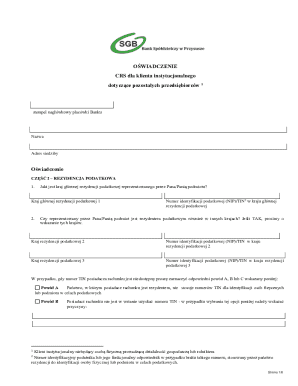
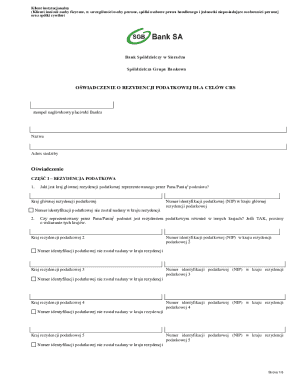
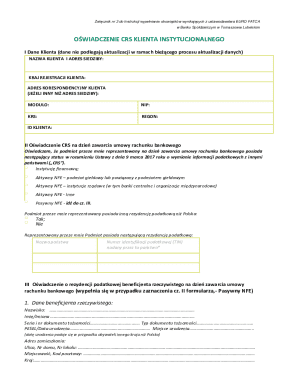
The CRS Client Declaration Form is a business document used by clients in Poland to declare their tax residency status for banking purposes under the Common Reporting Standard.
pdfFiller scores top ratings on review platforms




Who needs CRS Declaration?
Explore how professionals across industries use pdfFiller.

CRS Declaration is needed by:
-
Individual clients opening a bank account in Poland
-
Client representatives managing financial compliance
-
Bank employees processing account applications
-
Businesses requiring banking services in Poland
-
Financial institutions ensuring compliance with tax regulations
Comprehensive Guide to CRS Declaration
What is the CRS Client Declaration Form?
The CRS Client Declaration Form is a crucial document used for tax compliance and reporting under the Common Reporting Standard (CRS). This form assists in ensuring that taxpayers adhere to regulations aimed at combating tax evasion. It plays a fundamental role in fostering transparency between tax authorities and financial institutions by facilitating accurate reporting of taxpayer information.
This form falls under various international regulations, emphasizing its significance in the global finance sector. By understanding the CRS Client Declaration Form, users can appreciate its importance in maintaining compliance and avoiding potential penalties related to tax obligations.
Purpose and Benefits of the CRS Client Declaration Form
The primary purpose of the CRS Client Declaration Form is to collect essential information that helps guarantee compliance with tax laws. Users can benefit significantly from submitting this document as it provides an assurance of transparency in financial matters. Additionally, timely completion of the form can help avoid severe penalties associated with non-compliance.
-
Ensure compliance with tax regulations
-
Enhance transparency in financial reporting
-
Avoid penalties by adhering to deadlines
This form streamlines the financial reporting process, making it a vital tool for individuals and businesses alike.
Who Needs the CRS Client Declaration Form?
The CRS Client Declaration Form is essential for various stakeholders, including individuals and businesses required to declare their tax residency status. Entities such as banks, investment firms, and financial service providers often necessitate this form for compliance purposes.
Specific scenarios mandating submission include opening new bank accounts or establishing investment accounts. Understanding who falls under these requirements ensures that all relevant parties fulfill their obligations in the financial ecosystem.
Eligibility Criteria for Submitting the CRS Client Declaration Form
Submission of the CRS Client Declaration Form is subjected to certain eligibility criteria that outline who can file this document. Individuals or entities must meet specific requirements, such as being a tax resident of a CRS participant jurisdiction.
-
Must be a tax resident of a participating country
-
Compliance with local tax regulations
There are also considerations for exemptions available to certain users, such as specific investment funds or smaller entities. Knowing these criteria is essential before proceeding with the form.
How to Fill Out the CRS Client Declaration Form Online
Filling out the CRS Client Declaration Form online using pdfFiller is a straightforward process. Begin by accessing the form, and follow these step-by-step instructions:
-
Open the CRS Client Declaration Form on pdfFiller.
-
Fill in necessary personal information, including your name and tax identification numbers.
-
Complete the sections regarding tax residency status, ensuring all details are accurate.
-
Review the form for completeness before submission.
Attention to detail is crucial, as mistakes can lead to processing delays or compliance issues. Utilize available tips within pdfFiller to ensure accuracy during the submission process.
Common Errors and How to Avoid Them When Filing the CRS Client Declaration Form
Users often encounter specific common errors when filling out the CRS Client Declaration Form. Recognizing these pitfalls can significantly improve the submission experience.
-
Incomplete fields, which may delay processing
-
Incorrect tax identification numbers
To avoid these mistakes, users are encouraged to double-check the information entered. Reviewing the form before submitting is vital to ensure accuracy and compliance.
Understanding Signature Requirements for the CRS Client Declaration Form
The signing process for the CRS Client Declaration Form involves understanding both digital and wet signature requirements. Different jurisdictions may have varying regulations regarding signature acceptability, which is crucial to know before submission.
Through pdfFiller, electronic signatures can be affixed directly on the document. For some cases, notarization might also be necessary, adding another layer to the signing process.
Where and How to Submit the CRS Client Declaration Form
Submission of the CRS Client Declaration Form can occur through several methods, depending on local regulations. Common methods include online submissions via platforms like pdfFiller or mailing it to the relevant tax authority.
-
Online submission through pdfFiller
-
Mailing to local tax authority
Users should also be aware of any associated fees or payment requirements and the importance of adhering to established submission deadlines to avoid penalties.
Security and Compliance When Using the CRS Client Declaration Form with pdfFiller
pdfFiller prioritizes security and compliance when handling sensitive documents, including the CRS Client Declaration Form. The platform employs robust security measures such as encryption to protect user data and ensure compliance with relevant legal frameworks.
Users can rest assured about data protection, knowing that pdfFiller operates within established compliance frameworks like HIPAA and GDPR, safeguarding their information throughout the process.
Get Started with pdfFiller for Your CRS Client Declaration Form Needs
pdfFiller provides a user-friendly solution for filling out and submitting the CRS Client Declaration Form. It simplifies the process through intuitive editing features and eSigning capabilities, ensuring users can manage their documents efficiently and securely.
The platform’s versatility in document management makes it an excellent choice for users looking to streamline their submission process. Users are encouraged to create an account with pdfFiller to begin managing their forms effectively.
How to fill out the CRS Declaration
-
1.Access the CRS Client Declaration Form on pdfFiller by searching for it in the template library or using the direct link to the form.
-
2.Open the form in pdfFiller's interface and get familiar with the layout, including input fields, checkboxes, and information sections.
-
3.Gather necessary information before filling out the form, including your name, registration country, tax identification numbers, and residency status.
-
4.Begin completing the form by clicking on the input fields for personal details such as your name and tax identification number.
-
5.Check the relevant checkboxes that apply to your tax residency status ensuring that all selections align with your actual situation.
-
6.Carefully read all instructions provided within the form to ensure compliance and accuracy, especially those indicating legal responsibilities.
-
7.Once all fields are filled out, take the time to review the completed form to confirm all details are correct and all required fields are completed.
-
8.When satisfied with the provided information, utilize pdfFiller’s options to save your progress or finalize the document.
-
9.Export the completed form as a PDF for submission or directly submit it through pdfFiller's submit feature if applicable.

Who needs to fill out the CRS Client Declaration Form?
Individual clients and client representatives in Poland must complete this form for banking services. Bank employees also need to ensure compliance with tax regulations by verifying these declarations.
What information is required to complete this form?
To complete the CRS Client Declaration Form, you will need personal information such as your name, registration country, tax identification numbers, and your residency status. Ensure you have this information ready before starting.
Where can I access the CRS Client Declaration Form?
You can access the CRS Client Declaration Form through pdfFiller's template library or directly using a provided link. Once opened, familiarize yourself with the layout and required fields.
What are common mistakes to avoid when filling out the form?
Common mistakes include incomplete fields, incorrect residency status, and failing to check the necessary boxes. Always double-check your inputs before submitting.
How do I submit the completed CRS Client Declaration Form?
Once completed, you can submit the CRS Client Declaration Form through pdfFiller’s platform or download it as a PDF to submit directly to your bank. Follow any specific submission guidelines provided by the bank.
Is there a deadline for submitting the CRS Client Declaration Form?
While specific deadlines can vary, it is generally advised to submit this form as soon as possible when opening a bank account or updating your tax residency status to avoid potential issues with your banking services.
Are there fees associated with submitting this form?
Typically, there are no fees directly linked to submitting the CRS Client Declaration Form itself. However, check with your bank for any associated costs for processing your account application.
Related Forms




Get the latest insights from our blog


If you believe that this page should be taken down, please follow our DMCA take down process
here
.
This form may include fields for payment information. Data entered in these fields is not covered by PCI DSS compliance.