
Last updated on
Oct 31, 2026
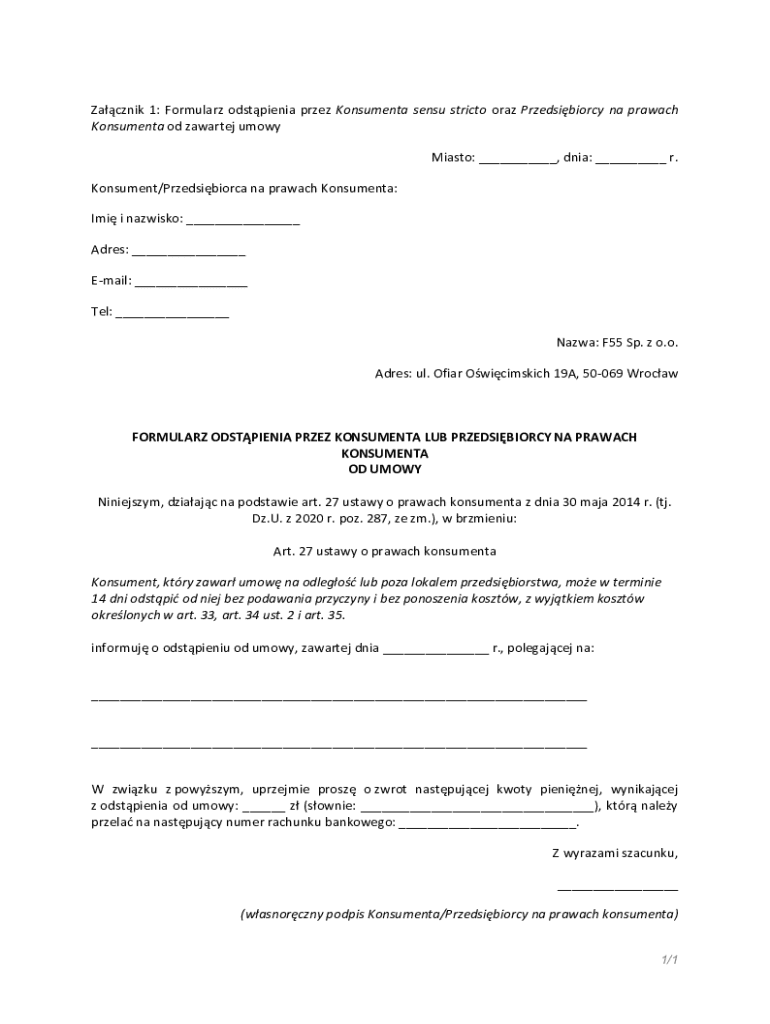
Get the free Consumer and Business Consumer Withdrawal Form
We are not affiliated with any brand or entity on this form

Fill out
Complete the form online in a simple drag-and-drop editor.

eSign
Add your legally binding signature or send the form for signing.

Share
Share the form via a link, letting anyone fill it out from any device.

Export
Download, print, email, or move the form to your cloud storage.
Why pdfFiller is the best tool for your documents and forms


End-to-end document management
From editing and signing to collaboration and tracking, pdfFiller has everything you need to get your documents done quickly and efficiently.
Accessible from anywhere
pdfFiller is fully cloud-based. This means you can edit, sign, and share documents from anywhere using your computer, smartphone, or tablet.
Secure and compliant
pdfFiller lets you securely manage documents following global laws like ESIGN, CCPA, and GDPR. It's also HIPAA and SOC 2 compliant.
What is Withdrawal Form
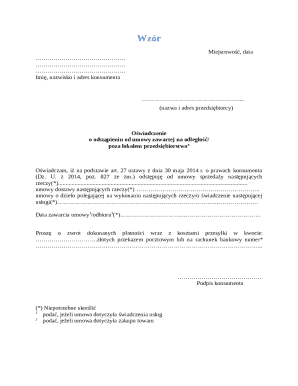
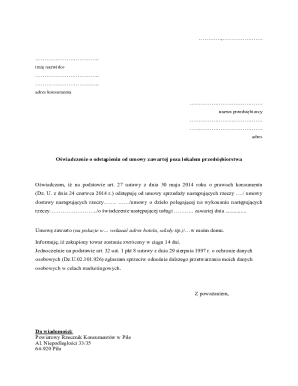
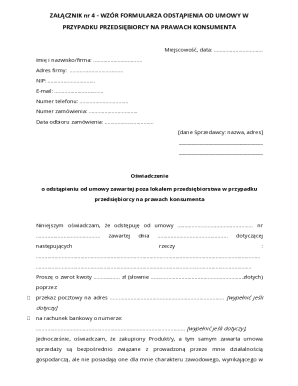
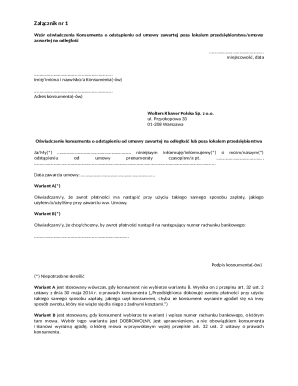
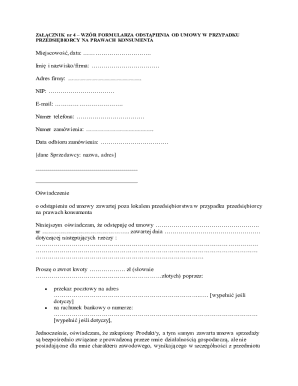
The Consumer Cancellation Form is a legal document used by consumers in Poland to withdraw from a distance or off-premises contract within 14 days.
pdfFiller scores top ratings on review platforms




Who needs Withdrawal Form?
Explore how professionals across industries use pdfFiller.

Withdrawal Form is needed by:
-
Consumers wishing to cancel a contract
-
Businesses providing distance or off-premises contracts
-
Legal practitioners advising clients on consumer rights
-
Consumer advocacy groups in Poland
-
Regulatory bodies overseeing consumer transactions
Comprehensive Guide to Withdrawal Form
What is the Consumer Cancellation Form?
The Consumer Cancellation Form is a vital document allowing individuals to formally withdraw from agreements made at a distance or outside traditional business premises. Its significance lies in protecting consumer rights, ensuring that individuals can exit contracts without unnecessary penalties. This form is commonly used for various cancellations, including service agreements, subscription services, and purchases of goods.
Understanding the purpose of this form is essential for consumers, as it provides a clear process for cancellation, minimizing complications and misunderstandings.
Benefits of Using the Consumer Cancellation Form
Submitting the Consumer Cancellation Form promptly can significantly ease the cancellation process. By using this form accurately, consumers can avoid potential disputes and complications that arise from informal cancellations.
-
Streamlined process: Using the form standardizes cancellations, ensuring all necessary information is documented.
-
Legal protection: The form helps safeguard consumer rights under applicable laws.
-
Prevent misunderstandings: Proper usage clarifies intentions to the service provider or seller.
Failing to submit this form can result in continued billing, and difficulties in claiming refunds or returns, underlining the importance of timely action.
Who Should Use the Consumer Cancellation Form?
The Consumer Cancellation Form is designed for a specific target audience that includes everyday consumers and business consumers who engage in remote transactions. These parties benefit from having a structured method to revoke agreements without complications.
-
Individuals purchasing products online.
-
Customers utilizing subscription services.
-
Business consumers withdrawing from service contracts.
Recognizing who needs this form is critical in ensuring that all parties are adequately informed and able to exercise their rights effectively.
Key Features of the Consumer Cancellation Form
The Consumer Cancellation Form is designed with user-friendliness in mind, featuring essential elements that facilitate the completion process. Key aspects of the form include:
-
Standardized fields for essential information like consumer details and contract specifics.
-
Clear instructions to guide users through the completion process.
-
Sections dedicated to outlining the reasons for cancellation.
These key features contribute to a comprehensive understanding of the cancellation process, making it accessible to all consumers.
How to Fill Out the Consumer Cancellation Form: A Step-by-Step Guide
Filling out the Consumer Cancellation Form requires attention to detail. Follow these steps for a smooth completion:
-
Begin by entering your personal details, ensuring accurate contact information.
-
Specify the contract date and describe the terms of the agreement you wish to cancel.
-
Indicate the desired refund amount where applicable.
-
Review the form for accuracy, verifying that all necessary fields are filled.
-
Sign and date the form to validate your request.
Gathering necessary information such as contract details beforehand can greatly simplify this process.
Common Errors to Avoid When Filling Out the Consumer Cancellation Form
Filling out the Consumer Cancellation Form can be straightforward if common pitfalls are avoided. Frequent mistakes include:
-
Incomplete information, leading to delays in processing the cancellation.
-
Failing to sign or date the form, which can render it invalid.
-
Not specifying the correct contract terms, causing misunderstandings.
To correct these, always verify completed forms against requirements, ensuring that all sections are thoroughly filled out.
Submitting the Consumer Cancellation Form
Understanding the submission methods for the Consumer Cancellation Form is crucial. Users can typically submit the form in the following ways:
-
By mail, ensuring it is sent to the appropriate business address.
-
Electronically via email if the provider supports digital submissions.
-
In-person at the service provider’s office.
Check whether submission fees apply and make sure to keep a copy of the form for your records.
What Happens After You Submit the Consumer Cancellation Form?
After submitting the Consumer Cancellation Form, users should expect a confirmation from the service provider. This acknowledgment is important for tracking the status of the cancellation.
-
Await a notification regarding the success or rejection of your cancellation.
-
Stay informed about the timeline for processing refunds, if applicable.
-
Follow up if you haven't received a response within the stated period.
These steps help ensure that users remain proactive in managing their cancellation requests.
Security and Compliance in Handling the Consumer Cancellation Form
When dealing with the Consumer Cancellation Form, security is paramount. Users can be assured that their sensitive information will be handled securely and confidentially. Compliance with regulations like HIPAA and GDPR ensures that personal data is protected throughout the process.
-
256-bit encryption safeguards user data from unauthorized access.
-
Regular audits help maintain compliance standards.
This commitment to security reinforces consumer confidence in using the form for their needs.
Using pdfFiller to Simplify Your Consumer Cancellation Form Experience
pdfFiller offers an efficient solution for completing the Consumer Cancellation Form seamlessly. With its robust document management features, pdfFiller allows users to create, fill, and sign forms directly from any web browser.
-
Edit existing forms with ease.
-
Create fillable fields tailored to your requirements.
-
eSign documents securely, eliminating the need for printouts.
This functionality streamlines the process, enhancing the overall experience of managing cancellation forms.
How to fill out the Withdrawal Form
-
1.To access the Consumer Cancellation Form on pdfFiller, visit the website and use the search bar to locate the form by typing its name.
-
2.Once you find the form, click on it to open it in the pdfFiller editor interface.
-
3.Gather the necessary information beforehand, including your name, address, contract details, and refund amount to ensure a smooth filling process.
-
4.In the pdfFiller interface, click on each blank field to enter your information. Use the provided instructions to clarify how to fill out specific sections.
-
5.If you need to select options, make use of the checkbox function available in the editor for easy navigation.
-
6.After filling out the required fields, review all entered information for accuracy. This step is crucial to avoid common mistakes.
-
7.To finalize the form, check if you have signed the document by using the signature feature available in pdfFiller.
-
8.Once reviewed, save the completed form by clicking the save button. You can also download it in your preferred format for submission purposes.
-
9.After downloading, submit the form according to the requirements outlined in your contract, ensuring timely delivery to the proper recipient.

Who is eligible to use the Consumer Cancellation Form?
Any consumer in Poland who has entered into a distance or off-premises contract is eligible to use the Consumer Cancellation Form within the 14-day withdrawal period.
What information must be provided in the form?
You need to provide your name, address, contract details, and the amount to be refunded. Additionally, ensure to sign the form, as it is required for validation.
What are the key deadlines for submitting this form?
The Consumer Cancellation Form must be submitted within 14 days of receiving the product or concluding the contract. Late submissions may not be honored.
Can this form be submitted electronically?
Yes, the Consumer Cancellation Form can be filled out electronically using pdfFiller and then saved or downloaded for electronic submission, as permitted by the involved parties.
What common mistakes should I avoid when filling this form?
Common mistakes include failing to sign the form, leaving required fields blank, or providing incorrect contract information. Always double-check before finalizing.
Is notarization required for this form?
No, notarization is not required for the Consumer Cancellation Form. Simply complete the form and sign it for submission.
What do I do if I need assistance while filling out the form?
If you need help, you can refer to pdfFiller's support resources or consult with a legal professional who specializes in consumer rights in Poland.
Related Forms


Get the latest insights from our blog



If you believe that this page should be taken down, please follow our DMCA take down process
here
.
This form may include fields for payment information. Data entered in these fields is not covered by PCI DSS compliance.