
Last updated on
Oct 31, 2026
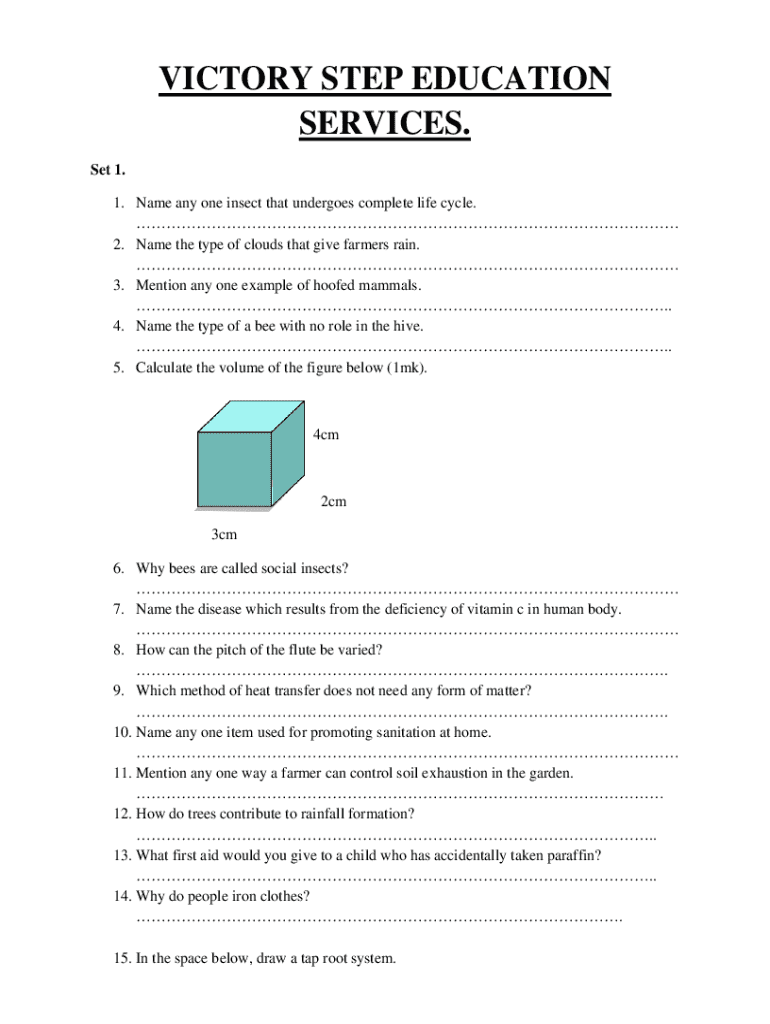
Get the free Science Quiz Form
We are not affiliated with any brand or entity on this form

Fill out
Complete the form online in a simple drag-and-drop editor.

eSign
Add your legally binding signature or send the form for signing.

Share
Share the form via a link, letting anyone fill it out from any device.

Export
Download, print, email, or move the form to your cloud storage.
Why pdfFiller is the best tool for your documents and forms


End-to-end document management
From editing and signing to collaboration and tracking, pdfFiller has everything you need to get your documents done quickly and efficiently.
Accessible from anywhere
pdfFiller is fully cloud-based. This means you can edit, sign, and share documents from anywhere using your computer, smartphone, or tablet.
Secure and compliant
pdfFiller lets you securely manage documents following global laws like ESIGN, CCPA, and GDPR. It's also HIPAA and SOC 2 compliant.
What is Science Quiz
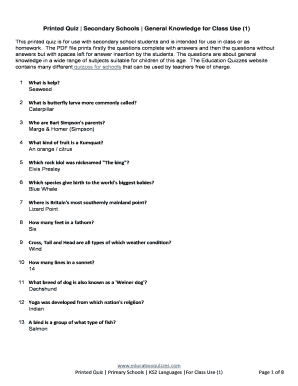
The Science Quiz Form is an educational document used by teachers to assess students' knowledge in various science topics.
pdfFiller scores top ratings on review platforms




Who needs Science Quiz?
Explore how professionals across industries use pdfFiller.

Science Quiz is needed by:
-
Teachers seeking to evaluate student understanding.
-
Schools needing standardized assessment tools.
-
Educational institutions implementing science curricula.
-
Students preparing for science evaluations.
-
Parents wanting to support their children's learning.
Comprehensive Guide to Science Quiz
What is the Science Quiz Form?
The Science Quiz Form serves as a crucial tool in educational assessments, helping educators evaluate student understanding across various scientific disciplines. This assessment form includes a diverse range of questions that cover topics such as insects, diseases, and first aid, ensuring a comprehensive evaluation of students' knowledge. Its structured format features multiple fillable fields designed to facilitate clear and organized responses from students.
Purpose and Benefits of the Science Quiz Form
Teachers utilize the Science Quiz Form to effectively gauge student mastery of critical science concepts. By engaging with this educational quiz template, students gain valuable insights into their strengths and weaknesses, providing a roadmap for further learning. The form plays a vital role in tracking academic progress, ensuring that educators can tailor their teaching strategies to better support students' needs.
Key Features of the Science Quiz Form
The Science Quiz Form boasts several key features that enhance usability and accessibility. It includes fillable fields with clear instructions, allowing students to easily navigate through the quiz. Various science topics are covered, including insects and sanitation, making it applicable for diverse educational scenarios. Additionally, the user-friendly design prioritizes accessibility, catering to all students regardless of their background.
Who Needs the Science Quiz Form?
The Science Quiz Form is intended for a broad audience, including teachers, tutors, and educational institutions. This form serves particular scenarios such as classroom assessments and homeschooling, allowing for versatile usage across different educational settings.
How to Fill Out the Science Quiz Form Online (Step-by-Step)
Filling out the Science Quiz Form online is a straightforward process that can be accomplished through pdfFiller. Follow these steps to complete the form:
-
Access pdfFiller and locate the Science Quiz Form.
-
Navigate to the fillable fields provided in the document.
-
Ensure that all answers are clear and complete before submission.
By adhering to these instructions, students can maximize the accuracy of their responses and enhance their overall assessment experience.
Common Errors and How to Avoid Them
While filling out the Science Quiz Form, students may encounter several common pitfalls. Frequent mistakes include leaving fields blank or providing unclear responses. To avoid these issues, consider the following tips:
-
Double-check all answers before submission.
-
Review responses to ensure clarity and completeness.
These practices are essential for achieving an accurate assessment of students' scientific knowledge.
Submission Methods and Delivery
Once the Science Quiz Form is complete, students have multiple options for submitting their work. Available methods include saving and printing the form, emailing it directly, or submitting it via an online platform. It is important to remain aware of any associated deadlines to ensure timely submission.
Security and Compliance for the Science Quiz Form
When dealing with sensitive student information, data security and privacy are paramount. The Science Quiz Form adheres to strict compliance standards, with pdfFiller providing extensive security features such as encryption and adherence to HIPAA and GDPR regulations. Users can feel confident that their data is protected throughout the assessment process.
Explore More with pdfFiller
pdfFiller offers a range of document management features that extend beyond the Science Quiz Form. Users can streamline their workflow through eSigning, document sharing, and form editing capabilities. The cloud-based platform ensures easy access and collaboration, enhancing the overall educational experience.
How to fill out the Science Quiz
-
1.To begin, access the Science Quiz Form through pdfFiller by searching for the form name in the template library or entering the URL provided by your instructor.
-
2.Once open, familiarize yourself with the layout, ensuring all necessary components are visible.
-
3.Gather all required information about the quiz topics, such as insect anatomy, cloud types, and basic heat transfer principles, to answer the questions accurately.
-
4.Navigate through the form by clicking in the designated answer fields. Type your responses directly into the blanks provided after each question.
-
5.Make sure to read each question carefully and provide complete and well-thought-out answers.
-
6.After filling in your answers, review the completed form thoroughly to check for any typos or missing information.
-
7.Use the 'Preview' option in pdfFiller to see how your finished form will appear to ensure everything is in order.
-
8.Once satisfied with your answers, click on the 'Save' icon to store your work or 'Download' to get a copy to your device.
-
9.If required, you may also submit the completed form directly to your teacher or educational institution through the pdfFiller submission options.

Who can use the Science Quiz Form?
The Science Quiz Form is designed primarily for teachers assessing student knowledge in science. However, students and parents can also utilize it to practice and reinforce their understanding of science topics.
Are there deadlines for submitting the quiz?
Deadlines for quiz submission usually depend on individual teachers or school guidelines. It's best to check with your instructor for any specific time constraints related to submission.
How do I submit the completed Science Quiz Form?
You can submit the completed form directly through pdfFiller using the built-in submission feature or download it and send it via email to your teacher, depending on your instructor's preferred method.
What supporting documents do I need?
Typically, no additional documents are required to complete the Science Quiz Form. However, if additional resources or study materials are necessary, your teacher will inform you.
What common mistakes should I avoid when filling out the quiz?
Common mistakes include skipping questions, misunderstandings due to lack of topic knowledge, and spelling errors. Take care to review each question and ensure your answers are clear and accurate.
How long will it take to process my quiz once submitted?
Processing times for the quiz will vary based on your teacher's schedule. Typically, feedback takes a few days. Ensure to check with your instructor for specifics.
What if I make a mistake on the quiz?
If you realize an error after submission, contact your instructor immediately for guidance. Many teachers may allow resubmissions or corrections unless specific guidelines state otherwise.
Related Forms





Get the latest insights from our blog


If you believe that this page should be taken down, please follow our DMCA take down process
here
.
This form may include fields for payment information. Data entered in these fields is not covered by PCI DSS compliance.