
Last updated on
Oct 31, 2026
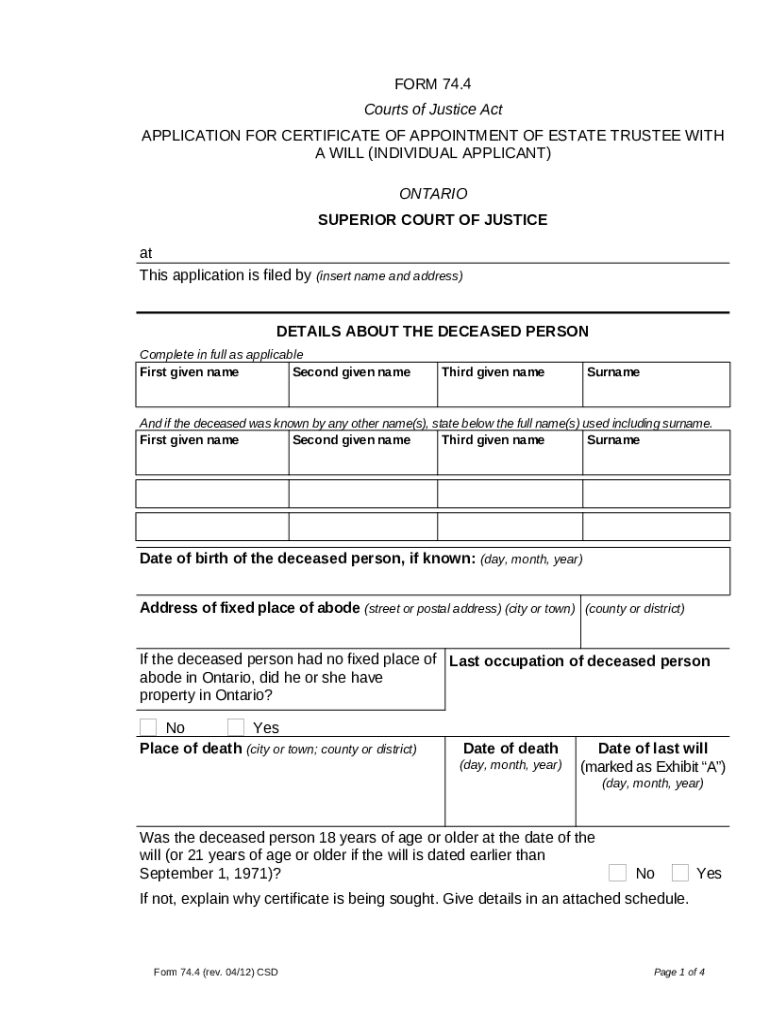
Get the free Ontario Application for Certificate of Appointment of Estate Trustee with Will
We are not affiliated with any brand or entity on this form

Fill out
Complete the form online in a simple drag-and-drop editor.

eSign
Add your legally binding signature or send the form for signing.

Share
Share the form via a link, letting anyone fill it out from any device.

Export
Download, print, email, or move the form to your cloud storage.
Why pdfFiller is the best tool for your documents and forms


End-to-end document management
From editing and signing to collaboration and tracking, pdfFiller has everything you need to get your documents done quickly and efficiently.
Accessible from anywhere
pdfFiller is fully cloud-based. This means you can edit, sign, and share documents from anywhere using your computer, smartphone, or tablet.
Secure and compliant
pdfFiller lets you securely manage documents following global laws like ESIGN, CCPA, and GDPR. It's also HIPAA and SOC 2 compliant.
What is Estate Trustee Application
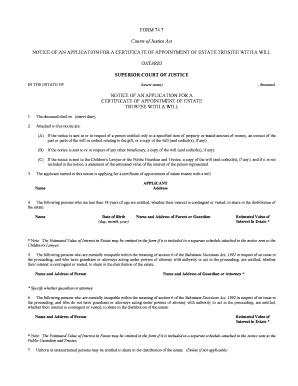
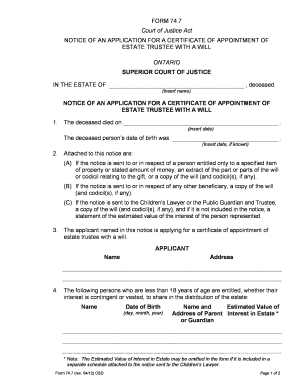
The Ontario Application for Certificate of Appointment of Estate Trustee with Will is a legal document used by individuals in Ontario, Canada, to apply for the appointment of an estate trustee when a will exists.
pdfFiller scores top ratings on review platforms




Who needs Estate Trustee Application?
Explore how professionals across industries use pdfFiller.

Estate Trustee Application is needed by:
-
Executors of the estate who need official appointment.
-
Beneficiaries looking to ensure proper estate administration.
-
Individuals over 18 seeking to manage a deceased's estate.
-
Lawyers assisting clients with estate matters.
-
Family members of the deceased requiring legal authority.
Comprehensive Guide to Estate Trustee Application
What is the Ontario Application for Certificate of Appointment of Estate Trustee with Will?
The Ontario Application for Certificate of Appointment of Estate Trustee with Will is a crucial legal document specifically designed for individuals seeking to act as an estate trustee when the deceased has left a will. This form plays an essential role in estate management, facilitating the legal process of validating the will and appointing an executor.
Typically utilized by beneficiaries and heirs, this application is significant in commencing the probate process, which is necessary for the distribution of the deceased's assets. Understanding the application’s purpose helps ensure compliance with legal requirements in Ontario.
Purpose and Benefits of the Ontario Application for Certificate of Appointment of Estate Trustee with Will
The Ontario Application serves multiple essential functions, primarily centering around the legal recognition of an estate trustee. By utilizing this form, the appointed individual gains the authority to manage the deceased’s estate, which includes settling debts and distributing assets accordingly.
Using pdfFiller to complete this form offers significant advantages, including ease of use and enhanced security features. The platform simplifies the administration of the deceased's estate and ensures that applicants adhere to legal standards efficiently.
Who Needs the Ontario Application for Certificate of Appointment of Estate Trustee with Will?
This application is necessary for individuals who are named as estate trustees in a will or those who wish to act in that capacity. Eligibility criteria typically include being over the age of 18 and having the legal right to apply based on the deceased’s will.
The form is essential in situations where the probate process must commence, making it a critical step for executors. Understanding the role of the applicant in the probate process is paramount for ensuring a smooth legal transition.
How to Fill Out the Ontario Application for Certificate of Appointment of Estate Trustee with Will Online
Filling out the Ontario Application online through pdfFiller requires careful attention to detail. The process can be broken down into several essential steps:
-
Access the form on pdfFiller.
-
Enter personal details, including your full name and contact information.
-
Provide information about the deceased, including their full name and date of birth.
-
Detail the assets of the estate and any relevant financial information.
-
Review and check all entries for accuracy before submission.
Ensure completeness by collecting all necessary documents and details beforehand, as this will help mitigate errors.
Common Errors and How to Avoid Them when Submitting the Ontario Application for Certificate of Appointment of Estate Trustee with Will
Applicants often encounter several common errors when submitting the Ontario Application. Some pitfalls include:
-
Incomplete sections or missing information.
-
Inaccurate personal details or misrepresentation of estate assets.
-
Neglecting to sign the form properly.
To avoid these issues, implement strategies such as double-checking your information and ensuring that all signature requirements are met before you submit the application.
Submission Methods and Next Steps for the Ontario Application for Certificate of Appointment of Estate Trustee with Will
Once completed, the Ontario Application can be submitted through various methods, each with distinct procedures:
-
Submit the application online via pdfFiller.
-
Mail the physical form to the appropriate probate court.
-
Visit the court in person for submission.
Be prepared to pay any associated filing fees and maintain awareness of processing times and expectations post-submission.
What Happens After You Submit the Ontario Application for Certificate of Appointment of Estate Trustee with Will?
Post-submission, the application undergoes a review process that can vary in length based on several factors. Applicants can generally expect a timeline from submission to approval, which may include follow-ups if additional information is needed.
To track the status of your application, you may need to contact the probate court directly. Depending on the outcome, be prepared for scenarios of acceptance or rejection and the respective next steps for each situation.
How to Successfully eSign and Secure Your Ontario Application for Certificate of Appointment of Estate Trustee with Will
Utilizing digital signatures for the Ontario Application offers essential advantages, particularly in enhancing security. Here are key steps for using pdfFiller’s eSigning feature safely:
-
Understand the difference between digital signatures and traditional wet signatures.
-
Follow pdfFiller instructions for completing the eSigning process.
-
Ensure compliance with security regulations such as GDPR when handling sensitive information.
This approach not only safeguards your documents but also aligns with modern legal requirements.
Protecting Your Privacy When Completing the Ontario Application for Certificate of Appointment of Estate Trustee with Will
When handling personal information, especially in legal documents, privacy concerns are paramount. pdfFiller takes steps to ensure data protection through robust security measures, including industry-standard encryption.
Understanding privacy in legal documentation is crucial as it helps maintain the integrity of sensitive information. Familiarize yourself with data retention policies regarding completed forms to ensure full confidence in your privacy.
Enhance Your Experience with pdfFiller: A Practical Solution for Your Ontario Application for Certificate of Appointment of Estate Trustee with Will
pdfFiller provides a host of features that significantly enhance the experience of completing the Ontario Application. With capabilities to edit, eSign, and securely store documents, the platform streamlines the process for users.
Numerous testimonials highlight how pdfFiller saves time and simplifies form completion. Users are encouraged to explore the platform to initiate their application process efficiently.
How to fill out the Estate Trustee Application
-
1.Access the Ontario Application for Certificate of Appointment of Estate Trustee with Will on pdfFiller by searching for the form name.
-
2.Once open, familiarize yourself with the layout and various fillable fields relevant to your application.
-
3.Before starting, gather necessary information including the deceased's details, the estimated value of the estate, and your own identification.
-
4.Navigate to each fillable field by clicking on them, and input the required information. Use the tab key to move between fields efficiently.
-
5.Ensure you provide accurate information in fields such as 'First given name', 'Date of birth', and 'Address'. Check for accuracy.
-
6.Review any instructions or checkboxes associated with the fields to ensure complete and correct information.
-
7.After filling all fields, double-check your entries to avoid common mistakes like missing signatures or incorrect details.
-
8.Finalize the form by using the pdfFiller review feature to highlight any potential errors or unresolved fields.
-
9.Save your work frequently to prevent data loss, and once completed, use the save or download options to retain a copy.
-
10.Consider submitting directly through pdfFiller if applicable, or follow directions to print and mail the form as needed.

Who is eligible to complete the Ontario estate trustee application?
To be eligible, the applicant must be at least 18 years old and may be an executor or beneficiary of the estate. The applicant must provide necessary documentation on deceased's details for the application.
Is there a deadline for submitting the estate trustee application?
While there is no strict deadline, it is advisable to submit the application as soon as possible to facilitate timely estate proceedings and avoid delays in estate distribution.
What supporting documents are required when submitting this form?
You will typically need the deceased's will, identification documents confirming your identity, and possibly affidavits or additional forms pertaining to the estate’s value.
How can I submit the completed Ontario Application for Certificate of Appointment?
Once completed, you can submit the application in person at your local court office, or follow procedures for mailing it if submitting remotely. Check specific court guidelines for preferred submission methods.
What are common mistakes to avoid when filling out this application?
Common mistakes include omitting signatures, inaccurate information about the deceased or their estate, and failing to provide necessary attachments. Review all fields thoroughly before submission.
What is the typical processing time for the estate trustee application?
Processing times can vary, typically ranging from a few weeks to several months, depending on court workloads and the completeness of your submitted application.
Can I complete the form online or does it have to be printed?
The form can be completed online using pdfFiller, allowing for easy editing and saving. After completion, you may choose to submit it online or print it for submission.
Related Forms




Get the latest insights from our blog


If you believe that this page should be taken down, please follow our DMCA take down process
here
.
This form may include fields for payment information. Data entered in these fields is not covered by PCI DSS compliance.