
Last updated on
Oct 31, 2026
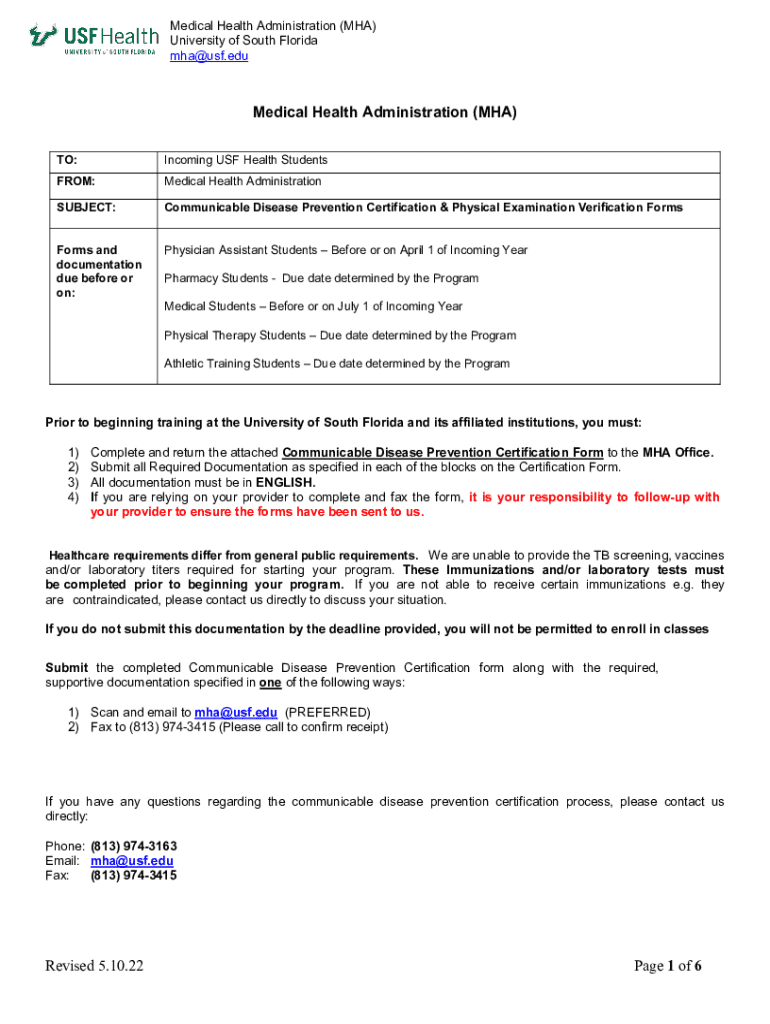
Get the free Communicable Disease Prevention Certification Form
We are not affiliated with any brand or entity on this form

Fill out
Complete the form online in a simple drag-and-drop editor.

eSign
Add your legally binding signature or send the form for signing.

Share
Share the form via a link, letting anyone fill it out from any device.

Export
Download, print, email, or move the form to your cloud storage.
Why pdfFiller is the best tool for your documents and forms


End-to-end document management
From editing and signing to collaboration and tracking, pdfFiller has everything you need to get your documents done quickly and efficiently.
Accessible from anywhere
pdfFiller is fully cloud-based. This means you can edit, sign, and share documents from anywhere using your computer, smartphone, or tablet.
Secure and compliant
pdfFiller lets you securely manage documents following global laws like ESIGN, CCPA, and GDPR. It's also HIPAA and SOC 2 compliant.
What is CDPC Form
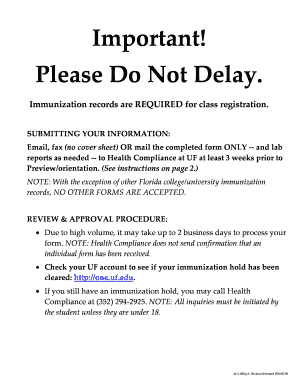
The Communicable Disease Prevention Certification Form is a healthcare document used by incoming students at the University of South Florida (USF) to verify their immunization status and complete required health examinations.
pdfFiller scores top ratings on review platforms




Who needs CDPC Form?
Explore how professionals across industries use pdfFiller.

CDPC Form is needed by:
-
Incoming USF Health students needing to certify immunization status
-
Parents or guardians of students under 18 years old
-
Healthcare providers validating student medical records
-
University admissions offices reviewing health documentation
-
Public health officials monitoring immunization compliance
Comprehensive Guide to CDPC Form
What is the Communicable Disease Prevention Certification Form?
The Communicable Disease Prevention Certification Form is a critical document for incoming University of South Florida (USF) Health students. Its primary purpose is to verify a student's immunization status and ensure that they have completed a physical examination. This form plays a vital role in maintaining the health and safety of the student community by facilitating compliance with healthcare regulations.
By submitting this form, students demonstrate their commitment to fulfilling USF's health requirements, aiding in the verification process necessary for program enrollment and participation in clinical placements.
Purpose and Benefits of the Communicable Disease Prevention Certification Form
The Communicable Disease Prevention Certification Form is essential for student health compliance and safety. This form not only ensures that students meet the Florida medical student vaccinations requirements but also serves several key benefits.
-
Eligibility for classes and clinical placements upon submission.
-
Enhanced health safety for all students and staff by verifying immunization statuses.
-
Compliance with USF student health requirements, promoting a healthy learning environment.
Who Needs to Complete the Communicable Disease Prevention Certification Form?
The primary users of the Communicable Disease Prevention Certification Form include students, parents/guardians, and healthcare providers. Each role has specific responsibilities associated with the form's completion.
-
Students: Must complete their section and ensure all required vaccinations are reported.
-
Parents/Guardians: Required to sign for students under 18 to verify consent.
-
Providers: Must attest to the accuracy of the immunization records and health assessments.
Required Documents and Supporting Materials for Submission
To successfully submit the Communicable Disease Prevention Certification Form, students must include several essential documents. These documents support the verification of immunization status and may include:
-
TB screening results.
-
MMR vaccination records.
-
Hepatitis B immunization documentation.
-
COVID-19 vaccination form specific to USF.
Gathering these documents in advance can help streamline the submission process and ensure compliance with deadlines.
How to Fill Out the Communicable Disease Prevention Certification Form Online (Step-by-Step)
Filling out the Communicable Disease Prevention Certification Form online can be done easily using pdfFiller. Follow this step-by-step guide to ensure accurate submission:
-
Access the form through pdfFiller’s platform.
-
Fill in your personal information, making sure all details are correct.
-
Provide vaccination statuses in the designated sections.
-
Ensure all required signatures are obtained from required parties.
-
Review the completed form for any errors before submission.
Common Errors and How to Avoid Them When Completing the Form
While completing the form, users may encounter common errors that can lead to delays or rejections. Being aware of these pitfalls can facilitate a smoother submission.
-
Forgetting to include a required signature.
-
Omitting necessary documentation such as vaccination records.
-
Failing to complete all sections of the form.
Utilizing a review and validation checklist before submitting can help prevent these common errors.
How to Sign the Communicable Disease Prevention Certification Form
Signature requirements vary depending on the roles involved in submitting the Communicable Disease Prevention Certification Form. All parties must comply with the specified signature regulations:
-
Digital Signatures: Accepted for all parties using eSign features.
-
Wet Signatures: Required for printed forms, particularly from providers.
Ensure that the signatures are properly executed to avoid processing delays.
Where to Submit the Communicable Disease Prevention Certification Form
After completing the form, it is important to know where and how to submit it. Submissions can be made electronically or physically, depending on the requirement.
-
Online through the USF Health portal.
-
In-person delivery to the designated health services office.
Be mindful of submission deadlines, as late submissions may result in consequences affecting enrollment for classes and clinical placements.
What Happens After You Submit the Form?
Following the submission of the Communicable Disease Prevention Certification Form, users can expect a confirmation process. Here’s what to anticipate:
-
Receive confirmation of submission via email or through the USF Health portal.
-
Follow-up instructions may be provided based on the details submitted.
-
Options to check the status of your submission will be available for your convenience.
Getting Started with pdfFiller for Your Communicable Disease Prevention Certification Form
To ensure a hassle-free experience when filling out the Communicable Disease Prevention Certification Form, utilize the features offered by pdfFiller. This cloud-based PDF editor ensures secure document handling while providing user-friendly editing and eSigning capabilities.
With pdfFiller, you can confidently manage sensitive information with the assurance of 256-bit encryption and compliance with HIPAA and GDPR regulations.
How to fill out the CDPC Form
-
1.To access the Communicable Disease Prevention Certification Form on pdfFiller, visit their website and use the search bar to locate the form by its name.
-
2.Once the form is open, navigate the interface where fields are highlighted. Click on each field to input personal information such as name, date of birth, and contact details.
-
3.Before starting, gather necessary documents including vaccination records, TB screening results, and a recent physical exam report to ease the filling process.
-
4.Review the form thoroughly, ensuring all fields are completed accurately, including required checkboxes for vaccinations and signatures.
-
5.Finalizing your form can be done by clicking the save button for a digital copy, or by selecting options to download it in your preferred format.
-
6.If you're ready to submit, choose the 'Submit' option on pdfFiller, ensuring that you have the correct email addresses for any required recipients.

Who is required to fill out the Communicable Disease Prevention Certification Form?
All incoming University of South Florida (USF) Health students are required to complete this form to ensure compliance with health regulations regarding immunizations.
What documents must accompany the certification form?
Students must submit supporting documents such as vaccination records, TB screening results, and proof of physical examinations along with the certification form.
Is there a deadline for submitting the form?
It is crucial to submit the Communicable Disease Prevention Certification Form before the start of your program to ensure compliance with USF Health requirements.
How can I submit the completed form?
After filling out the form, you can submit it through pdfFiller via email or download it and send it to the appropriate USF department according to their submission guidelines.
What are some common mistakes to avoid when filling out this form?
Common mistakes include leaving fields blank, forgetting to sign, or not providing required supporting documents. Always double-check your entries before submission.
How long does it take for the form to be processed?
Processing times can vary, but it may take several days to weeks depending on the volume of submissions and the specific department at USF handling your form.
Do parents or guardians need to sign the form for minors?
Yes, if the student is under 18 years old, a signature from a parent or guardian is required alongside the student's signature to validate the form.
Related Forms






Get the latest insights from our blog


If you believe that this page should be taken down, please follow our DMCA take down process
here
.
This form may include fields for payment information. Data entered in these fields is not covered by PCI DSS compliance.