
Last updated on
Oct 19, 2026
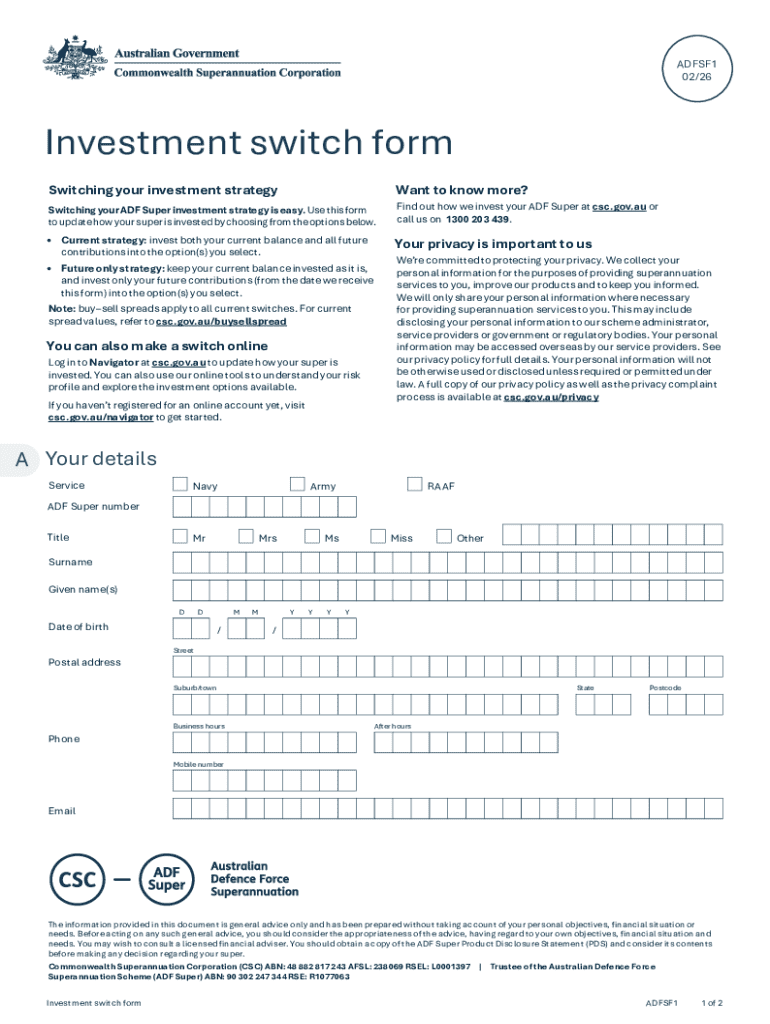
Get the free ADF Super Investment Switch Form
We are not affiliated with any brand or entity on this form

Fill out
Complete the form online in a simple drag-and-drop editor.

eSign
Add your legally binding signature or send the form for signing.

Share
Share the form via a link, letting anyone fill it out from any device.

Export
Download, print, email, or move the form to your cloud storage.
Why pdfFiller is the best tool for your documents and forms


End-to-end document management
From editing and signing to collaboration and tracking, pdfFiller has everything you need to get your documents done quickly and efficiently.
Accessible from anywhere
pdfFiller is fully cloud-based. This means you can edit, sign, and share documents from anywhere using your computer, smartphone, or tablet.
Secure and compliant
pdfFiller lets you securely manage documents following global laws like ESIGN, CCPA, and GDPR. It's also HIPAA and SOC 2 compliant.
What is ADF Switch Form
The adf super investment switch is a financial form used by investors to change their investment options within a superannuation fund.
pdfFiller scores top ratings on review platforms




Who needs ADF Switch Form?
Explore how professionals across industries use pdfFiller.

ADF Switch Form is needed by:
-
Individuals managing their retirement savings
-
Financial advisors assisting clients with investment changes
-
Superannuation fund members looking to optimize their portfolios
-
Investment managers overseeing multiple funds
-
Tax advisors providing guidance on super investment choices
Comprehensive Guide to ADF Switch Form
What is the ADF Super Investment Switch
The ADF Super Investment Switch is a crucial form that facilitates investment switching within superannuation funds. Its main purpose is to empower individuals to effectively manage their superannuation investments, optimizing their financial strategies.
This form serves as a bridge, enabling seamless transitions between different investment options available within a super fund.
Purpose and Benefits of the ADF Super Investment Switch
Individuals need to utilize the ADF Super Investment Switch to align their investments with changing financial goals or market conditions. The form offers several benefits, including:
-
Optimizing investment returns by adjusting to more favorable options.
-
Managing risks associated with various investment types.
-
Providing flexibility in decision-making regarding fund allocations.
Key Features of the ADF Super Investment Switch
The ADF Super Investment Switch comes with several key features that enhance its usability:
-
User-friendly interface for easy navigation.
-
Options for multiple investment types within a single switch.
-
Instant updates on fund performance after adjustments.
These features ensure that users can manage their superannuation investments efficiently, tailoring their portfolios to suit their financial needs.
Who Needs the ADF Super Investment Switch?
This form is intended for individuals who hold superannuation funds and are looking to modify their investment strategies. Scenarios in which the ADF Super Investment Switch may be beneficial include:
-
Shifting financial goals as retirement approaches.
-
Adapting to changes in market conditions.
-
Seeking to diversify their investment portfolio.
Eligibility Criteria for the ADF Super Investment Switch
To effectively utilize the ADF Super Investment Switch, individuals must meet certain eligibility criteria, which include:
-
Being of a minimum age to access superannuation funds.
-
Membership in a recognized superannuation fund.
-
Investing in eligible types of investment options.
How to Fill Out the ADF Super Investment Switch Online
Completing the ADF Super Investment Switch via pdfFiller is a straightforward process. Follow these steps:
-
Access the pdfFiller platform and locate the ADF Super Investment Switch form.
-
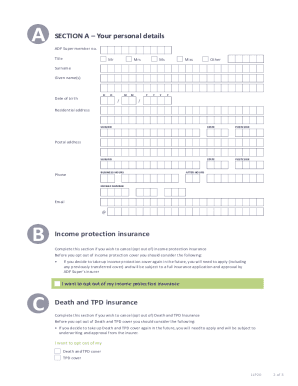
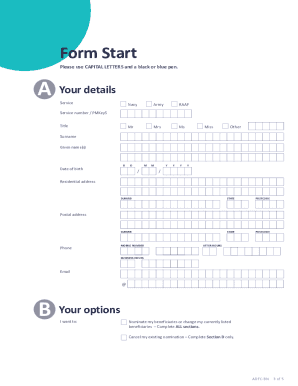
Fill in the required personal information and superannuation details.
-
Review your entries for accuracy before submission.
pdfFiller's platform emphasizes ease of use, making the form-filling experience efficient and manageable.
Common Errors and How to Avoid Them
When completing the ADF Super Investment Switch, users often encounter common errors that can be easily avoided. Some frequent mistakes include:
-
Inaccurate personal or fund details entered in the form.
-
Neglecting to check the eligibility of investment options.
-
Failing to review the form before submission.
By being mindful of these issues, users can ensure accurate completion of the form.
Security and Compliance for the ADF Super Investment Switch
Security is paramount when handling sensitive documents like the ADF Super Investment Switch through pdfFiller. The platform employs robust security measures, including:
-
256-bit encryption to protect user data.
-
Compliance with SOC 2 Type II, HIPAA, and GDPR regulations.
These measures help ensure that users’ information remains secure throughout the form-filling process.
How to Submit the ADF Super Investment Switch
After filling out the ADF Super Investment Switch, there are several submission methods available, including electronic submission and mail options. Users should also be aware of any follow-up actions required after submission, such as:
-
Confirming receipt with their superannuation fund.
-
Tracking the status of their investment switch.
Next Steps After Submitting the ADF Super Investment Switch
Once the ADF Super Investment Switch has been submitted, users can expect various outcomes. The tracking process will keep them informed about the status of their submission. Potential follow-up requirements might include:
-
Contacting their super fund for updates.
-
Reviewing performance changes in their investment allocations.
Utilizing pdfFiller for the ADF Super Investment Switch
pdfFiller enhances the experience of filling out the ADF Super Investment Switch by providing numerous capabilities. Users are encouraged to take advantage of features such as:
-
Editing text and images directly within the form.
-
Secure eSigning options to expedite the submission process.
These benefits make pdfFiller an invaluable tool for managing superannuation forms efficiently.
How to fill out the ADF Switch Form
-
1.To begin, access pdfFiller and search for the 'adf super investment switch' form using the search bar.
-
2.Once you locate the form, click on it to open in the editor. Familiarize yourself with the layout and available tools.
-
3.Gather all necessary information such as current investment details, preferred investment options, and any relevant identification numbers before starting to fill in the form.
-
4.Navigate through the form fields using the tab key or your mouse, and enter your information as needed. Ensure all required fields are completed.
-
5.Double-check your entries for accuracy and completeness. Utilize the pdfFiller tools to correct any errors you find.
-
6.After you are satisfied with the completed form, click the 'Save' button to ensure your changes are not lost.
-
7.If you wish to download or print the form, use the download option to save it to your device. Alternatively, you can submit it electronically if your fund accepts submissions through pdfFiller.

Who is eligible to use the adf super investment switch form?
Any individual who is a member of a superannuation fund and wishes to change their investment options is eligible to use this form.
What is the deadline for submitting the investment switch form?
The deadline varies by superannuation fund, so it's best to check with your fund's specific rules or contact customer service for precise submission timelines.
What methods can I use to submit the completed form?
You can submit the completed adf super investment switch form electronically through pdfFiller, or print it out and send it by mail to your superannuation fund.
Are there any supporting documents required with the form?
Typically, you may need to provide identification or proof of current investments. Check your super fund's requirements for any specific documentation needed.
What are common mistakes to avoid when filling out the investment switch form?
Common mistakes include omitting required fields, entering incorrect personal details, and failing to double-check investment options. Always review your form before submission.
How long does it take to process the form after submission?
Processing times can vary by fund, but it usually takes anywhere from a few days to a couple of weeks. Consider following up with your fund after submission.
Can I make multiple investment switches with one form?
Generally, the adf super investment switch form is designed for a single investment switch at a time. For multiple changes, you may need to submit additional forms.
Related Forms

Get the latest insights from our blog


If you believe that this page should be taken down, please follow our DMCA take down process
here
.
This form may include fields for payment information. Data entered in these fields is not covered by PCI DSS compliance.