
Last updated on
Oct 19, 2026
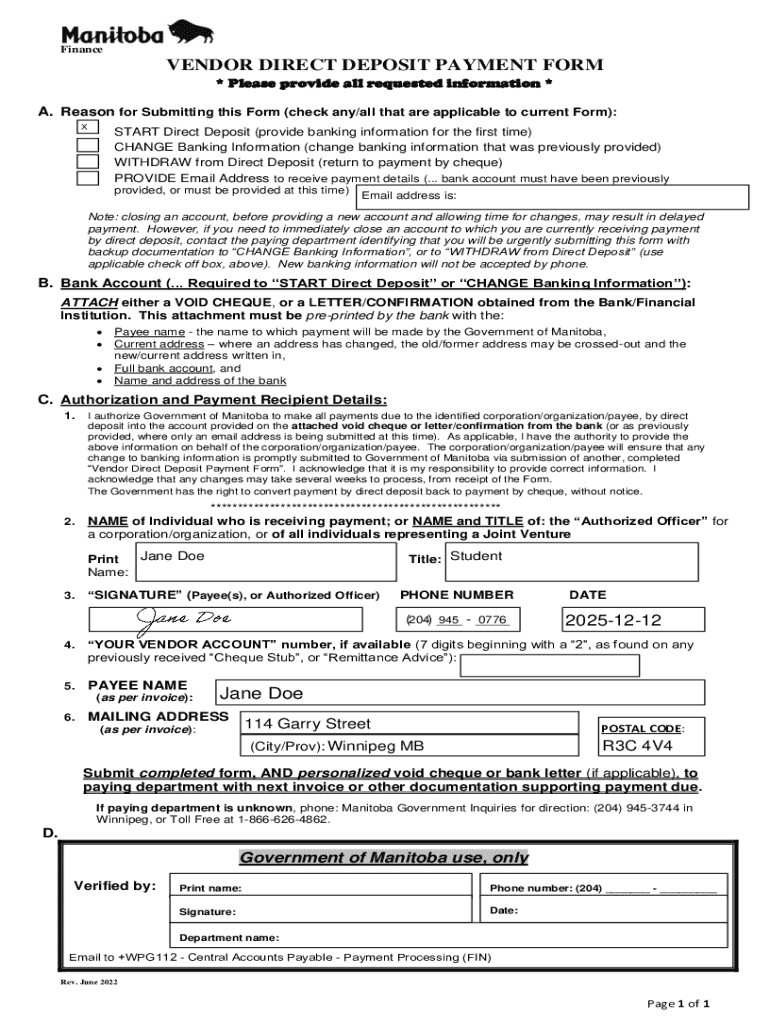
Get the free Vendor Direct Deposit Payment Form
We are not affiliated with any brand or entity on this form

Fill out
Complete the form online in a simple drag-and-drop editor.

eSign
Add your legally binding signature or send the form for signing.

Share
Share the form via a link, letting anyone fill it out from any device.

Export
Download, print, email, or move the form to your cloud storage.
Why pdfFiller is the best tool for your documents and forms


End-to-end document management
From editing and signing to collaboration and tracking, pdfFiller has everything you need to get your documents done quickly and efficiently.
Accessible from anywhere
pdfFiller is fully cloud-based. This means you can edit, sign, and share documents from anywhere using your computer, smartphone, or tablet.
Secure and compliant
pdfFiller lets you securely manage documents following global laws like ESIGN, CCPA, and GDPR. It's also HIPAA and SOC 2 compliant.
What is Direct Deposit Form
The vendor direct deposit payment form is a document used by businesses to authorize direct deposits into vendors' bank accounts for payments.
pdfFiller scores top ratings on review platforms




Who needs Direct Deposit Form?
Explore how professionals across industries use pdfFiller.

Direct Deposit Form is needed by:
-
Businesses looking to streamline payments to suppliers
-
Accounts payable departments handling vendor transactions
-
Freelancers requiring direct deposit for services rendered
-
Contractors needing timely payments for their work
-
Non-profit organizations managing vendor relationships
Comprehensive Guide to Direct Deposit Form
What is the Vendor Direct Deposit Payment?
A vendor direct deposit payment is a method by which businesses pay their vendors directly into their bank accounts. This system primarily aims to streamline transactions and reduce the need for paper checks. Unlike traditional payment methods, such as checks or cash transfers, vendor direct deposit payments provide a faster, more secure way to process financial exchanges. This form of electronic payment is significant in maintaining efficient and reliable business relationships.
Benefits of Using Vendor Direct Deposit Payment
Utilizing vendor direct deposit payments enhances payment efficiency by ensuring that funds are transferred swiftly and securely. Both vendors and businesses benefit from this system through increased speed and convenience, minimizing the time spent on payment processing. Moreover, direct deposit payments can positively impact cash flow management by ensuring timely payments, which is crucial for maintaining healthy financial operations.
-
Faster payment processing
-
Reduced paperwork
-
Improved cash flow
-
Lower transaction costs
Key Features of the Vendor Direct Deposit Payment Form
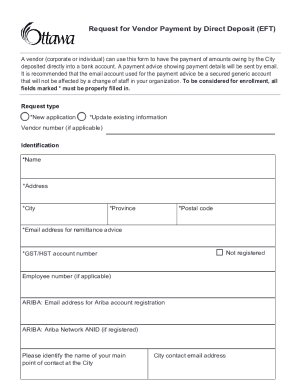
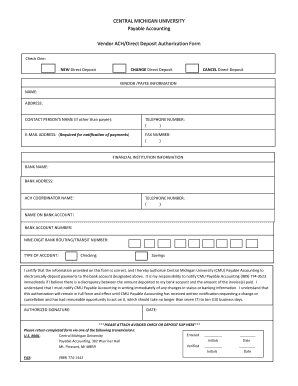
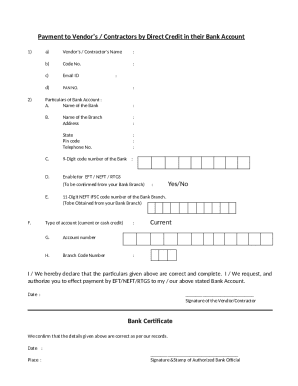
The vendor direct deposit payment form includes several essential features to facilitate smooth transactions. Key components include specific fillable fields requiring details such as banking information and vendor identification. Providing accurate information is critical, as inaccuracies can lead to delays or issues in fund transfer.
-
Fillable fields for bank details
-
Vendor information sections
-
Documentation requirements
Who Should Use the Vendor Direct Deposit Payment Form?
The vendor direct deposit payment form is ideal for various users, including businesses and freelancers, who regularly transact with vendors. Scenarios where this form becomes necessary include consistent supplier payments and professional services remuneration. Additionally, certain compliance and regulatory aspects may mandate its usage to ensure lawful financial practices.
-
Businesses with ongoing vendor relationships
-
Freelancers receiving regular payments
-
Sole proprietors and contractors
How to Fill Out the Vendor Direct Deposit Payment Form Online
To successfully complete the vendor direct deposit payment form online, follow these steps:
-
Gather necessary information including bank account details and vendor identification.
-
Access the online form and enter the required details into the fillable fields.
-
Double-check all information to ensure accuracy before submission.
Common mistakes to avoid include inputting incorrect banking details or omitting required fields, which can delay payment processing.
Submission Methods for the Vendor Direct Deposit Payment
There are several methods for submitting the vendor direct deposit payment form. Options usually include electronic submission through secure platforms or postal mailing of the completed form. Ensure to follow up for confirmation of submission, as this can affect processing timelines.
-
Electronic submission via company portals
-
Postal mailing to accounting departments
Security and Compliance Considerations for the Vendor Direct Deposit Payment
When submitting payment information through vendor direct deposit forms, various security measures are in place to protect sensitive data. Compliance with laws and regulations such as GDPR or HIPAA is essential to ensure users' information remains secure throughout the process. Users can feel reassured knowing that strong encryption and secure systems are utilized for data protection.
What to Do After Submitting the Vendor Direct Deposit Payment
After submitting the vendor direct deposit payment form, you can expect a processing period. It is advisable to track the status of your submission through your business's payment system or contact the accounts department for updates. If any errors occur, users should be prepared to follow procedures for correcting or amending their submitted details as necessary.
-
Monitor processing timeline
-
Check submission status online
-
Contact support for corrections
How pdfFiller Can Help You with Your Vendor Direct Deposit Payment
pdfFiller offers advantageous features for filling out and managing the vendor direct deposit payment form. Users benefit from an intuitive platform that simplifies the editing, saving, and signing processes. Utilizing pdfFiller also enhances document security and provides a convenient way to handle sensitive payment information.
-
User-friendly interface for easy form completion
-
Options for signing and saving documents
-
Cloud-based storage for secure access
Final Thoughts on Vendor Direct Deposit Payments
Making timely and accurate vendor payments is crucial for effective business operations. Users are encouraged to complete their vendor direct deposit payment forms efficiently with the help of pdfFiller, fostering confidence in their financial transactions.
How to fill out the Direct Deposit Form
-
1.Access the vendor direct deposit payment form by visiting pdfFiller's website and searching for the form in their template library.
-
2.Open the form by clicking on it to load it into the pdfFiller interface, which allows for easy editing.
-
3.Prepare by gathering necessary information such as vendor details, bank account information, and any required payment frequency.
-
4.Navigate through the fields in the form, using pdfFiller’s interactive tools to enter information accurately, ensuring that all fields are completed.
-
5.Carefully review each field to confirm the accuracy of the entered data, checking details like bank account numbers and payment amounts.
-
6.Finalizing the form involves double-checking the information and ensuring all necessary signatures are added where required.
-
7.Once finalized, save your completed form on pdfFiller. You can download it as a PDF or submit it directly through the platform based on your needs.

Who is eligible to use the vendor direct deposit payment form?
Any business entity or organization that needs to make payments to vendors, suppliers, or contractors can use the vendor direct deposit payment form. Eligibility typically includes having a valid relationship with the vendor and having their banking details for direct deposit.
What are the deadlines for submitting the vendor direct deposit payment form?
While specific deadlines can vary by business processes, it’s best to submit the vendor direct deposit payment form at least a week before the scheduled payment date to allow for processing and verification.
How do I submit the vendor direct deposit payment form once completed?
You can submit the vendor direct deposit payment form by downloading it from pdfFiller and emailing it to your accounts payable department or uploading it to an online payment processing system, depending on your organization’s protocols.
What supporting documents do I need to provide with this form?
Typically, supporting documents may include the vendor's W-9 form, a copy of their contract, or other tax documentation. Ensure to confirm what your specific organization requires for processing.
What common mistakes should be avoided when filling out the form?
Common mistakes include entering incorrect bank account numbers, failing to sign the form where required, and neglecting to attach necessary supporting documents. Always double-check for accuracy before submission.
How long does it take for the vendor direct deposit payment to be processed?
Processing times can vary, but typically, once the vendor direct deposit payment form is approved, payments are processed within one to two business days, depending on your bank's processing rules.
What specific information is required on the vendor direct deposit payment form?
The form generally requires the vendor's name, contact information, bank account number, routing number, payment amount, and any relevant payment terms. Ensure all financial details are entered precisely.
Related Forms




Get the latest insights from our blog


If you believe that this page should be taken down, please follow our DMCA take down process
here
.
This form may include fields for payment information. Data entered in these fields is not covered by PCI DSS compliance.