
Last updated on
Oct 19, 2026

Get the free Motion for Default
We are not affiliated with any brand or entity on this form

Fill out
Complete the form online in a simple drag-and-drop editor.

eSign
Add your legally binding signature or send the form for signing.

Share
Share the form via a link, letting anyone fill it out from any device.

Export
Download, print, email, or move the form to your cloud storage.
Why pdfFiller is the best tool for your documents and forms


End-to-end document management
From editing and signing to collaboration and tracking, pdfFiller has everything you need to get your documents done quickly and efficiently.
Accessible from anywhere
pdfFiller is fully cloud-based. This means you can edit, sign, and share documents from anywhere using your computer, smartphone, or tablet.
Secure and compliant
pdfFiller lets you securely manage documents following global laws like ESIGN, CCPA, and GDPR. It's also HIPAA and SOC 2 compliant.
What is Default Motion
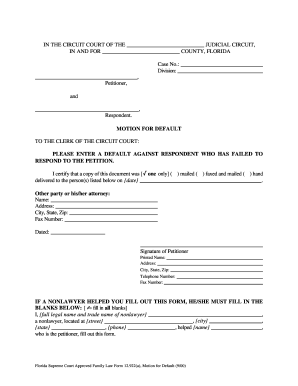
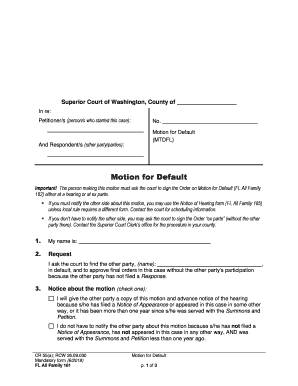
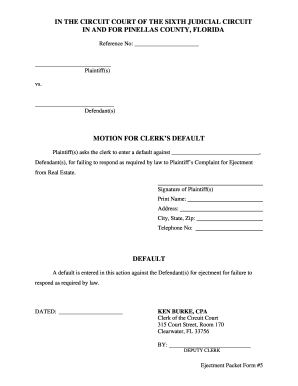
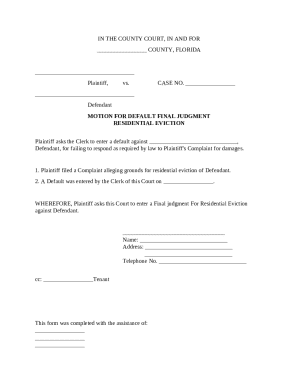
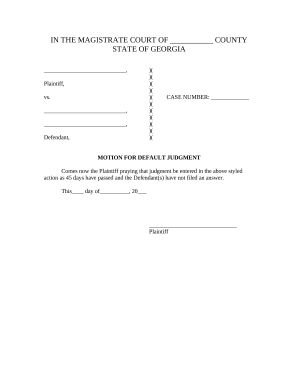
The Motion for Default is a legal document used by a plaintiff to request a court judgment against a defendant who has failed to respond to a lawsuit.
pdfFiller scores top ratings on review platforms




Who needs Default Motion?
Explore how professionals across industries use pdfFiller.

Default Motion is needed by:
-
Plaintiffs in civil litigation
-
Legal professionals representing clients
-
Individuals seeking default judgments
-
Small business owners pursuing debt recovery
-
Individuals involved in property disputes
Comprehensive Guide to Default Motion
What Is the Motion for Default?
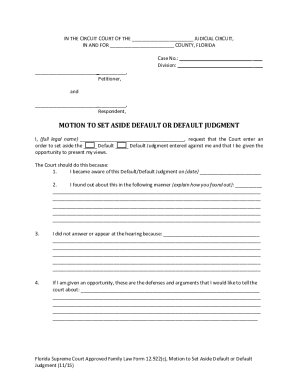
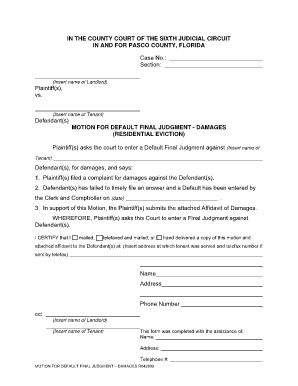
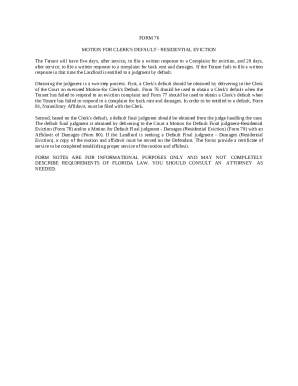
A motion for default is a legal request made to the court when one party fails to respond to a lawsuit. Typically, this motion is used after the defendant does not answer or appear in court within the specified timeframe. Filing a motion for default has significant legal implications, as it can allow the plaintiff to obtain a default judgment in their favor without further contest. The primary situations where this form becomes essential include civil suits, family law cases, and eviction proceedings, where a timely response is critical.
Purpose and Benefits of the Motion for Default
The primary purpose of a motion for default is to expedite legal proceedings by allowing a plaintiff to move forward without waiting indefinitely for a defendant's response. By filing this motion proactively, the plaintiff asserts their rights and emphasizes the necessity for judicial intervention. Successfully filing the motion can lead to a default judgment, granting the requesting party a decisive advantage in the case.
Who Needs to File a Motion for Default?
Individuals or entities that may need to file a motion for default often include plaintiffs in civil litigations, landlords in eviction cases, and parties in family law matters where one side has failed to respond. Filing is essential to support a legal claim and ensures that the court is aware of the non-responsiveness of the other party. Common scenarios include cases where a defendant is unrepresented, or when a legal demand is met with silence.
Eligibility Criteria for the Motion for Default
To be eligible to file a motion for default, specific requirements must be met, such as proper service of the legal documents to the defendant. Necessary documentation typically includes proof of service and any relevant case information. Eligibility can also depend on jurisdictional rules and the type of case, which may impose additional restrictions or requirements.
How to File the Motion for Default Online
Filing the motion for default online involves several straightforward steps. Begin by accessing a platform like pdfFiller to create or fill out the motion form. Ensure that all fields are accurately completed, including the case number and party details. Common errors can occur if fields are left blank or improperly filled, so double-check for completeness and clarity.
-
Go to pdfFiller and select the motion for default template.
-
Fill in all required details accurately.
-
Review the form for any errors or missing information.
-
Submit the completed form as directed by the platform.
Required Documents and Supporting Materials
When filing a motion for default, it is crucial to include specific documents to support your submission. Mandatory attachments typically consist of proof of service and any affidavits confirming the defendant's failure to respond. Supporting evidence may enhance the claim's credibility, ensuring the court has sufficient information to rule in the plaintiff's favor.
-
Proof of service document.
-
Affidavit of non-response.
-
Any relevant correspondence related to the case.
Submission Methods and Where to Send the Motion for Default
Submission of the motion for default can be accomplished through various channels. Common methods include online filing via platforms like pdfFiller, mailing the documents to the appropriate court, or delivering them in person. To ensure compliance, it is essential to find the correct court or office for submission, as well as any specific requirements related to physical submissions.
-
File online through the chosen platform.
-
Mail the completed motion to the appropriate court.
-
Deliver in person if required by jurisdiction.
What Happens After Submitting the Motion for Default?
After submitting the motion for default, several potential outcomes can arise, and it is important to be aware of the next steps. The court typically processes the motion within a specific timeline, which varies by jurisdiction. Tracking the status can often be done through the court's website or the filing system of the platform used for submission.
-
Await notification from the court regarding the motion's approval or denial.
-
Check the court's website for updates on the case status.
-
Be prepared for possible further court actions or hearings.
How pdfFiller Helps with the Motion for Default
Utilizing pdfFiller for your motion for default offers several advantages that simplify the process. Key features of pdfFiller include the ability to edit, eSign, and securely store your documents, which is particularly important when handling sensitive information. User feedback often highlights how the platform enhances the ease of filing legal forms while ensuring compliance with security standards.
Secure Your Motion for Default Today
To streamline your process, consider starting your journey with pdfFiller for your motion for default. This platform not only simplifies the form-filling experience but also enhances efficiency, allowing for quicker legal resolution. Accessing pdfFiller directly is the first step to ensuring your motion is completed accurately and securely.
How to fill out the Default Motion
-
1.To access the Motion for Default on pdfFiller, visit the pdfFiller website and log into your account or create a new one if you don’t have an account yet.
-
2.Once logged in, navigate to the search bar and type 'Motion for Default' to find the specific form. Click on the form to open it in the editor.
-
3.Before filling out the form, gather all relevant information including the case number, details of the defendant, and the reasons for the default request.
-
4.Use pdfFiller's interface to click on each field in the form. Input the required information, ensuring accuracy and completeness.
-
5.If additional information is required, refer to the instructions on the form itself or consult legal guidelines if necessary.
-
6.After completing all fields, review the form carefully for any errors or omissions. Check dates, names, and any legal references to ensure everything is accurate.
-
7.Once you are satisfied with the form, look for the ‘Submit’ button or options to save your work. You can save it in various formats, such as PDF or Word.
-
8.Finally, download a copy of the completed motion for your records or submit it directly through pdfFiller if applicable to your jurisdiction.

Who is eligible to file a Motion for Default?
Any plaintiff who has filed a lawsuit and the defendant has failed to respond within the stipulated time frame is eligible to file a Motion for Default.
What is the deadline for submitting a Motion for Default?
Typically, the deadline to file a Motion for Default varies by jurisdiction, but it is usually within a specific number of days after the defendant's response period has expired.
How do I submit my Motion for Default?
After completing the form, you can submit your Motion for Default by mailing it to the court or electronically via online court systems, depending on local rules.
Are there any supporting documents needed for the Motion for Default?
Generally, you only need the completed Motion for Default. However, check your local court requirements as additional documents may be needed in some cases.
What common mistakes should I avoid when filing a Motion for Default?
Ensure that all required fields are filled out accurately and completely, avoid incorrect case numbers, and double-check for any misspellings that could delay processing.
What is the processing time for a Motion for Default?
Processing times vary by court but are often between a few days to several weeks. Always check with your local court for specific timelines.
Can I appeal a Motion for Default?
Yes, a defendant can appeal a default judgment if they can demonstrate a valid reason for not responding initially, but this process should be started promptly.


Get the latest insights from our blog


If you believe that this page should be taken down, please follow our DMCA take down process
here
.
This form may include fields for payment information. Data entered in these fields is not covered by PCI DSS compliance.