
Last updated on
Oct 19, 2026

Get the free Subpoena Request Form
We are not affiliated with any brand or entity on this form

Fill out
Complete the form online in a simple drag-and-drop editor.

eSign
Add your legally binding signature or send the form for signing.

Share
Share the form via a link, letting anyone fill it out from any device.

Export
Download, print, email, or move the form to your cloud storage.
Why pdfFiller is the best tool for your documents and forms


End-to-end document management
From editing and signing to collaboration and tracking, pdfFiller has everything you need to get your documents done quickly and efficiently.
Accessible from anywhere
pdfFiller is fully cloud-based. This means you can edit, sign, and share documents from anywhere using your computer, smartphone, or tablet.
Secure and compliant
pdfFiller lets you securely manage documents following global laws like ESIGN, CCPA, and GDPR. It's also HIPAA and SOC 2 compliant.
What is Subpoena Form
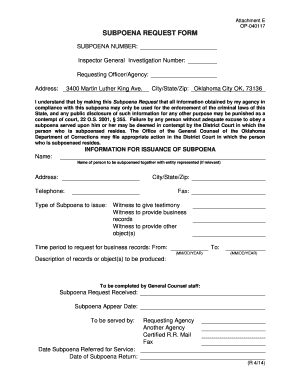
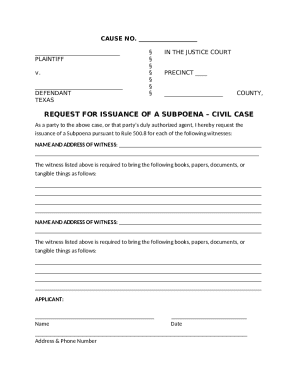
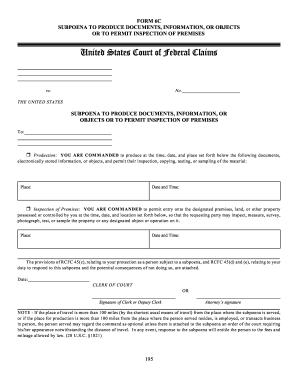
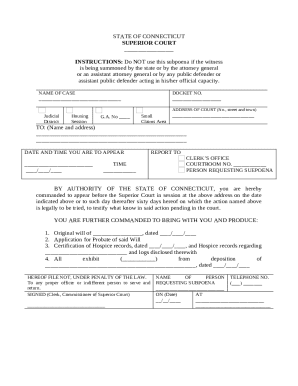
The Subpoena Request Form is a legal document used by parties in court to request the appearance of a witness or the production of evidence in a legal case.
pdfFiller scores top ratings on review platforms




Who needs Subpoena Form?
Explore how professionals across industries use pdfFiller.

Subpoena Form is needed by:
-
Lawyers representing clients in legal matters
-
Individuals involved in a court case as defendants or plaintiffs
-
Legal assistants working in law firms
-
Witnesses summoned to appear in court
-
Court clerks processing legal documents
Comprehensive Guide to Subpoena Form
What is the Subpoena Request Form?
The Subpoena Request Form is a crucial document used in legal proceedings to request the appearance of a witness or the production of evidence. This form facilitates a formal request in court cases, ensuring that essential information is available for trial events. Understanding the significance of this legal subpoena form is vital, as it establishes the framework for what is needed during court sessions.
Purpose and Benefits of Using the Subpoena Request Form
The main purpose of the subpoena is to compel the presence of witnesses or to mandate the sharing of specific evidence. Utilizing the subpoena request form is beneficial in several ways:
-
Ensures legal compliance with court requirements.
-
Streamlines the process of requesting necessary documents and appearances.
-
Provides clarity in the details of the request, reducing ambiguity.
By including accurate information, users can assist in moving legal proceedings forward effectively.
Key Features of the Subpoena Request Form
This form is designed to be user-friendly and effective, equipped with several key features:
-
Fillable fields for critical information such as the defendant's name and case number.
-
Checkboxes and structured formatting to aid in the completion of forms.
-
Security features designed to comply with legal standards and protect user data.
These features ensure that all essential elements are included for a thorough submission.
Who Needs to Use the Subpoena Request Form?
Typically, the subpoena request form is necessary for various stakeholders in legal proceedings. Key users include:
-
Attorneys who represent clients in court.
-
Law firms that manage multiple cases requiring formal requests.
-
Clients who need to ensure witnesses appear or evidence is presented.
Situations where this form is needed include court cases and depositions, making it a vital document for legal operations.
How to Fill Out the Subpoena Request Form Online (Step-by-Step)
Filling out the subpoena request form online can be straightforward if followed step-by-step. Here’s how to complete each field:
-
Enter the witness’s full name and contact information accurately.
-
Input the case number and any relevant identifiers associated with the legal matter.
-
Clearly specify what items or evidence are being requested from the witness.
-
Review all details entered to ensure accuracy before submission.
-
Check for any common errors, such as misspellings or incorrect case numbers.
Submission Methods and Requirements
To ensure the subpoena request form is processed, users must be aware of the submission methods and requirements:
-
Online submission through designated legal management platforms.
-
Mailing the form to the court or relevant legal authority.
-
In-person submission at the court for immediate processing.
In addition, users should prepare any required supporting documents and be mindful of deadlines to avoid late submission issues.
What Happens After You Submit the Subpoena Request Form?
Once the subpoena request form is submitted, users can expect the following:
-
Confirmation of receipt from the court or managing authority.
-
Possible outcomes like court approval or a request for corrections.
-
A specified timeline for expected court responses regarding the request.
Monitoring the submission is crucial for understanding the next steps in the legal process.
Ensuring Security and Compliance When Using the Subpoena Request Form
Handling sensitive legal documents requires a focus on security. Important considerations include:
-
Implementation of encryption to protect user data and confidentiality.
-
Compliance with applicable laws and regulations, such as HIPAA and GDPR.
Proper handling and submission practices can safeguard both the form and any attached documentation throughout the legal process.
Final Thoughts on Using pdfFiller for Your Subpoena Request Form
pdfFiller simplifies the process of creating and submitting your subpoena request form. With user-friendly features for editing and signing documents, it enhances document management efficiency. Embrace the convenience of pdfFiller to ensure a smooth submission process for your legal forms.
How to fill out the Subpoena Form
-
1.To access the Subpoena Request Form on pdfFiller, navigate to the site and use the search bar to locate the form by its name.
-
2.Once opened, familiarize yourself with the layout of the form, which consists of various fields and sections that require completion.
-
3.Before you start filling out the form, gather essential information such as the defendant's name, case number, and any specific items or evidence that need to be produced.
-
4.As you proceed to fill in the fields, click on each box and type in the required information. Utilize pdfFiller’s features like dropdown menus or checkboxes to ensure accuracy.
-
5.If you need to make changes or corrections, pdfFiller allows for easy editing. Take your time to ensure all fields are filled out correctly.
-
6.Once you’ve completed the form, review your entries for any inaccuracies or missing information. Check every section thoroughly to avoid errors.
-
7.After reviewing, you can save your progress. Use the ‘Save’ option to store your form in your pdfFiller account for later use.

Who is eligible to use the Subpoena Request Form?
Any party involved in a legal case, including attorneys, defendants, and plaintiffs, can use the Subpoena Request Form to request a witness or evidence.
What are the deadlines for submitting this form?
The deadlines can vary by court and case type. It’s crucial to check local court rules for specific submission timelines regarding the Subpoena Request Form.
How should I submit the Subpoena Request Form?
You can submit the completed form in person at the court, or in some cases, by mail or electronically, depending on court policies.
Are there any supporting documents required with the form?
Typically, you may need to provide evidence of the case number and related documentation when submitting the Subpoena Request Form. Check with your court for specifics.
What are common mistakes to avoid when filling out the form?
Ensure all information is accurate and complete. Avoid leaving any sections blank, and double-check that all names are spelled correctly to prevent delays in processing.
What is the processing time for the Subpoena Request Form?
Processing times can vary based on the court's workload and procedures. Generally, it can take a few days to several weeks to be processed after submission.
Can I save my progress while filling out the form on pdfFiller?
Yes, pdfFiller allows you to save your progress at any stage. Simply click on the 'Save' option to store your form and return to it later.
Related Forms



Get the latest insights from our blog


If you believe that this page should be taken down, please follow our DMCA take down process
here
.
This form may include fields for payment information. Data entered in these fields is not covered by PCI DSS compliance.