
Last updated on
Oct 19, 2026

Get the free Grade 5 Unit 5 Assessment Guide
We are not affiliated with any brand or entity on this form

Fill out
Complete the form online in a simple drag-and-drop editor.

eSign
Add your legally binding signature or send the form for signing.

Share
Share the form via a link, letting anyone fill it out from any device.

Export
Download, print, email, or move the form to your cloud storage.
Why pdfFiller is the best tool for your documents and forms


End-to-end document management
From editing and signing to collaboration and tracking, pdfFiller has everything you need to get your documents done quickly and efficiently.
Accessible from anywhere
pdfFiller is fully cloud-based. This means you can edit, sign, and share documents from anywhere using your computer, smartphone, or tablet.
Secure and compliant
pdfFiller lets you securely manage documents following global laws like ESIGN, CCPA, and GDPR. It's also HIPAA and SOC 2 compliant.
What is Grade 5 Assessment
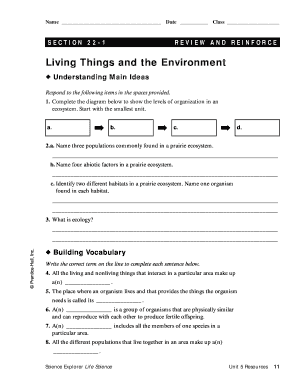
The Grade 5 Unit 5 Assessment Guide is an educational document used by teachers to evaluate students' understanding of ocean ecosystems and gyres.
pdfFiller scores top ratings on review platforms




Who needs Grade 5 Assessment?
Explore how professionals across industries use pdfFiller.

Grade 5 Assessment is needed by:
-
Teachers conducting assessments in grade 5
-
Educators implementing core knowledge language arts curricula
-
Schools evaluating student performance in science subjects
-
Parents supporting their children’s learning and assessments
Comprehensive Guide to Grade 5 Assessment
What is the Grade 5 Unit 5 Assessment Guide?
The Grade 5 Unit 5 Assessment Guide serves as a crucial educational tool designed to evaluate student understanding of specific content. This guide focuses on assessing knowledge about biotic and abiotic factors within ocean ecosystems, making it particularly relevant for students exploring the dynamics of these environments. It is integral in ensuring that educational objectives are met and that students engage with key ecological concepts.
Purpose and Benefits of the Grade 5 Unit 5 Assessment Guide
This assessment guide aids in measuring students' comprehension of designated learning objectives, promoting deep understanding of the material covered in class. Additionally, it fosters meaningful discussions and reflections among students and educators alike. By engaging with the unit 5 assessment PDF, both educators and students can enjoy numerous benefits, such as enhanced clarity in expectations and streamlined evaluation methods.
Key Features of the Grade 5 Unit 5 Assessment Guide
The Grade 5 Unit 5 Assessment Guide includes several key features aimed at facilitating user interaction and comprehension. These features consist of:
-
Fillable fields for 'NAME:' and 'DATE:' to personalize each assessment.
-
Detailed instructions for answering questions and selecting options.
-
Formatting that ensures accessibility and ease of use for all students.
Who Should Use the Grade 5 Unit 5 Assessment Guide?
This assessment guide is ideal for a diverse range of users including teachers, students, and educational administrators. It aligns neatly with the broader educational curriculum and assessment framework, thus ensuring that all involved parties can effectively evaluate understanding. For students studying ocean ecosystems, using the Grade 5 Unit 5 Assessment Guide plays a crucial role in their academic development.
How to Fill Out the Grade 5 Unit 5 Assessment Guide Online (Step-by-Step)
Filling out the Grade 5 Unit 5 Assessment Guide online is a straightforward process. Follow these simple steps to ensure effective completion:
-
Access the guide and open it in your preferred PDF reader.
-
Locate the fillable fields and enter your information where prompted.
-
Follow the instructions provided for each question to formulate your responses.
-
Save your completed document using your PDF software's saving features.
Common Errors and How to Avoid Them When Using the Assessment Guide
While using the Grade 5 Unit 5 Assessment Guide, users may encounter various common errors. To ensure accuracy and completeness, consider the following tips:
-
Double-check all responses before submission for possible mistakes.
-
Ensure that all required fields are filled in correctly to avoid incomplete submissions.
How to Download and Save the Grade 5 Unit 5 Assessment Guide PDF
Downloading the completed assessment form is a crucial step towards finalizing your submission. To manage your files effectively, follow these steps:
-
Click on the download button after completing the form.
-
Select a secure location on your device for easy access.
-
Consider using backup options like cloud storage to prevent data loss.
Submitting the Grade 5 Unit 5 Assessment Guide: Best Practices
There are various methods available for submitting the Grade 5 Unit 5 Assessment Guide, including online and email options. To ensure successful submission, keep the following in mind:
-
Check if any supporting documents are required along with your submission.
-
Confirm that your submission has been received and inquire about the next steps.
Why Choose pdfFiller for Your Assessment Guide Needs?
Utilizing pdfFiller for your Grade 5 Unit 5 Assessment Guide offers numerous advantages, including seamless cloud access and enhanced security features. The platform streamlines the form filling and management process, ensuring compliance with data protection regulations, which is crucial for maintaining privacy.
Engage with pdfFiller for Your Assessment Needs
We encourage users to explore the capabilities of pdfFiller for filling out and managing the Grade 5 Unit 5 Assessment Guide. The platform allows for easy access and handling of educational assessment tools, and potential users can take advantage of free trials or demonstrations to fully appreciate its features.
How to fill out the Grade 5 Assessment
-
1.To access the Grade 5 Unit 5 Assessment Guide on pdfFiller, begin by visiting the pdfFiller website and logging into your account. If you do not have one, create an account to gain access.
-
2.Once you are logged in, utilize the search bar to find 'Grade 5 Unit 5 Assessment Guide'. Click on the form to open it in the pdfFiller interface, where you can begin editing.
-
3.Before completing the form, gather necessary information, including the names of students and any specific observation data related to their understanding of ocean ecosystems.
-
4.As you navigate the form, fill in multiple fields, including 'NAME:' and 'DATE:'. Use the text fields to input written answers to the specific questions as they relate to biotic and abiotic factors.
-
5.If there are sections that require you to select answers, use pdfFiller’s tools to mark choices appropriately, ensuring that responses are clear and legible.
-
6.Once you have filled in all necessary information, take a moment to review the completed form for accuracy. Make sure all sections are filled out and that answers adequately reflect students' understanding.
-
7.Finally, to save your work, click on the 'Save' button. You can also download the completed document or submit it directly through pdfFiller by following the on-screen prompts.

What is the purpose of the Grade 5 Unit 5 Assessment Guide?
The purpose of the Grade 5 Unit 5 Assessment Guide is to assess students' understanding of ocean ecosystems and related content, allowing educators to gauge students' grasp of the material.
Who can use the Grade 5 Unit 5 Assessment Guide?
This assessment guide is intended for teachers of grade 5 students who are evaluating their students in the context of core knowledge language arts and science, specifically ocean studies.
Are there any specific deadlines for submitting the assessment guide?
While there are typically no formal deadlines for the assessment guide itself, teachers should consider aligning the completion of this guide with their class schedules to efficiently assess student learning.
What is the process for submitting the completed Guide?
After filling out the Grade 5 Unit 5 Assessment Guide on pdfFiller, it can either be printed and submitted in hard copy or submitted electronically through pdfFiller's submission features, depending on the teacher's preference.
What supporting documents are needed to complete the assessment?
No additional supporting documents are required to complete the Grade 5 Unit 5 Assessment Guide, but having prior student notes or observation records may help provide context for answers.
What are common mistakes to avoid when filling out the guide?
Common mistakes include skipping questions, failing to provide clear answers, and not reviewing the completed form for errors prior to submission. Ensuring all fields are filled out accurately is crucial.
How long does it take for assessments to be processed?
Processing time for assessments varies, but typically educators can review responses soon after submission. For effective feedback, allow time for grading and evaluation based on school timelines.






Get the latest insights from our blog


If you believe that this page should be taken down, please follow our DMCA take down process
here
.
This form may include fields for payment information. Data entered in these fields is not covered by PCI DSS compliance.