
Last updated on
Oct 19, 2026

Get the free Chubb K12 Student Accident Claim Form
We are not affiliated with any brand or entity on this form

Fill out
Complete the form online in a simple drag-and-drop editor.

eSign
Add your legally binding signature or send the form for signing.

Share
Share the form via a link, letting anyone fill it out from any device.

Export
Download, print, email, or move the form to your cloud storage.
Why pdfFiller is the best tool for your documents and forms


End-to-end document management
From editing and signing to collaboration and tracking, pdfFiller has everything you need to get your documents done quickly and efficiently.
Accessible from anywhere
pdfFiller is fully cloud-based. This means you can edit, sign, and share documents from anywhere using your computer, smartphone, or tablet.
Secure and compliant
pdfFiller lets you securely manage documents following global laws like ESIGN, CCPA, and GDPR. It's also HIPAA and SOC 2 compliant.
What is K12 Accident Claim
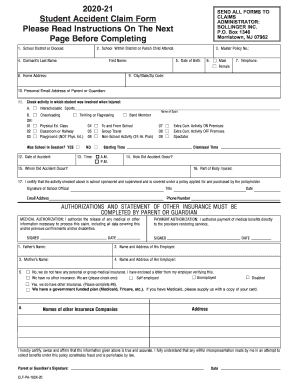
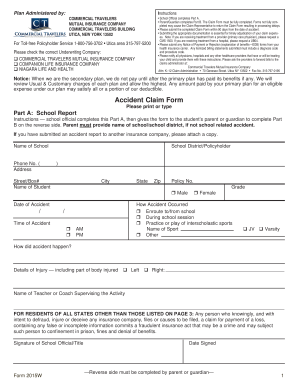
The Chubb K12 Student Accident Claim Form is a medical claim document used by parents or legal guardians to report student injuries or illnesses occurring at school.
pdfFiller scores top ratings on review platforms




Who needs K12 Accident Claim?
Explore how professionals across industries use pdfFiller.

K12 Accident Claim is needed by:
-
Parents or legal guardians of students
-
School officials managing student welfare
-
Witnesses to reported incidents
-
Health care providers treating student injuries
-
Insurance representatives handling claims
Comprehensive Guide to K12 Accident Claim
What is the Chubb K12 Student Accident Claim Form?
The Chubb K12 Student Accident Claim Form serves as an essential tool for parents or legal guardians to document and report student injuries or illnesses that occur within the school environment. This form is particularly necessary during school-sponsored events or activities where accidents might happen. Additionally, the completion of this form is required to initiate the claims process for medical benefits related to the incident.
Purpose and Benefits of the Chubb K12 Student Accident Claim Form
The primary purpose of the Chubb K12 Student Accident Claim Form is to facilitate the filing of claims for student injuries or illnesses. By submitting this claim form, parents can ensure that their child receives the proper medical attention and secure necessary benefits for treatment. Furthermore, the form simplifies the process through which costs can be reimbursed, ultimately alleviating financial burdens associated with unexpected medical expenses.
Key Features of the Chubb K12 Student Accident Claim Form
This form includes various key features that guide users in providing comprehensive information about the incident. Specific fields required include:
-
Date of the incident
-
Time of the incident
-
Location where the incident occurred
-
Description of the incident
-
Insurance statements and authorizations for payment
These features are crucial for ensuring that all necessary details are included, which can expedite the claims process.
Who Needs the Chubb K12 Student Accident Claim Form?
The primary users of the Chubb K12 Student Accident Claim Form include parents or legal guardians, school officials, and witnesses. Each party plays a vital role in the completion and verification of the form. For instance, parents or guardians provide details about the incident, while school officials may offer corroborating information and are required to sign off on the document.
Eligibility Criteria and When to File the Chubb K12 Student Accident Claim Form
To file the Chubb K12 Student Accident Claim Form, eligibility criteria must be met. Importantly, the form must be submitted within 90 days following the occurrence of the accident or illness. Adhering to this timeline is critical to ensure that claims are processed and benefits are secured efficiently.
How to Fill Out the Chubb K12 Student Accident Claim Form Online (Step-by-Step)
Filling out the Chubb K12 Student Accident Claim Form online is straightforward. Follow these steps:
-
Access the form through the pdfFiller platform.
-
Enter the student’s personal information in the designated fields.
-
Provide detailed information about the incident, including date, time, and location.
-
Complete the sections for insurance statements and authorizations for benefits.
-
Review all entered information for accuracy before submitting.
Common Errors and How to Avoid Them When Filing the Claim
When completing the Chubb K12 Student Accident Claim Form, it’s essential to avoid common mistakes. Some frequent errors include:
-
Missing required information in critical fields
-
Providing inaccurate dates or descriptions
To ensure accuracy, double-check all entries and utilize a review checklist before submitting the claim.
Submission Methods and Delivery of the Chubb K12 Student Accident Claim Form
Users can submit the Chubb K12 Student Accident Claim Form through various methods. Options include:
-
Mailing the completed form to the appropriate address
-
Utilizing online submission through pdfFiller for a quick upload
These methods facilitate a more convenient process for claim submissions.
What Happens After You Submit the Chubb K12 Student Accident Claim Form?
Once the Chubb K12 Student Accident Claim Form is submitted, there are several potential next steps. Users can expect to receive confirmation of receipt and may need to provide additional information if requested. Tracking the status of the claim is also beneficial to ensure transparency in the claims process.
Security and Compliance: Ensuring Your Information is Protected
When handling sensitive documents such as the Chubb K12 Student Accident Claim Form, security is paramount. pdfFiller employs 256-bit encryption and is compliant with regulations like HIPAA and GDPR, ensuring that all personal information is protected throughout the filing process.
Empower Your Claim Process with pdfFiller
Utilizing pdfFiller for completing the Chubb K12 Student Accident Claim Form can greatly enhance the user experience. Key features such as eSigning, editing capabilities, and easy sharing streamline the process, making it more efficient and user-friendly.
How to fill out the K12 Accident Claim
-
1.To begin, access the Chubb K12 Student Accident Claim Form on pdfFiller by searching for the form title in the pdfFiller search bar or navigating to the healthcare forms category.
-
2.Once opened, take a moment to familiarize yourself with the form layout, noticing the required fields and sections designated for detailed information regarding the incident.
-
3.Before completing the form, gather all necessary information including the date, time, and location of the incident, as well as a clear description of the injury or illness reported.
-
4.Using pdfFiller's interface, click on each field to type in information. Make sure to provide accurate and complete answers, especially in sections requiring signatures from parents, guardians, or witnesses.
-
5.Double-check your entries for completeness and accuracy. Review the details to ensure that all required sections are filled out and any necessary checkboxes are marked.
-
6.Once satisfied with all information provided, save the form within pdfFiller. You may also choose to download it as a PDF file for your records.
-
7.When ready to submit, use pdfFiller’s submission options, ensuring you send the form according to the provided guidelines and within the 90-day submission window for incidents.

Who is eligible to submit the Chubb K12 Student Accident Claim Form?
Parents or legal guardians of students injured or ill while at school are eligible to submit this claim form. School officials and witnesses may also be involved in providing necessary information.
What is the deadline for submitting this claim form?
The Chubb K12 Student Accident Claim Form must be submitted within 90 days of the injury or illness occurrence. Make sure to adhere to this timeline to avoid delays in processing.
What methods can I use to submit the claim form?
You can submit the Chubb K12 Student Accident Claim Form electronically through pdfFiller or download it and mail it to the appropriate school office or insurance provider as instructed on the form.
What supporting documents are required with this claim form?
Typically, you may need to include evidence of the incident, such as a detailed description, the student’s insurance information, and any medical reports if applicable. Check with your insurer for specifics.
What common mistakes should be avoided when filling out the form?
Ensure all mandatory fields are completed fully, signatures are provided where required, and supporting documents are attached, as omissions can delay processing or lead to rejection of the claim.
How can I track the status of my claim after submission?
To track your claim status, contact the insurance company or school office where you submitted the form, providing them with any reference number or the details of your submission for easier tracking.
What are the processing times for claims submitted using this form?
Processing times for claims can vary, but typically it takes a few weeks to receive a response after submission. It's advisable to follow up if you do not hear back within that timeframe.
Related Forms




Get the latest insights from our blog


If you believe that this page should be taken down, please follow our DMCA take down process
here
.
This form may include fields for payment information. Data entered in these fields is not covered by PCI DSS compliance.